An employee's action plan expired. Can I extend the due date or reopen the action plan?
Last updated: June 13, 2025
Reopen Action Plan
What if an action plan wasn't completed by the employee?
If any of an action plan's items are not completed by the due date, which is set upon creation, the action plan will move into the status "Expired" and the user can no longer work towards completing the action plan.
If an expired action plan needs to be reopened, access the Reopen option. Through the reopen option, a new agenda due date will be selected and the action plan will be accessible for completion by the employee again.
The action plan's due date can also be edited at any time while the plan is in "Answers Due" or "Pending Approval" status.
If more appropriate to excuse an expired action plan, first access the reopen option and select a new due date. Once the action plan is reopened, you can mark the action plan as excused.
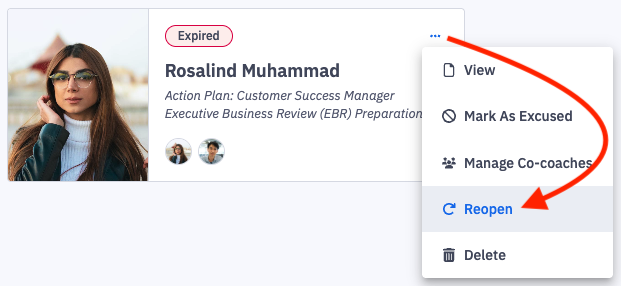
In the left navigation through the Coaching > Action Plans view, any incomplete action plans will display with an "Expired" tag and will be filterable though Status: Expired.