How do I use Webex's tab options to display an Ambition TV?
Last updated: June 23, 2025
Ambition TV in Webex
Using the "Add a Website" option is Webex functionality and Ambition cannot provide support for the Website tab functionality itself, viewing an Ambition TV within Webex, or TV Workflows firing within Webex.
Prerequisites
Webex tabs have been enabled by your Webex admin. Learn more here.
Token generated to bypass password based authentication for viewing TV URL
Request Token
Before the TV URL can be input into Webex, your organization will need to receive a token to append to your TV URLs that allows for mass distribution instead of the TV URL being only accessible by those with an Ambition account.
Each URL token is associated to an active account in Ambition, and a single token can be used across multiple TV URLs. Currently tokens cannot be refreshed, but a new token can be issued to another user in Ambition in the event a new token is needed.
Please reach out to gethelp@ambition.com to receive your token.
Use Token-Based Authentication
Users with "TVs: Create" or "TVs: Edit" permission will be able to access the TV tab in Ambition.
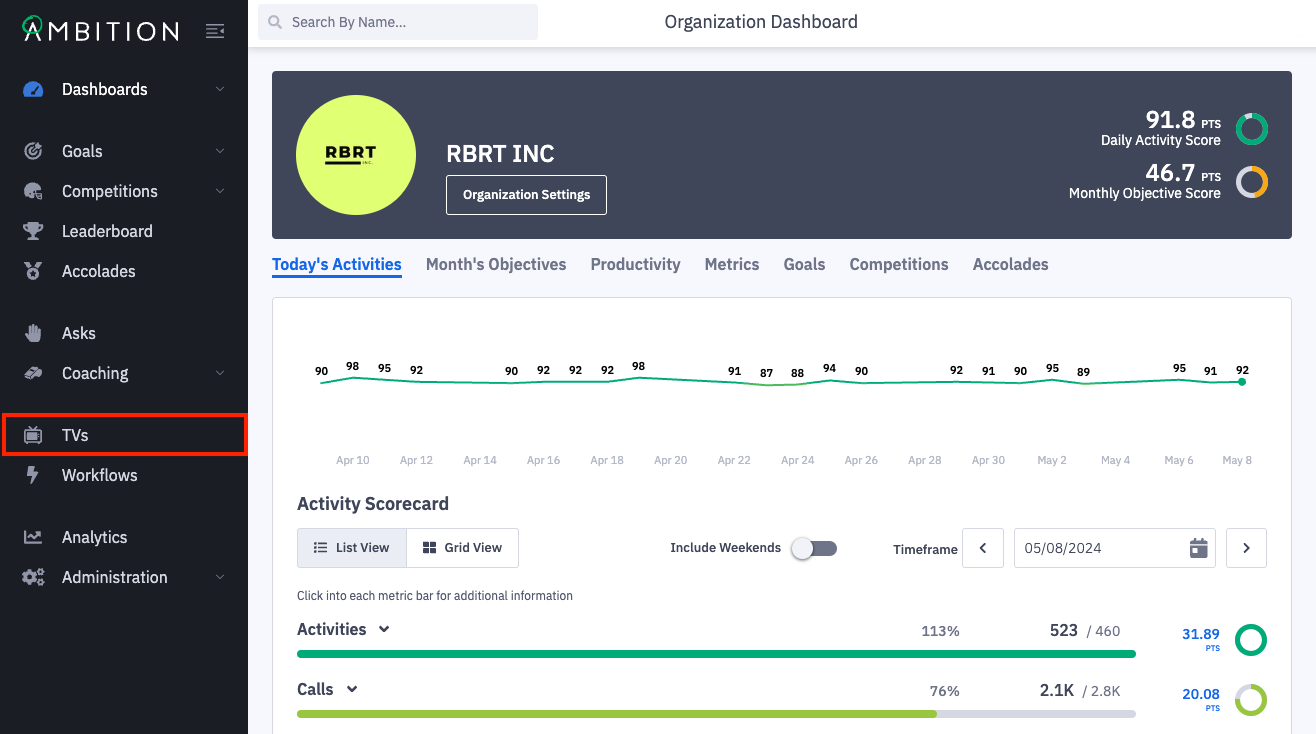
1. Open the left navigation and click TVs.
2. Click on the TV URL that you are wanting to display in a Webex space.
The TV will open in a new tab and you can view the full TV URL.
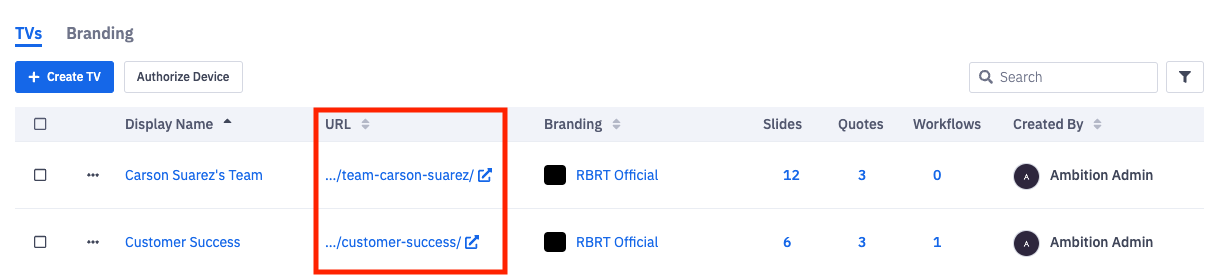
3. Appended the token issued to you by Ambition to the end of the respective TV URL.
Example of URL + Token
https://yourcompanysubdomain.ambition.com/tv/sales?_tva=123abc
The link containing Ambition TV URL + Token can now be copy/pasted directly into the Webex web tab.
Add Ambition TV URL to Webex Space
Webex's documentation for adding a website app can be found here.
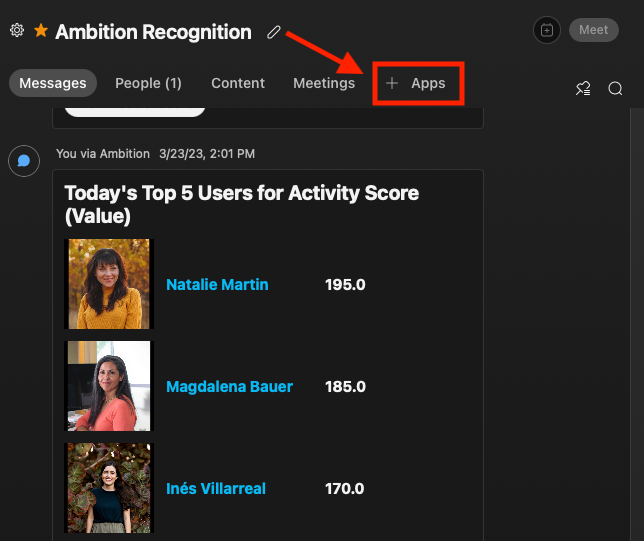
1. In messaging, select a space to add an Ambition TV.
2. Click + Apps.
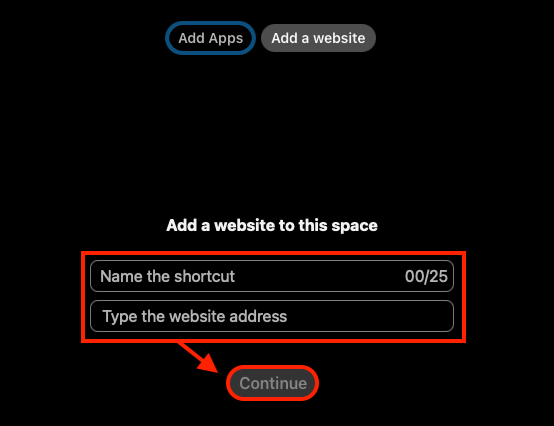
3. Select "Add a website".
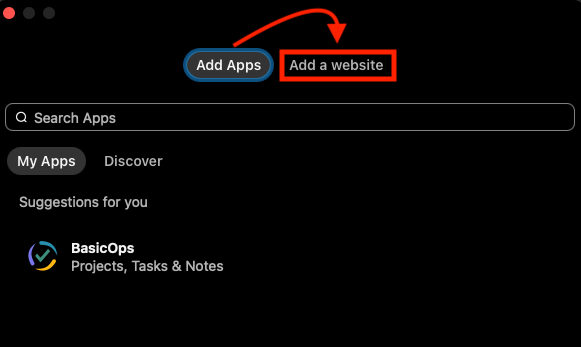
4. Name the tab and input the respective Ambition TV URL with token. Click Continue.
5. The Ambition TV can now be viewed within the website tab.
