How do I leave comments in competitions?
Last updated: March 10, 2026
Comments in Competitions
Within any competition, you will find a comment area.
Comments can be used to stir up the competition, recognize high achievers, or anything in between!
Leave a Comment in a Competition
All users have permission to leave comments in all competitions.
You do not have to be participating in a competition to leave a comment.
1. Access the competition you desire to leave a comment in.
Need help locating competitions within Ambition? 📄 How do I view competitions?
2. Locate the Comments section of the competition.
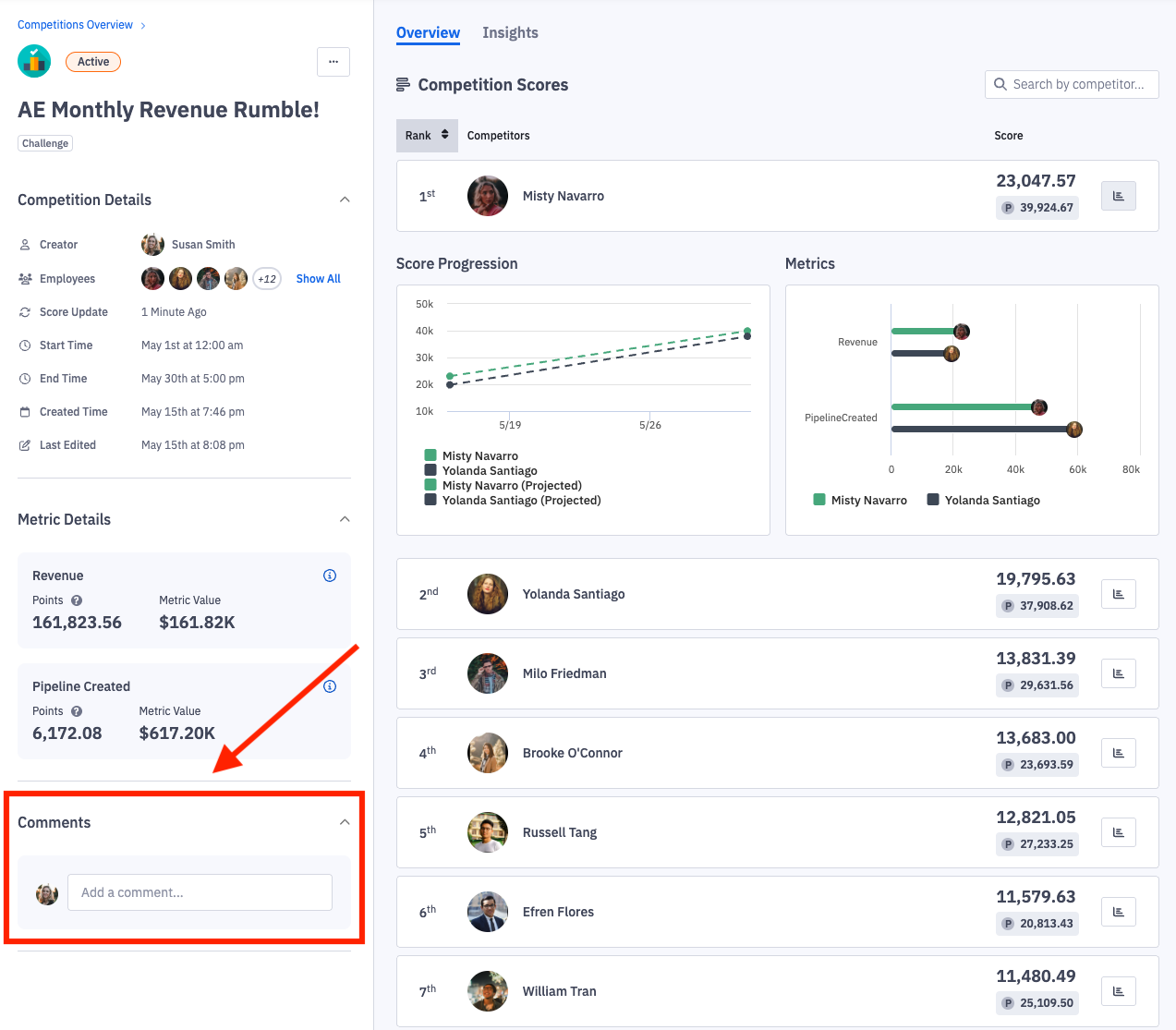
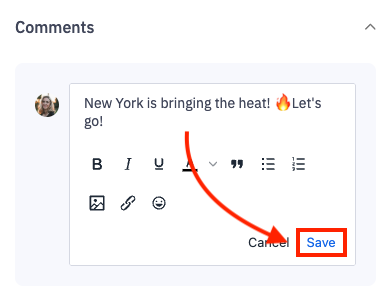
3. Compose your comment and click Save.
Comment Notifications
An email notification is sent to competitors when comments are left. You can unsubscribe from these notifications, but it will disable all comment emails across the platform including coaching comment notifications. Learn more about unsubscribing here.
While an explicit notification is sent by email when comments are left in competitions, a notification will also appear in the dashboard feed of competitors.
Edit a Comment
Users are only able to edit their own comments. (comments they left)
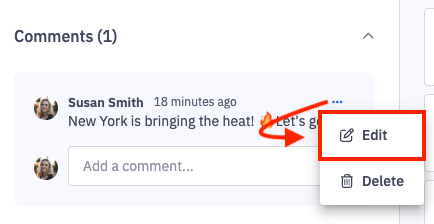
1. Click the ellipses icon and then Edit on the respective comment you wish to edit.
Once edited, Ambition will show the edited date.
Delete a Comment
Users are able to delete their own comments. Users with the "Comments: Delete" permission can delete all comments.
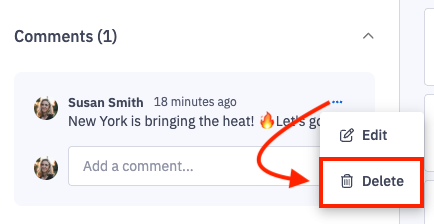
1. Click the ellipses icon and then Delete on the respective comment you wish to remove.