How do I enable Salesforce multi-currency support in Ambition?
Last updated: June 23, 2025
Multi-Currency Support in Ambition
Prerequisite
Installation of Ambition's Salesforce Managed Package is required in order to use multi-currency support in Ambition.
What is Multi-Currency Support?
Multi-Currency is a default-off feature within Salesforce. Once enabled in Salesforce, the organization sets a standard currency (for example USD) and then they can establish additional currencies with a hard-coded exchange rate.
Enabling multiple currencies within Salesforce introduces permanent changes in your organization. Before proceeding, be aware of these implications.
How Does it Work Within Ambition?
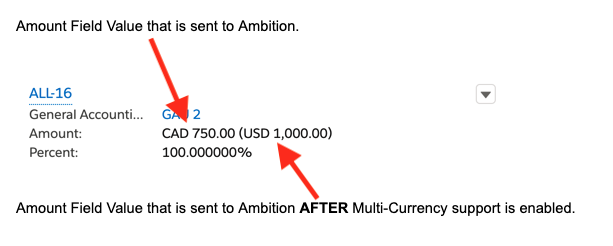
Once the feature is activated in both Ambition and in Salesforce, Ambition will convert the currency of all currency type fields for all objects. The conversion allows organizations to translate multiple currencies into their standard currency within their Ambition instance.
Multi-Currency Support Example
Enable Multi-Currency
1. Ensure that multi-currency is enabled & configured in Salesforce for your organization.
2. Email gethelp@ambition.com with your request to enable this feature in Ambition.
3. Additionally, if your organization needs historical data converted as well, please include this information in your request.
Verify Multi-Currency is Enabled
You can reach out to gethelp@ambition.com to verify the state of multi-currency support, or follow the steps below to verify on your own.
Users with "Integrations: Edit" permission will be able to access the integrations tab.
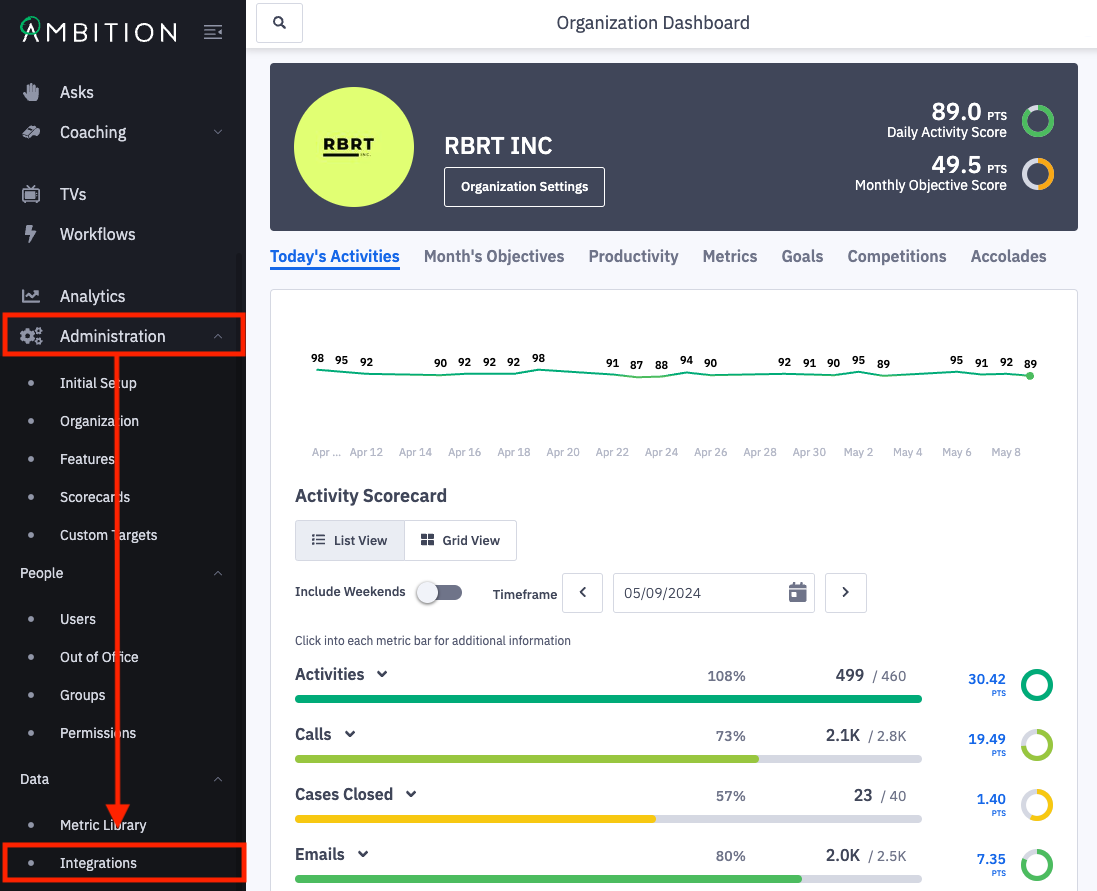
1. Open the left navigation and click Administration > Data > Integrations.
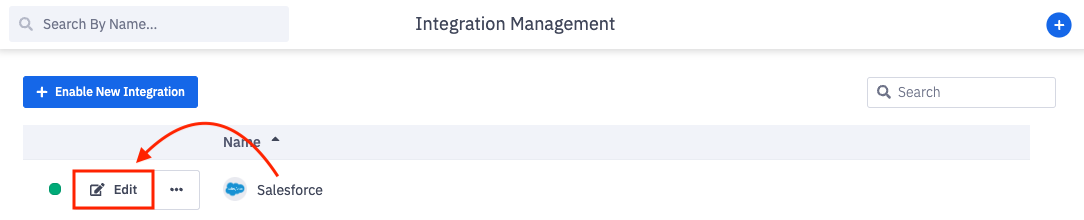
2. Click Edit in line with the Salesforce integration.
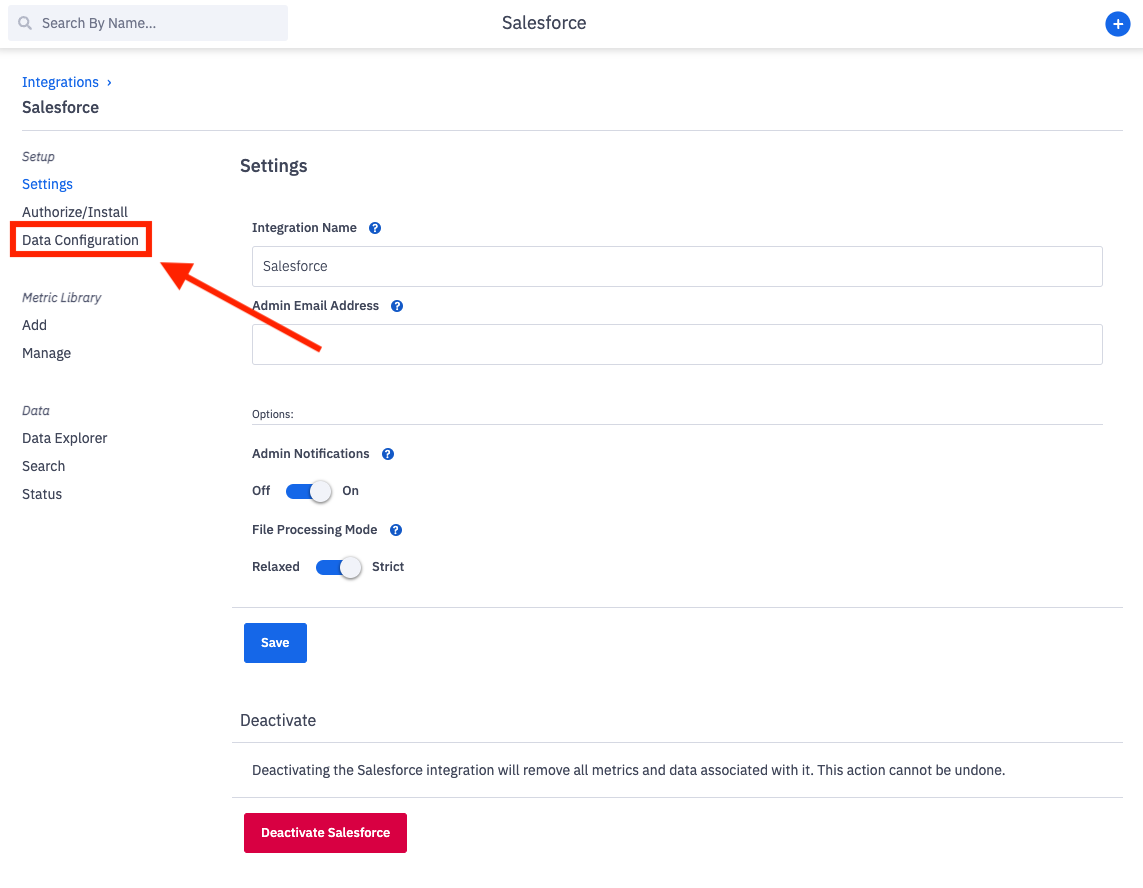
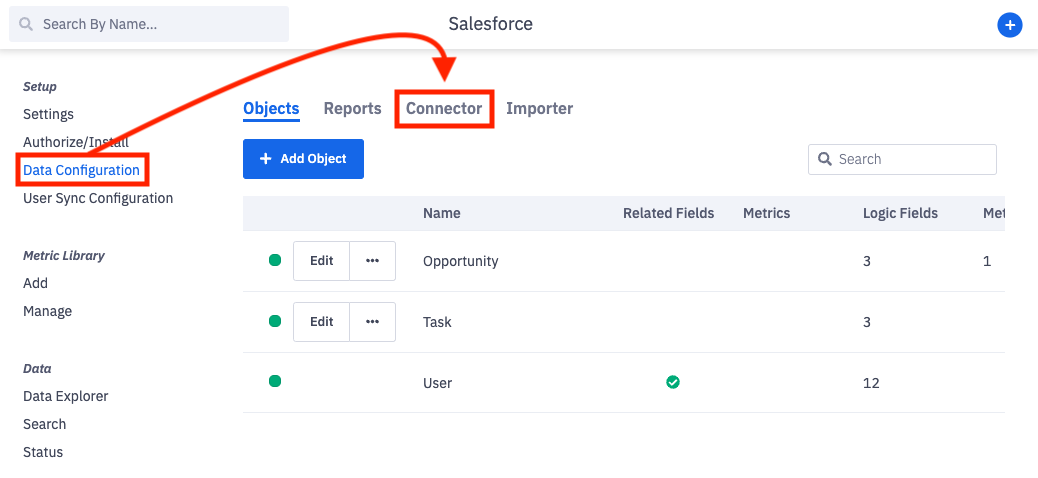
3. Click on Data Configuration.
4. Click on Connector.
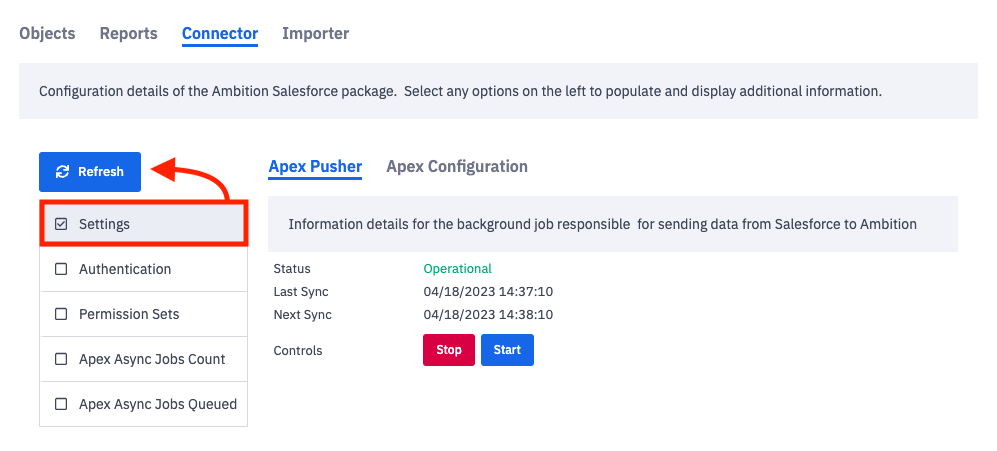
5. Check the box by "Settings" and click Refresh.
6. Verify that Has Multiple Currencies is listed as True.
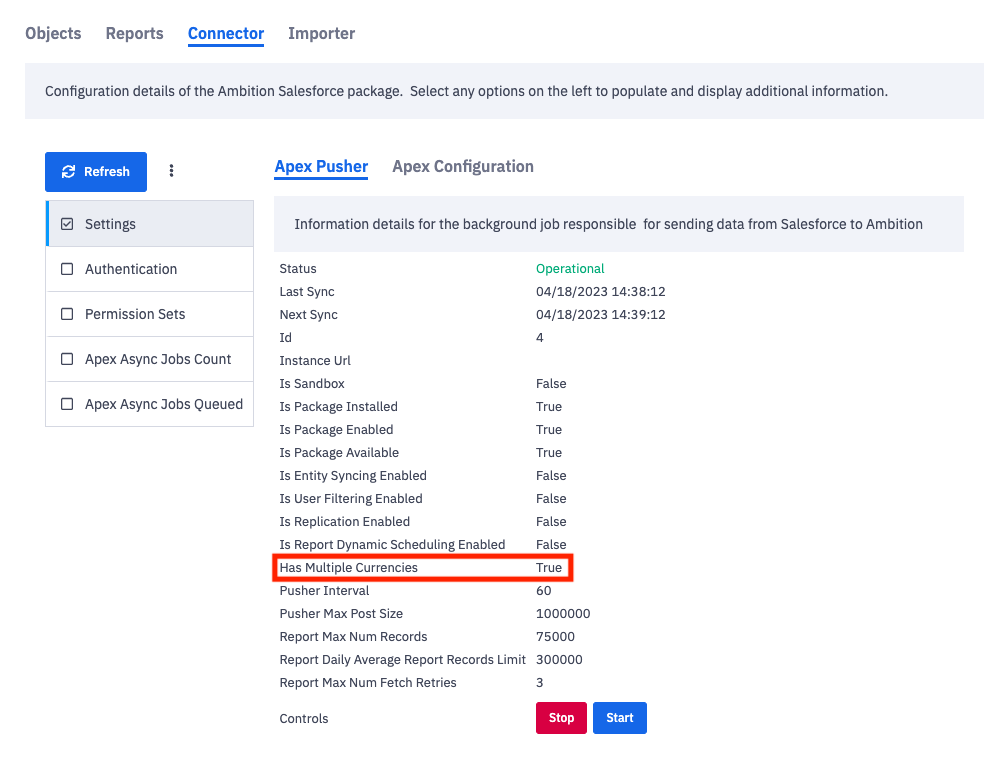
If Has Multiple Currencies is listed as False and your organization uses multi-currency within Salesforce, email gethelp@ambition.com with your request to enable multi-currency support.