Are there examples of Salesforce metrics built in Ambition?
Last updated: June 13, 2025
Examples of Salesforce Metrics
Installation of Ambition's Salesforce Managed Package is required in order to build metrics using data from Salesforce Objects.
While every organization tracks everything from Calls to New Leads to Closed Won deals a little different, here are some example metrics within Ambition.
Learn more about building metrics in Ambition here.
Have a question about your metric buildout? Feel free to reach out to gethelp@ambition.com!
Task Metrics
Emails
Filtered by Type and Status.
Example Source-of-Truth report in Salesforce for Emails.
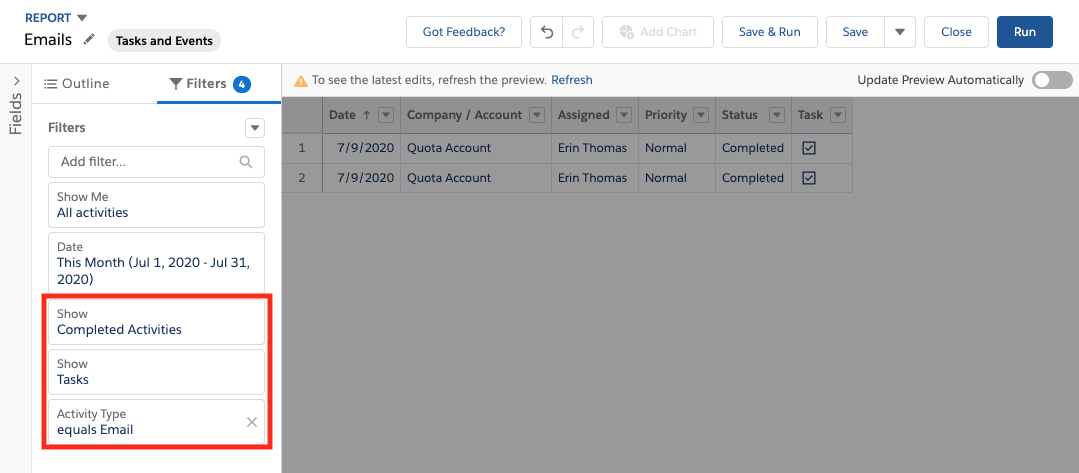
Salesforce Tasks and Events Report Contents and Filters | Corresponding Ambition Metric Setup |
Show | Object = Task |
| Who Gets Credit? = Assigned To ID |
| When Do They Get Credit? = Due Date Only |
Activity Type = | Filter Type = Email |
Show | Filter Status = Completed |
Corresponding Metric in Ambition
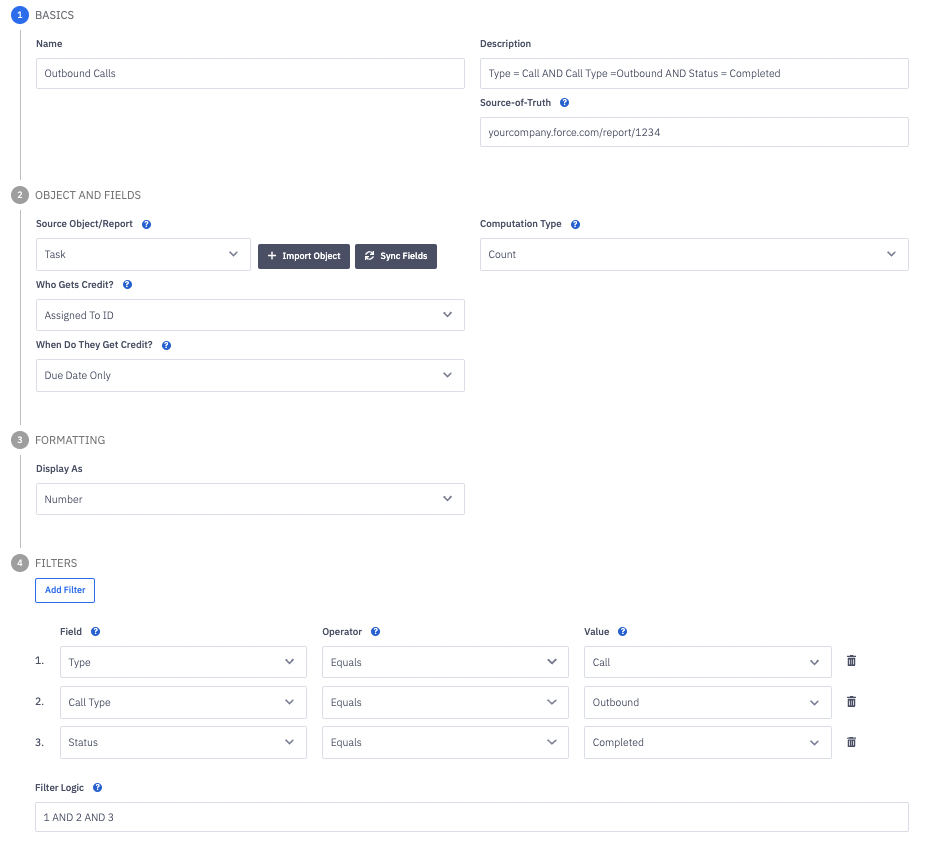
Outbound Calls
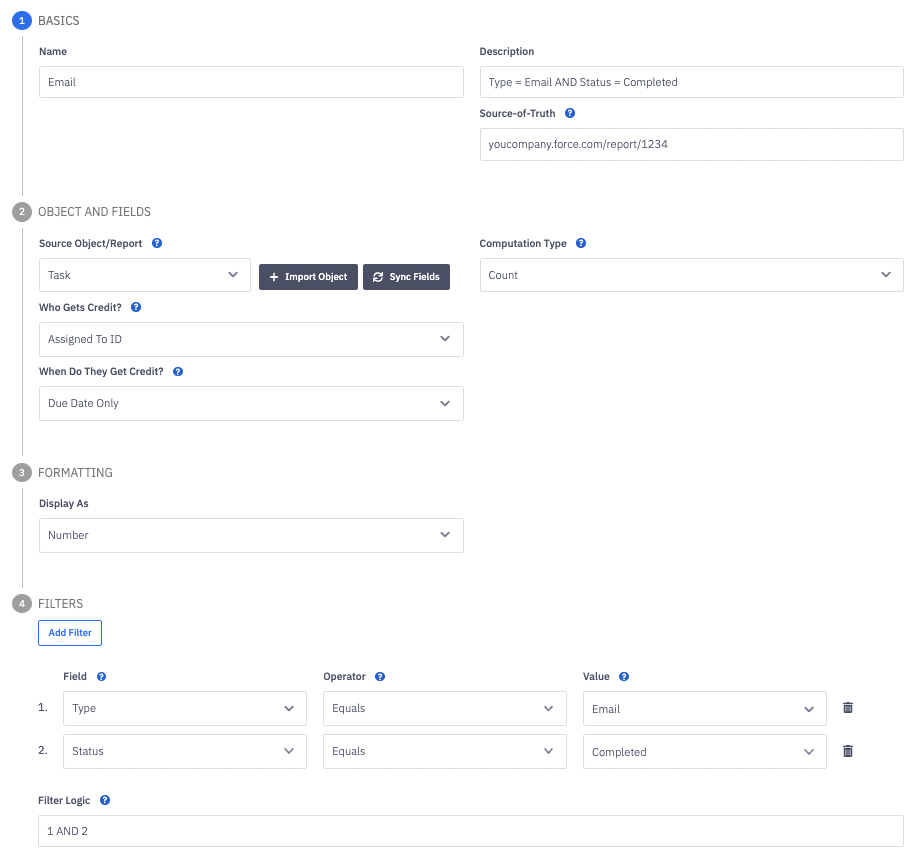
Filtered by Type and Call Type and Status.
Fields will be dependent on your specific phone integration.
Example Source-of-Truth report in Salesforce for Outbound Calls.
Salesforce Tasks and Events Report Contents and Filters | Corresponding Ambition Metric Setup |
Show | Object = Task |
| Who Gets Credit? = Assigned To ID |
| When Do They Get Credit? = Due Date Only |
Activity Type = | Filter Type = Call |
Call Type = | Filter Call Type = Outbound |
Show | Filter Status = Completed |
Corresponding Metric in Ambition
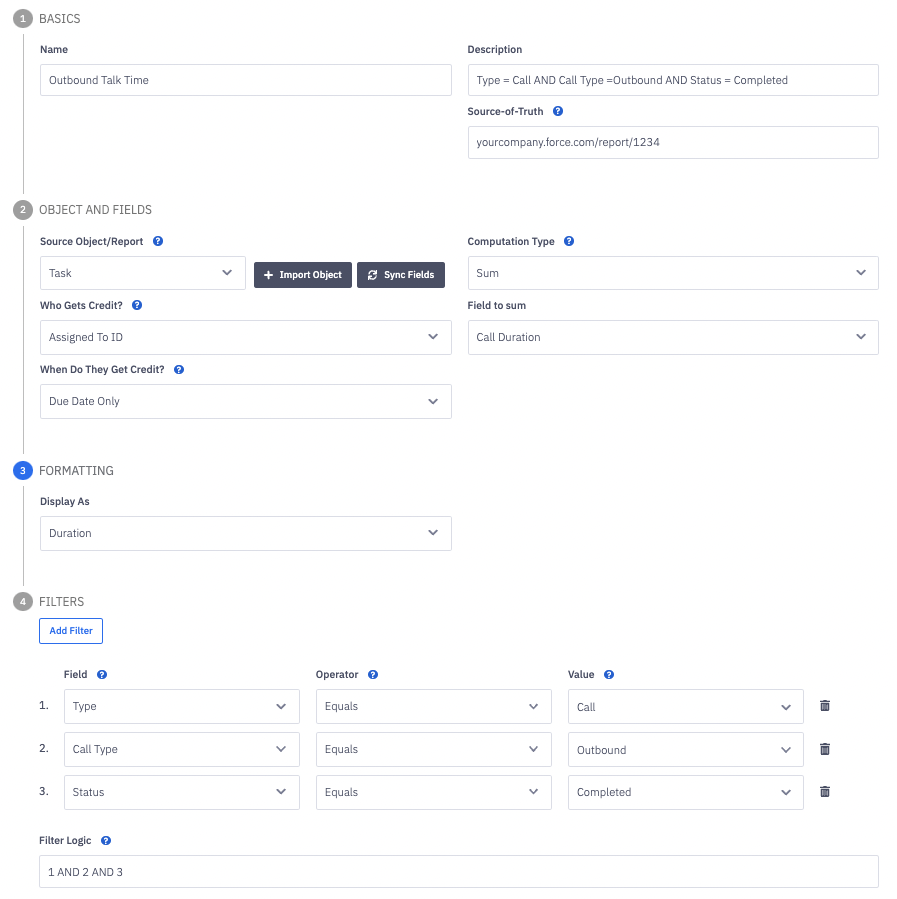
Outbound Talk Time
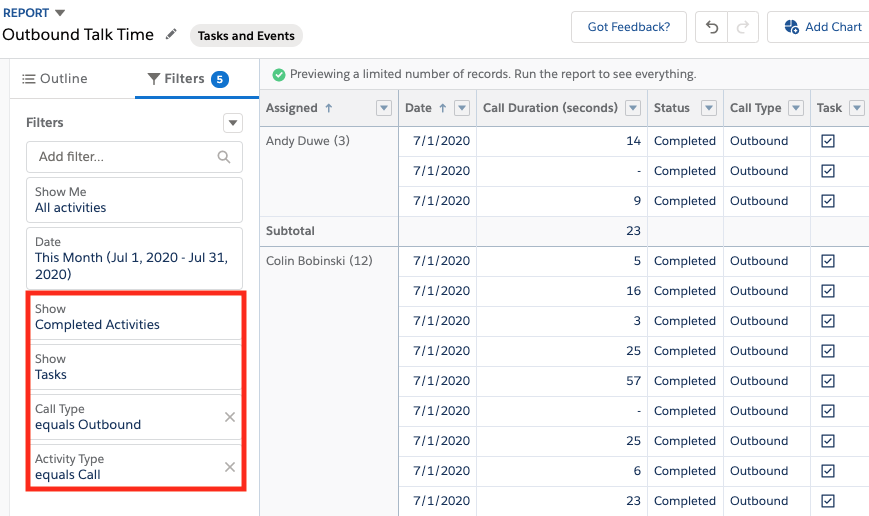
Filtered by Type and Call Type and Status.
Notice that Computation Type is set to "Sum" and Field to Sum is set to "Call Duration".
Formatting is also set to Duration.
Example Source-of-Truth report in Salesforce for Outbound Talk Time.
Salesforce Tasks and Events Report Contents and Filters | Corresponding Ambition Metric Setup |
Show | Object = Task |
| Who Gets Credit? = Assigned To ID |
| When Do They Get Credit? = Due Date Only |
| Field to Sum = Call Duration |
Activity Type = | Filter Type = Call |
Call Type = | Filter Call Type = Outbound |
Show | Filter Status = Completed |
Corresponding Metric in Ambition
Lead Metrics
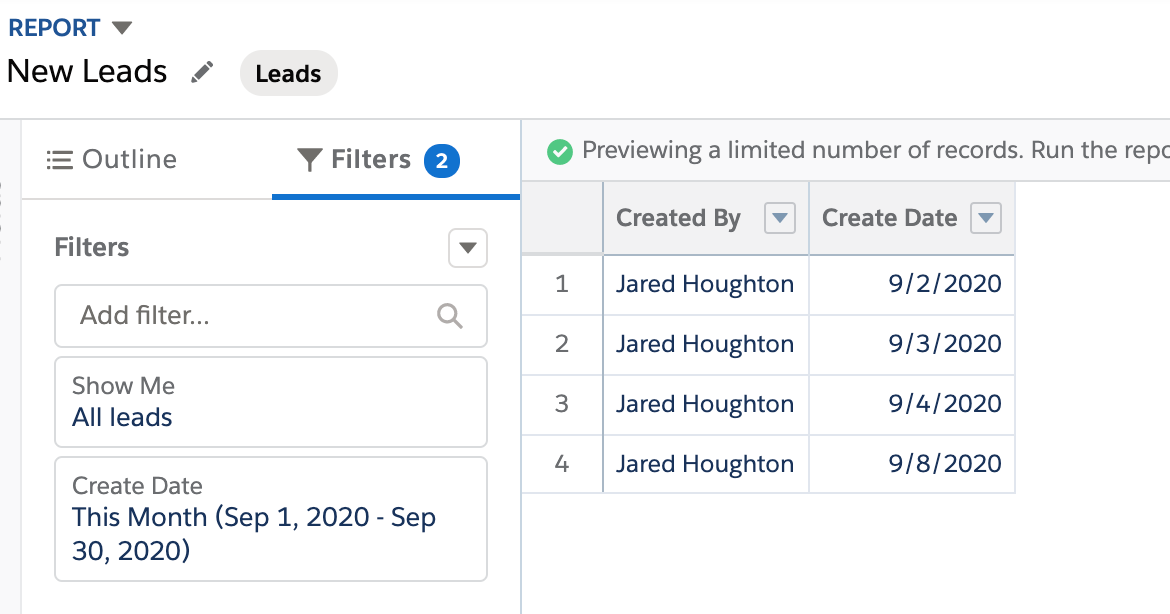
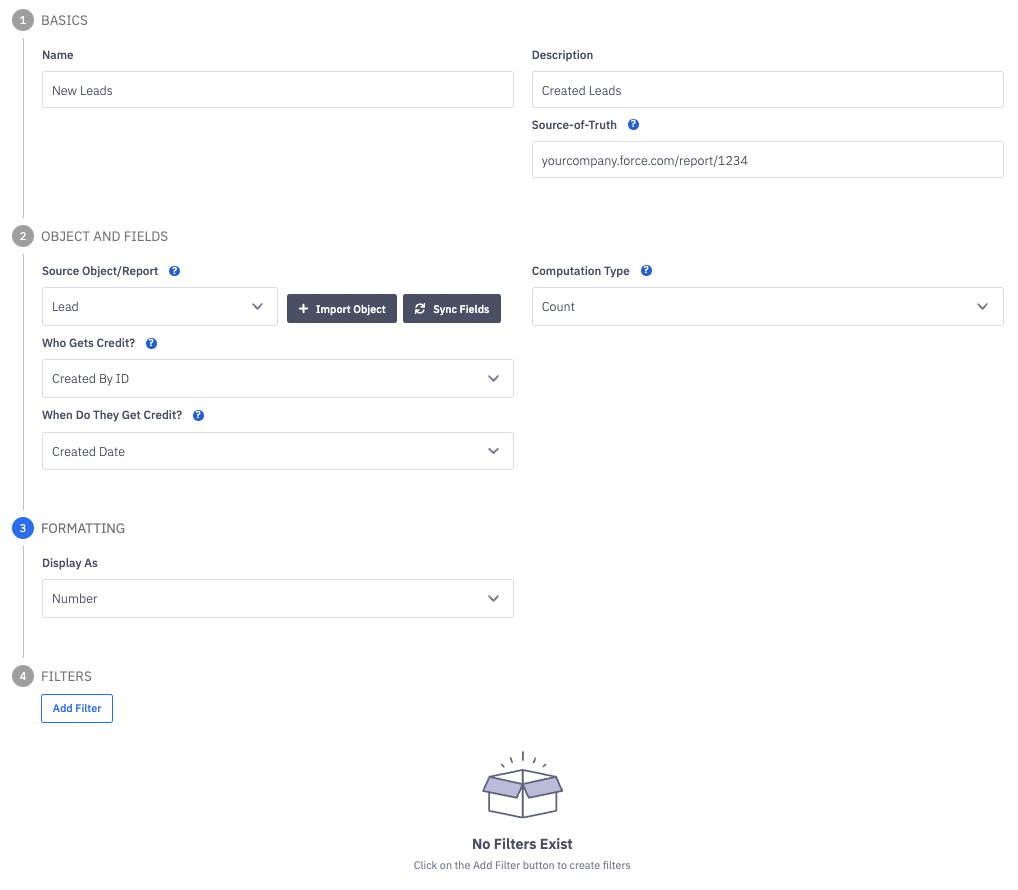
New Leads
Example Source-of-Truth report in Salesforce for New Leads.
Salesforce Tasks and Events Report Contents and Filters | Corresponding Ambition Metric Setup |
Show Me | Object = Lead |
| Who Gets Credit? = Created By ID |
| When Do They Get Credit? = Created Date |
Corresponding Metric in Ambition
Leads Converted
Filtered by Conversion Status.
Example Source-of-Truth report in Salesforce for Converted Leads.
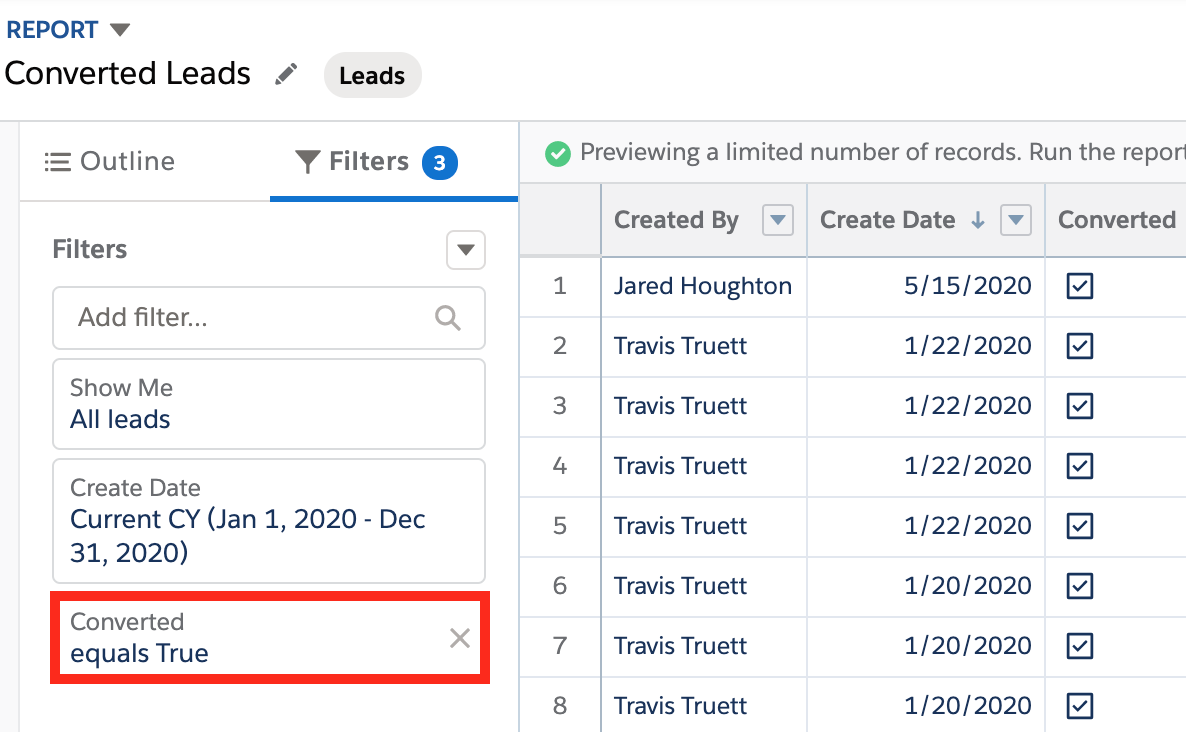
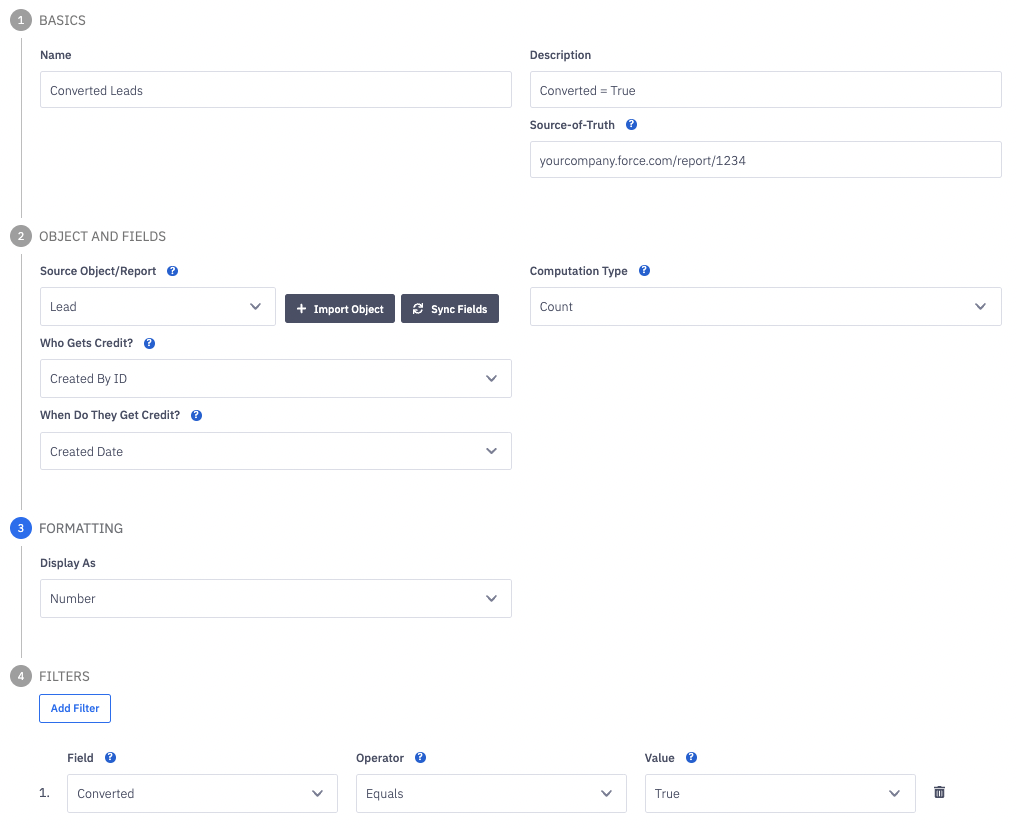
Salesforce Tasks and Events Report Contents and Filters | Corresponding Ambition Metric Setup |
Show Me | Object = Lead |
| Who Gets Credit? = Created By ID |
| When Do They Get Credit? = Created Date |
Converted = | Filter Converted = True (API Name, |
Corresponding Metric in Ambition.
Opportunity Metrics
New Opportunities
Filtered by Type.
Example Source-of-Truth report in Salesforce for New Opportunities.
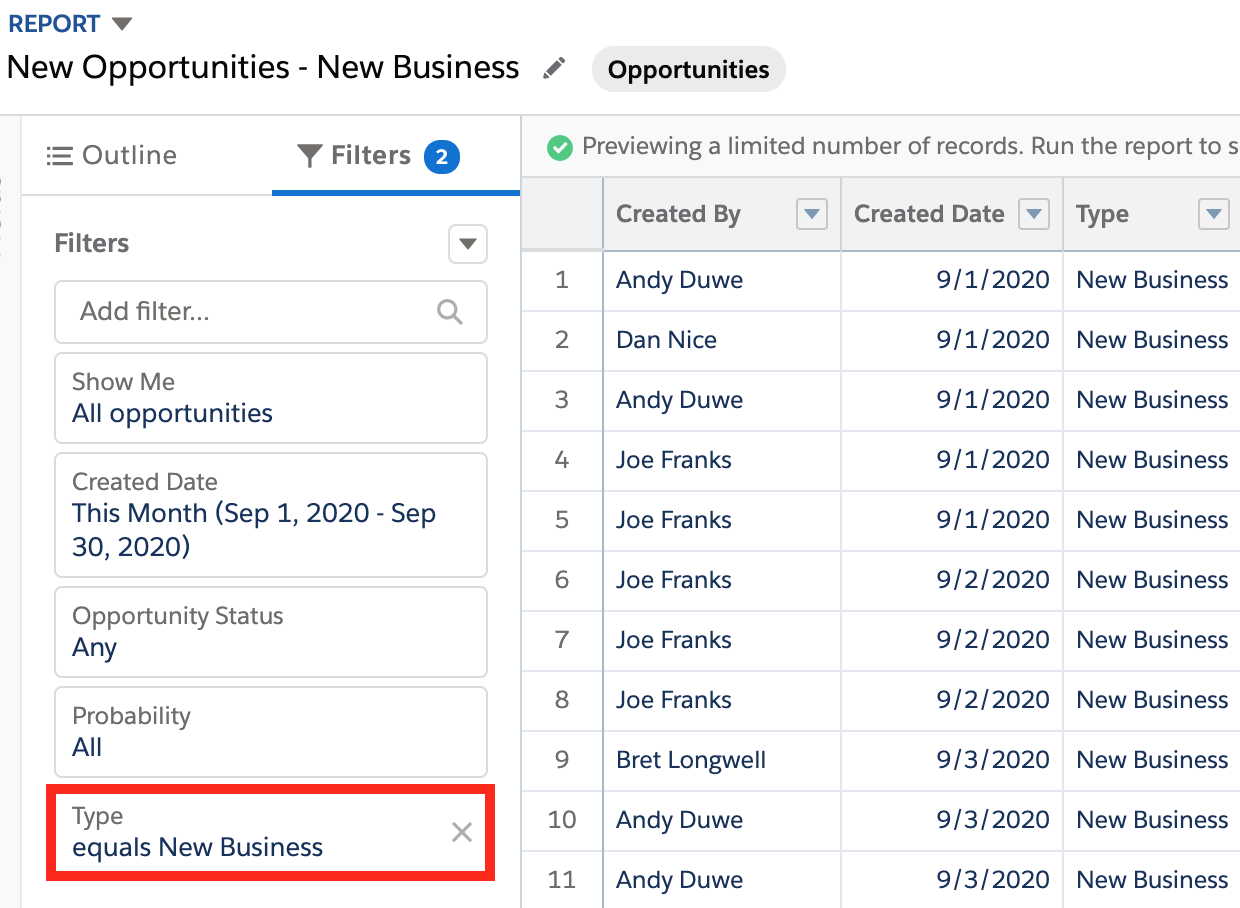
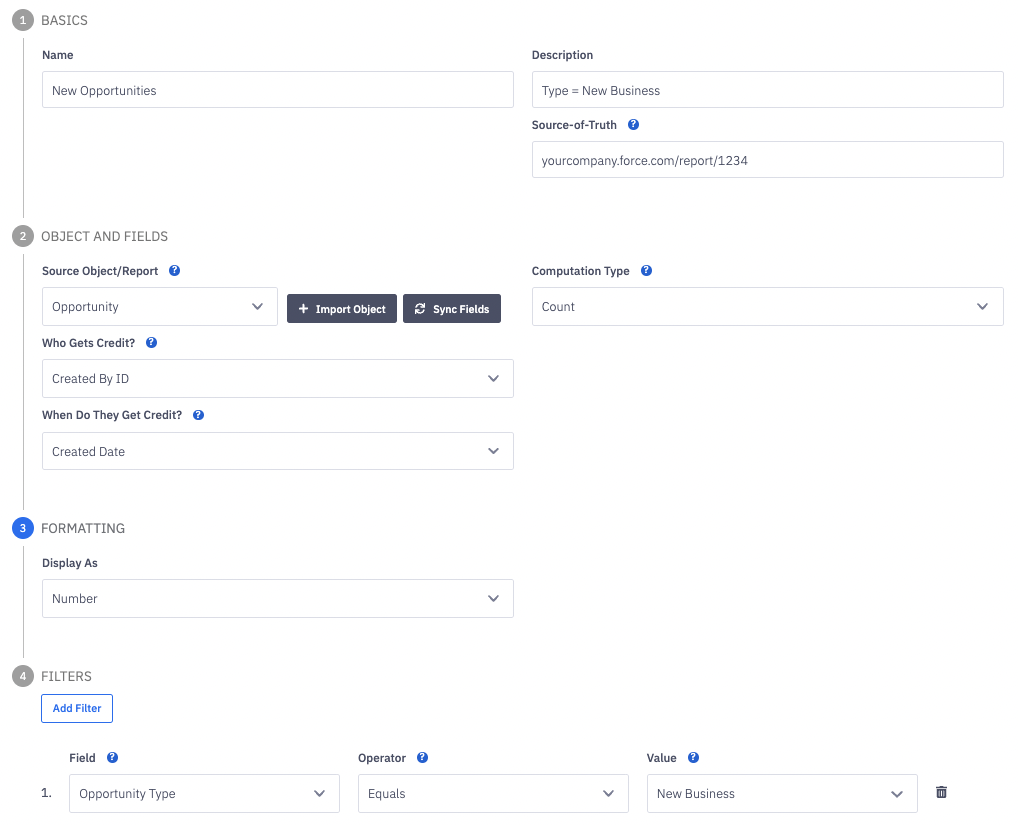
Salesforce Tasks and Events Report Contents and Filters | Corresponding Ambition Metric Setup |
Show Me | Object = Opportunity |
| Who Gets Credit? = Created By ID |
| When do They Get Credit? = Created Date |
Type = | Filter Opportunity Type = New Business |
Corresponding Metric in Ambition
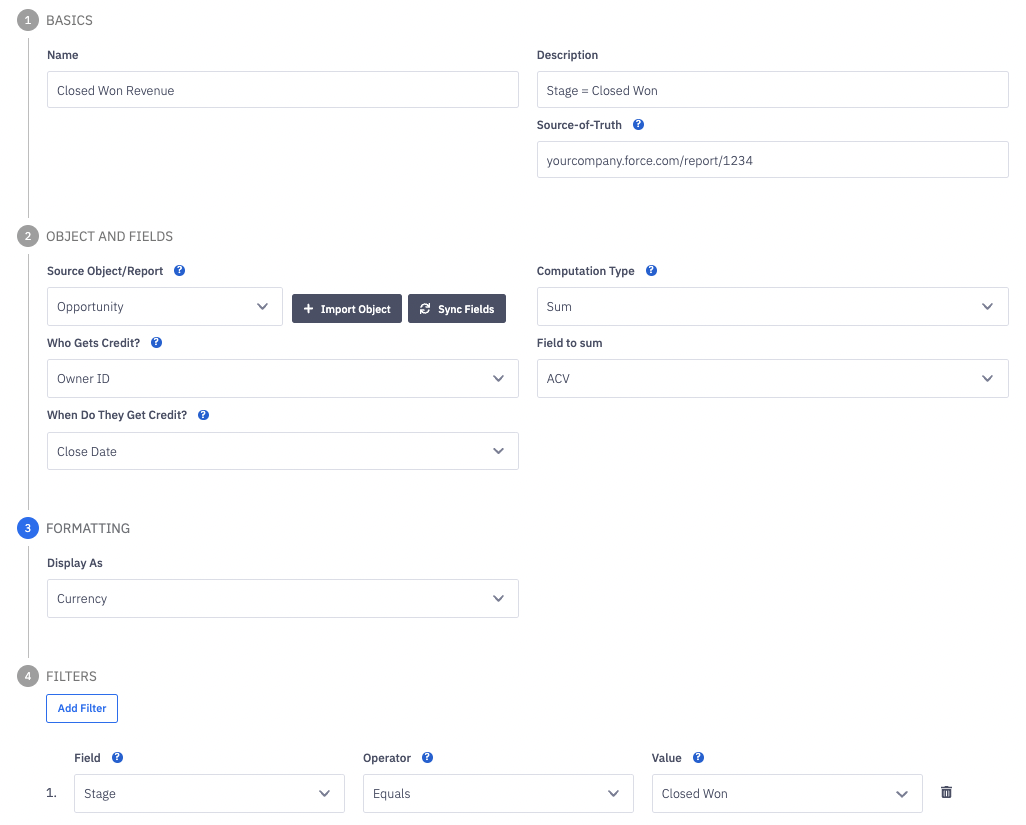
Closed Won Revenue
Filtered by Stage.
Notice that Computation Type is set to "Sum" and Field to Sum is set to "ACV".
Formatting is also set to Currency.
If multi-currency is enable and configured in Salesforce, Ambition can provide conversions if sent differing currencies.
Otherwise, Ambition will display and aggregate all currency values as USD.
Learn more about about multi-currency support here.
Example Source-of-Truth report in Salesforce for Closed Won Opportunities.
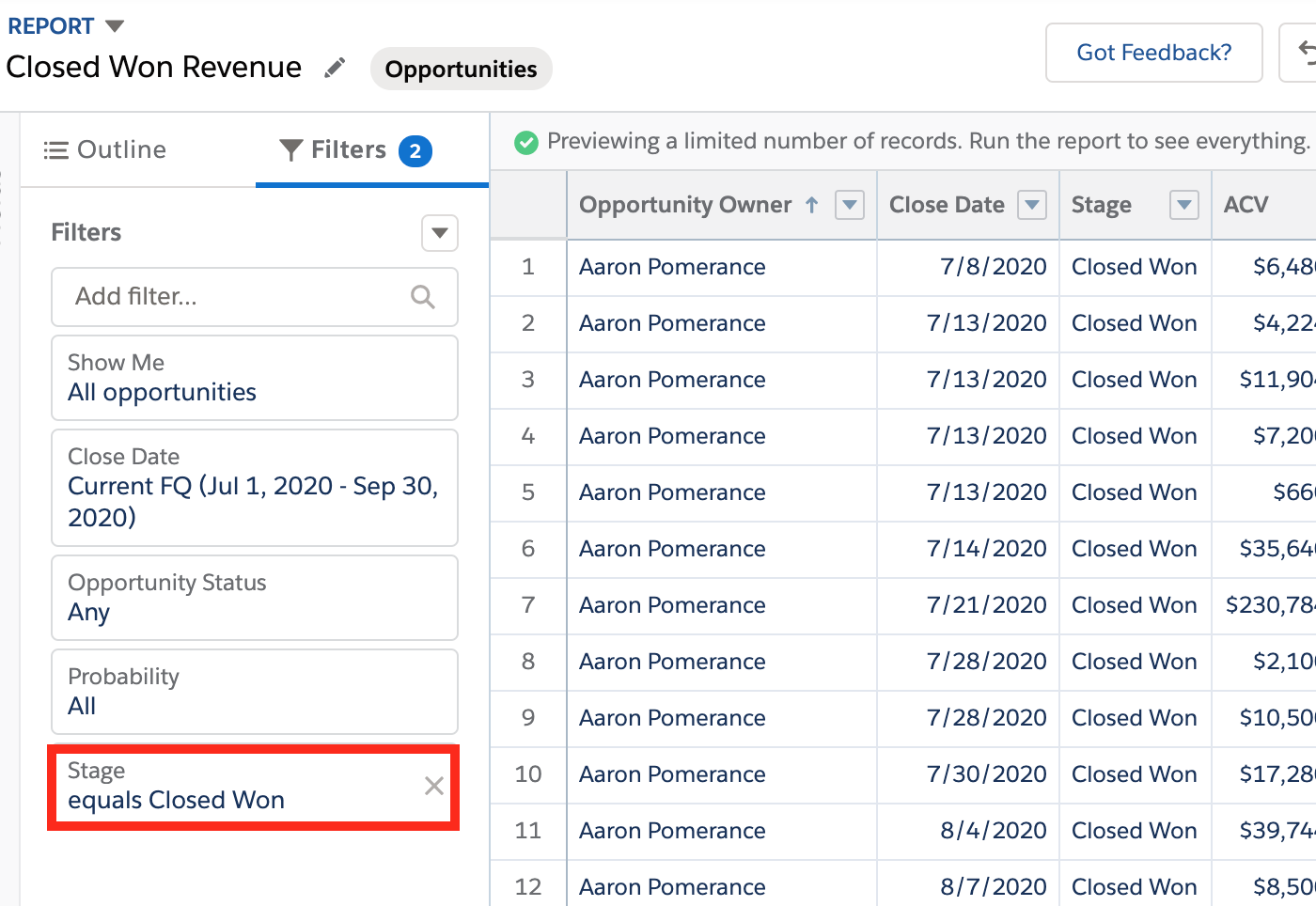
Salesforce Tasks and Events Report Contents and Filters | Corresponding Ambition Metric Setup |
Show Me | Object = Opportunity |
| Who Gets Credit? = Owner ID |
| When Do They Get Credit? = Close Date |
| Field to Sum = ACV |
Stage = | Filter Stage = Closed Won |
Corresponding Metric in Ambition