What options do I have for uploading custom scorecard targets?
Last updated: June 20, 2025
Upload Custom Scorecard Targets
When would I want to upload custom targets?
Ambition offers the ability to customize scorecard targets on a per user basis in order to match the needs of your organization.
If you need to build in new employee ramp time or accommodate individual revenue targets, custom targets are the solution!
While custom targets are a powerful solution, it can be time consuming to manually update each user when multiple custom targets were needed.
Uploading custom targets though a .CSV file alleviates the need to manually update each user's custom target within Ambition. Uploading provides a way to bulk update current custom targets as well as upcoming targets for the weeks and months ahead.
What are my options for uploading custom targets?
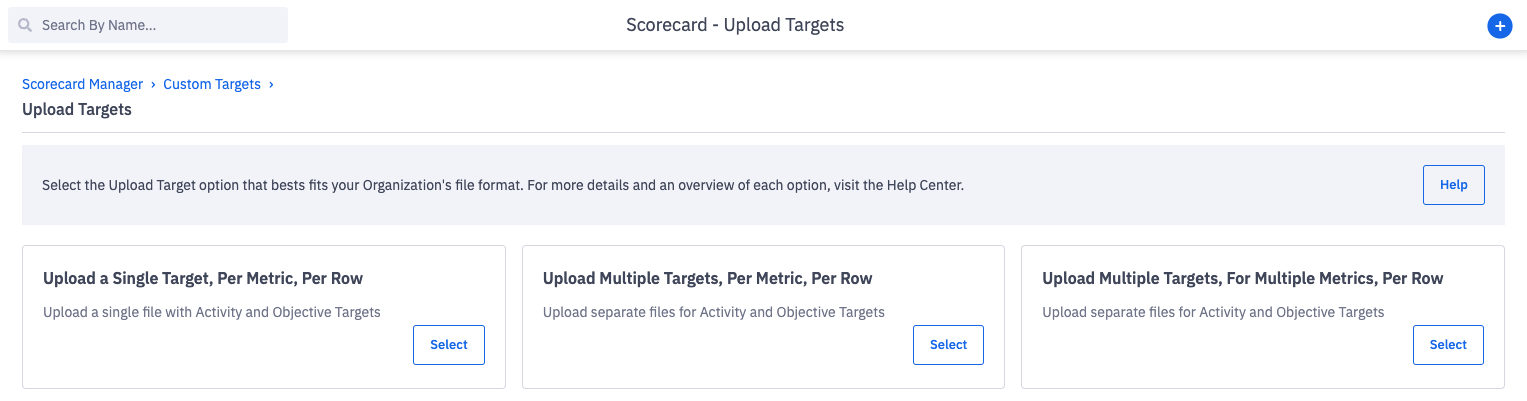
Ambition offers three different file formats that can be used to upload custom targets in bulk.
All three upload options are available to customers who have access to custom target uploads, and a single customer can upload files in all of the different formats. Each admin or manager can select the format that best fits their workflow!
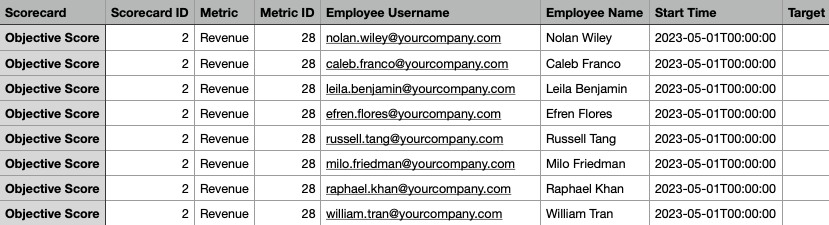
Upload a Single Target, Per Metric, Per Row
A single file containing both activity and objective scores can be uploaded with this format.
Each row of the CSV file will represent a single target, for a single metric, for a single time frame per user.
Ex. If I needed to upload 12 months of custom revenue targets for Caleb, my CSV would contain 12 rows with each row containing a single monthly revenue target for Caleb.
We've found this format is helpful for:
Uploading targets that you've downloaded from Salesforce
When you need to upload a single file for both activity and objective scores at once
Customers who are familiar with uploading targets in Ambition prior to June 2023 as this is our legacy option
Learn more here.
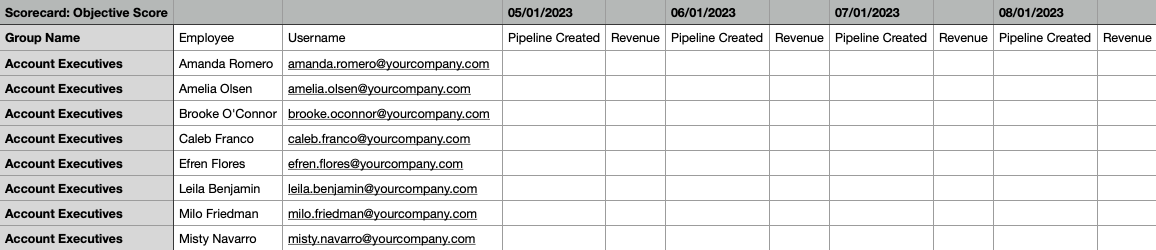
Upload Multiple Targets, Per Metric, Per Row
Separate files for activity and objective score will need to be uploaded with this format.
Each row of the CSV file can represent multiple targets, for a single metric, for multiple time frames, per user.
Ex. If I needed to upload 12 months of custom revenue targets for Caleb, my CSV would contain 1 row. The single row would contain Caleb's revenue targets for all 12 months.
We've found this format helpful for:
Ramping new employees
Users who are familiar with inputting custom targets manually (similar format!)
Learn more here.
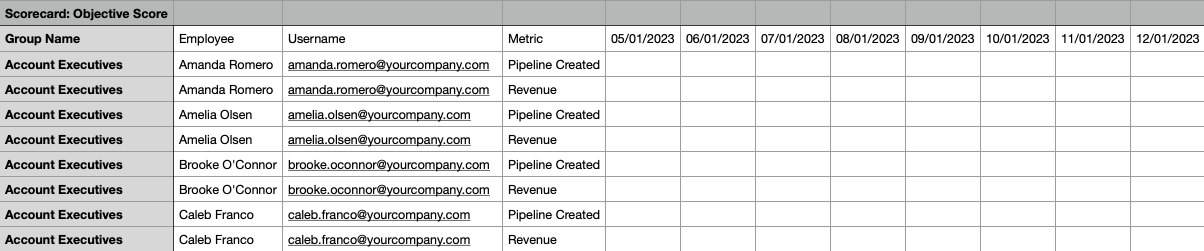
Upload Multiple Targets, For Multiple Metrics, Per Row
Separate files for activity and objective score will need to be uploaded with this format.
Each row of the CSV file can represent multiple targets, for multiple metrics, for multiple time frames, per user.
Ex. If I needed to upload 12 months of custom revenue AND pipeline created targets for Caleb, my CSV would contain 1 row. The single row would contain Caleb's revenue AND pipeline created targets for all 12 months.
We've found this format helpful for:
Adjusting custom targets for tenured reps where every metric on a scorecard may need a custom target
When formulas needs to be used to set multiple custom targets on the same scorecard.
Ex. adjusting an AE's pipeline created target based on their custom monthly revenue target.
Learn more here.