How do I invite Ambition to Slack channels?
Last updated: June 23, 2025
Invite Ambition to Slack Channels
Ambition will need to be invited to Slack Channels when Invite Only Authorization was selected as well as to access any Private Channels.
Pro Tip
Using the /invite command in Slack is a quick way to access the Add Apps option!
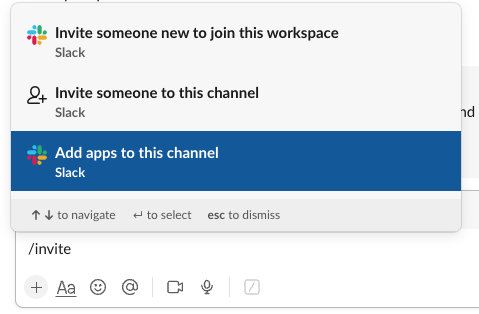
1. Navigate to the Slack channel (public or private) where the Ambition Slackbot needs access.
2. Click on the channel's name and then Integrations.
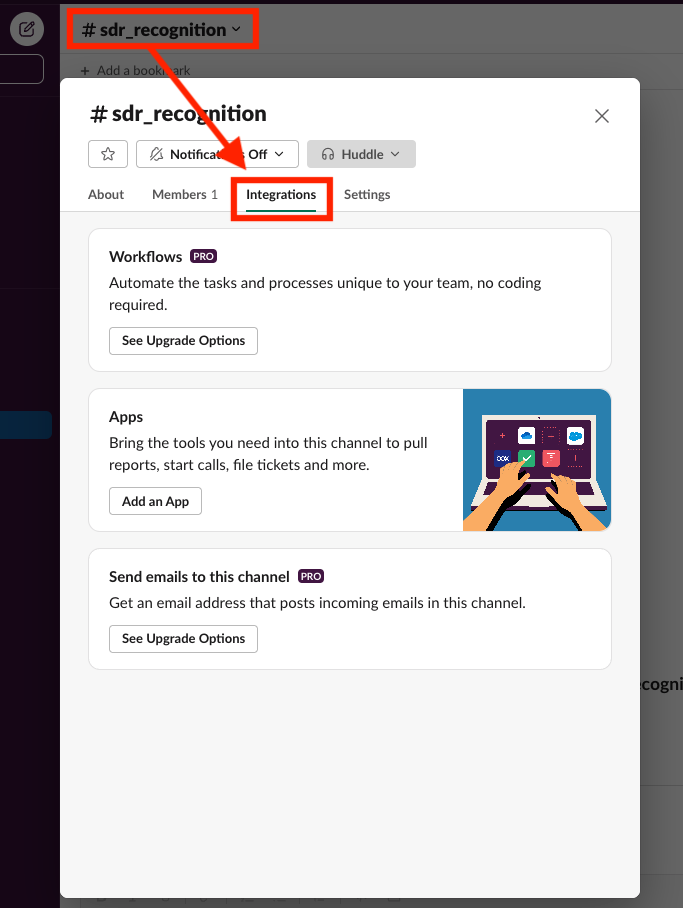
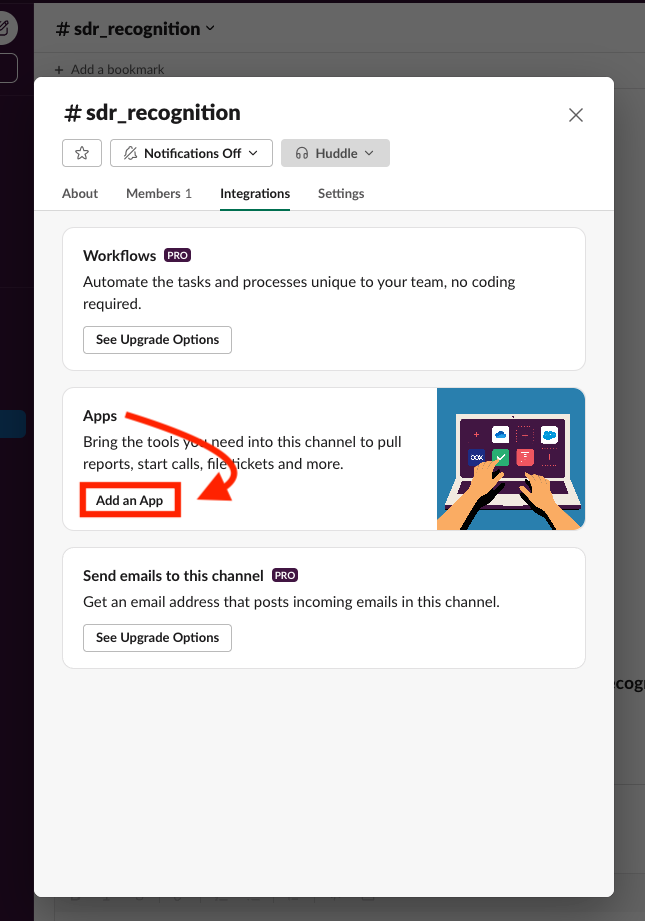
3. Within the Integrations tab, locate the Apps section and click Add an App.
3. Click the Add button next to the Ambition App.
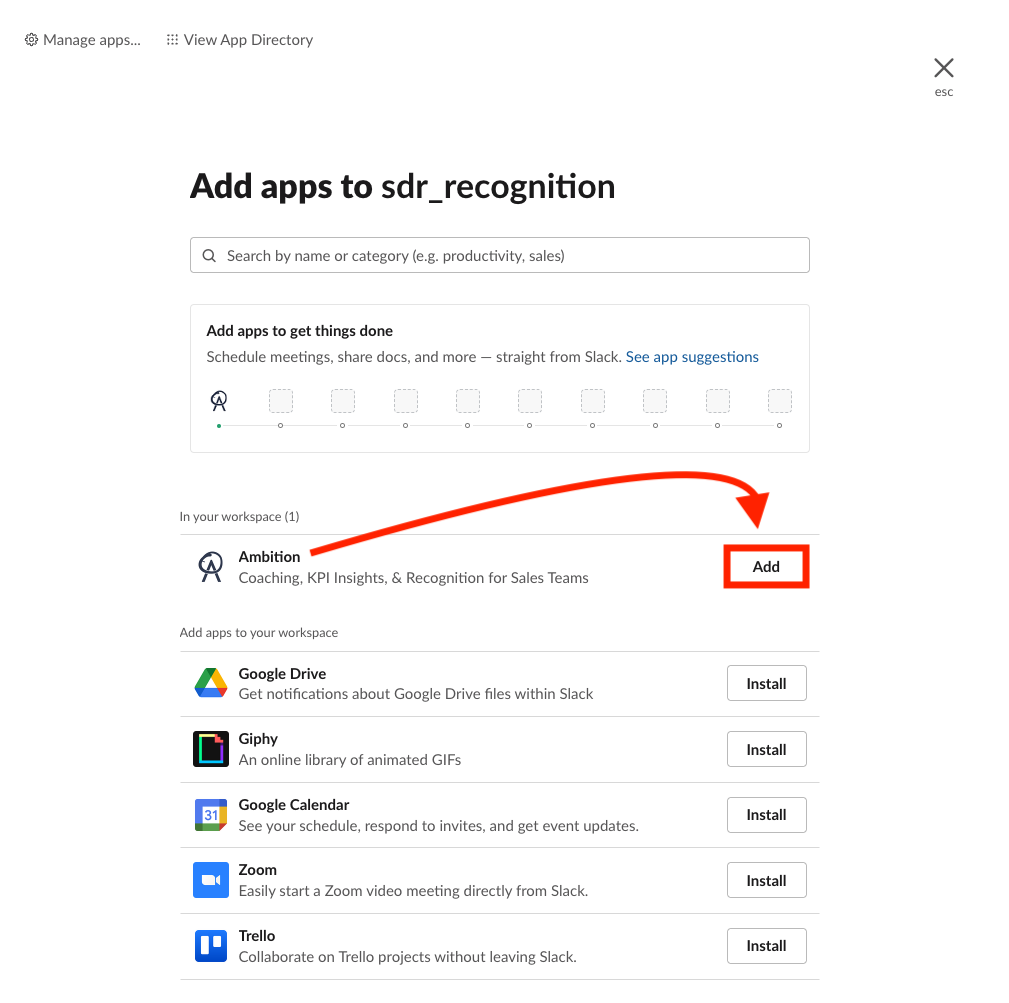
4. The addition will notify the channel.

5. Ambition's slash commands and workflows can now be used in the respective channel.