How do I view competitions?
Last updated: March 10, 2026
View Competitions
Not only can you monitor competitions you are competing in or that you created for your team, but you can also view all competitions that are active in Ambition!
The current standings and latest score updates of competitions can also be found within Ambition, and competitions standing can also be featured on a competition TV slide!
View Competitions
Active Competitions can be monitored through:
dashboards > competitions tab
left navigation > competitions > overview tab
left navigation > competition > manage if the user has "Competitions: All Access" or "Create Challenge" permission
Competitions that have finished can also be monitored through:
left navigation > competitions > overview tab
left navigation > competition > manage if the user has "Competitions: All Access" or "Create Challenge" permission
Final score updates will also be sent out to competitors via email.
View Active Competitions on Dashboards
Active competitions can be monitored on the dashboards of the competitors!
If a user, role, team, etc is competing in Ambition competitions, the competitions section of their dashboard will be populated with competition standings!
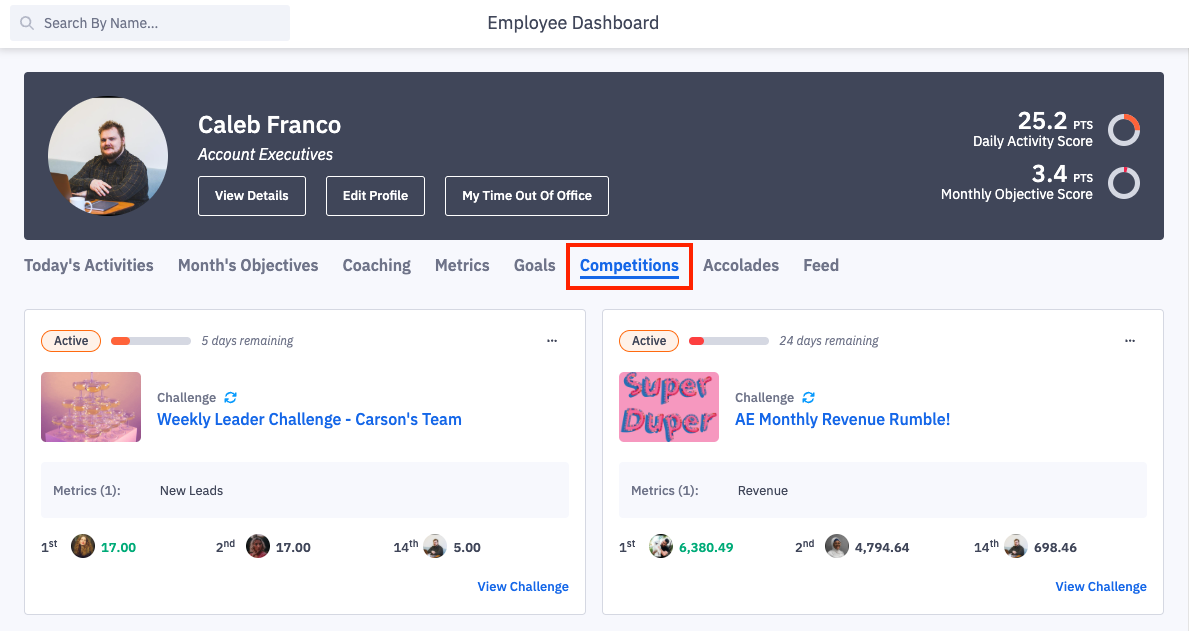
The competitions tab on a dashboard will show high level details about the competition including:
Competition name
Time left in the competition
Names of the metrics being competed on
The top two ranked competitors
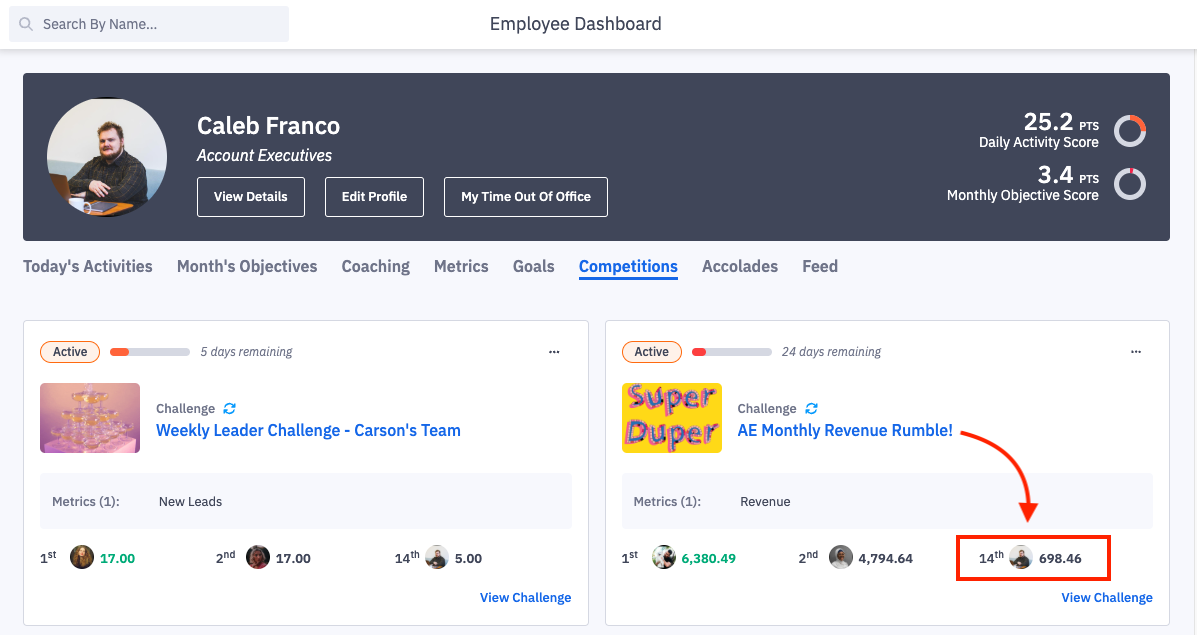
If the user, role, team whose dashboard you are viewing is not in the top two competitors, their name, rank, and current score will also be displayed to help track progress towards the top!
ex. Caleb's name and rank, 14th, is listed in the AE Monthly Revenue Rumble challenge.
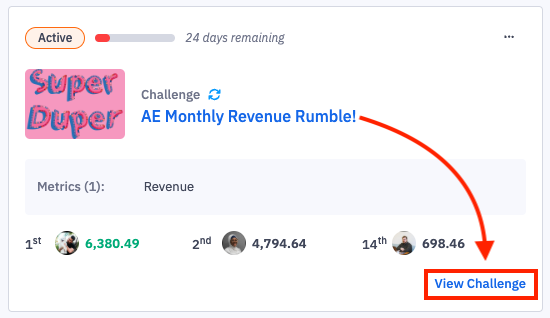
Clicking on the competition's name or the View Challenge/Matchup/Fantasy Playoff button on a competition tile will navigate you to viewing more in-depth details about the competition scoring and competitors that is also found through the competitions tab.
Viewing Competition
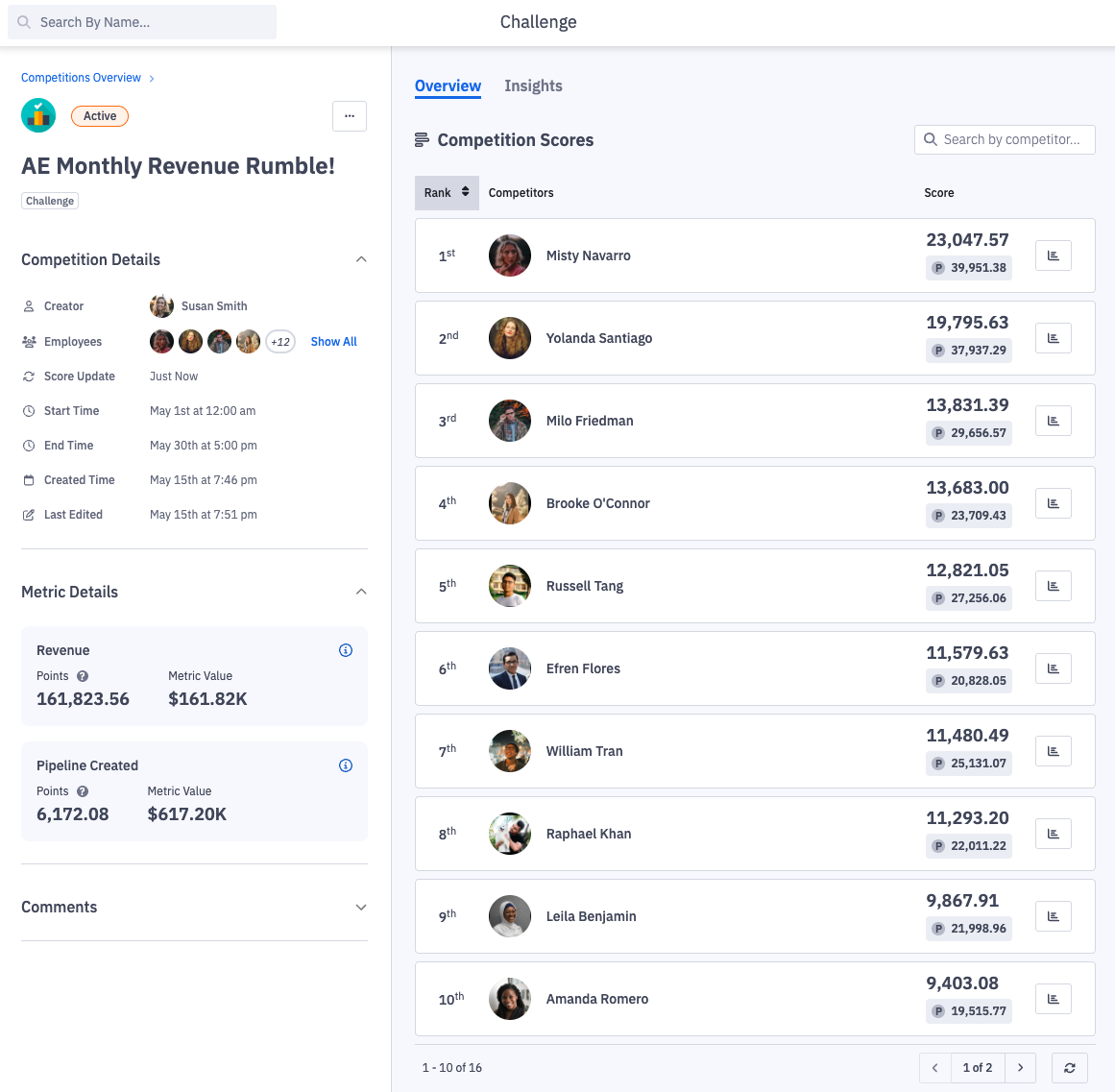
All competitors will be sorted by their rank, found in the right column.
Information about the challenge, ex. how long it will last, what metrics are being competed on, etc, will be found on the left side of the page.
Should I see competitions on Role, Team, or Managerial Dashboards?
Users will be able to view any active competitions they are participating in as an individual, team member, role member, etc, on their personal dashboard.
Competitions will roll up to dashboards at organization, role, ream, etc level if the hierarchy level of the competition was "Users > Custom" or "Users > Within".
Managerial dashboards will display all competitions that users and/or groups managed in Ambition are actively participating in.
If a competition was created on a group hierarchy level, those competitions will appear on role, team, etc dashboards only when that respective hierarchy level was chosen as the competitor.
View Active/Finished Competitions Through the Competitions Tab
Active competitions, both challenges and current fantasy matchups, can be monitored through the Competitions tab within Ambition.
1. Open the left hand navigation and click Competitions.
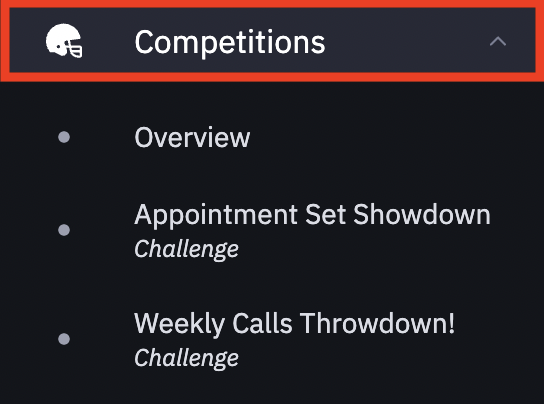
If the logged in user is a participant in active competitions, the competition names will appear as a "quick links" under the Overview tab. Selecting a competition's name will navigate you directly into viewing the respective competition.
↳ ex. a user is a competitor in two Ambition competitions. The names of each competition as well as the type, challenge or fantasy, is displayed.
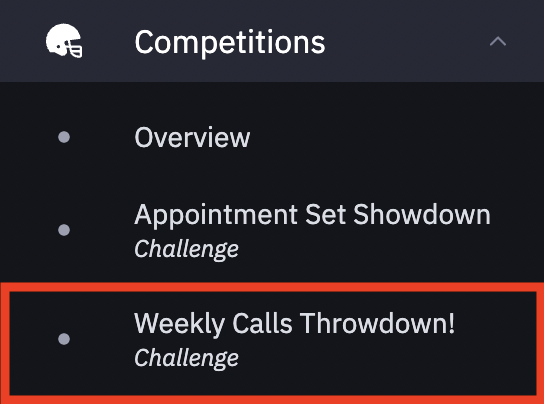
Selecting the Weekly Calls Throwdown will navigate the user directly into the respective competition. The user can then view their current rank in relation to the number 1 ranked competitor as well as view other competition details.
If the logged in user is not a participant in active competitions OR they wish to monitor other competitions, they can monitor all active competitions by selecting the Overview tab.
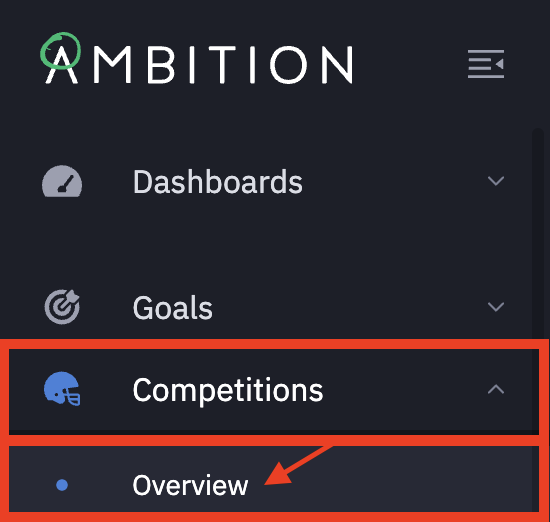
The overview will default to being filtered down to Active competitions.
Admins will see all active competitions. Those with create challenge permission will see active challenges they created.
If the logged in user is not actively participating in any competitions and does not have any create competition permission, the view will be blank.
To update/remove the default logged in user and active filters, click the filter icon, then update the competition status filter to Finished.
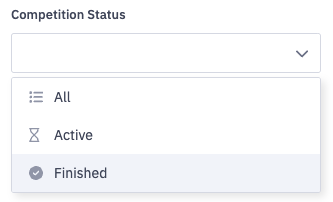
Filter options include:
Search (for competition name)
Competitor (User or Group)
Competition (select a specific competition)
Type (Challenge, Fantasy, Bracket)
Status (Active or Finished)
Created By (search for the user who created the competition)
View Competitions Through Manage Competitions Interface
Those with the "Competitions: All Access" permission have access to viewing, editing, and deleting all active and finished competitions. Those with "Create Challenges" permission have access to viewing, editing, and deleting all competitions they create.
1. Open the left navigation and clicking Competitions > Manage.
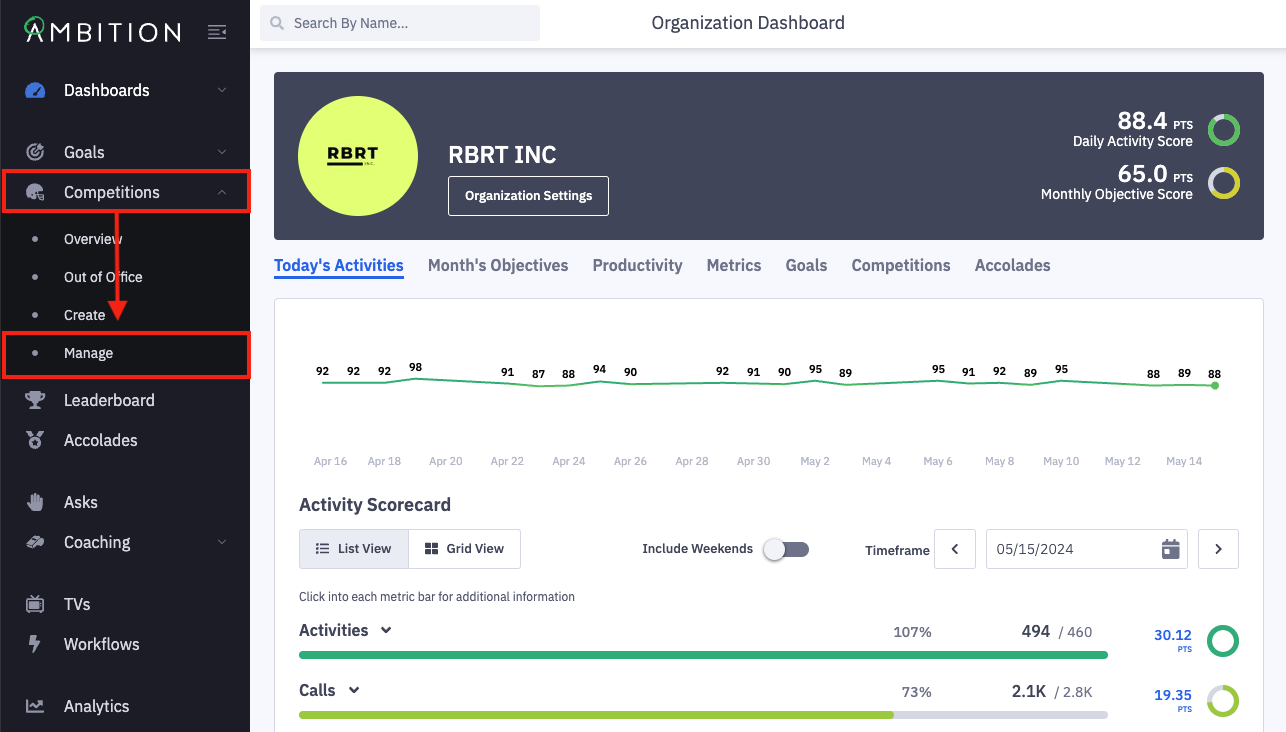
2. Locate the competition that you wish to view.
Competitions can be quickly filtered by clicking the filter icon to slide out the filter panel.
Filter competitions based on name, competitor, specific competition, competition type (challenge, fantasy, bracket), status (scheduled, active, or finished), competition mode (live or hidden), and created by (the user who created the competition).
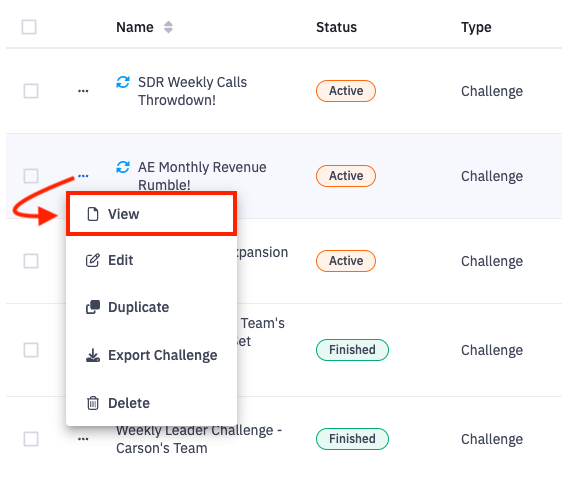
3. View the competition by clicking the ellipses icon in line with the appropriate competition and select View.