How do I generate insights for challenges?
Last updated: May 1, 2026
AI Challenge Insights
What are challenge insights?
Challenge insights are AI generated details that dive into metric performance data, competitor statistics and rankings, score progression projections, and trends of a challenge while also incorporating historical competition data and patterns.
Challenge insights can be generated for both one-time and recurring challenges, and for both active and completed challenges. For active challenges, the insights will update as the challenge progresses so you always have the most up-to date details.
Who can view challenge insights?
Any user with "Competitions: All Access" or "Competitions: Create Challenges" permission can generate and view challenge insights.
Walkthrough
Generate Challenge Insights
Generating challenge insights is dependent on the "Competitions: Insights" feature being enabled.
1. Access a challenge in Ambition.
Active challenges can be accessed through:
dashboards > competitions tab
left navigation > competitions > overview tab
left navigation > competitions > manage if the user has "Competitions: All Access" or "Create Challenge" permission
Completed challenges can be accessed through:
left navigation > competitions > overview tab
left navigation > competitions > manage if the user has "Competitions: All Access" or "Create Challenge" permission
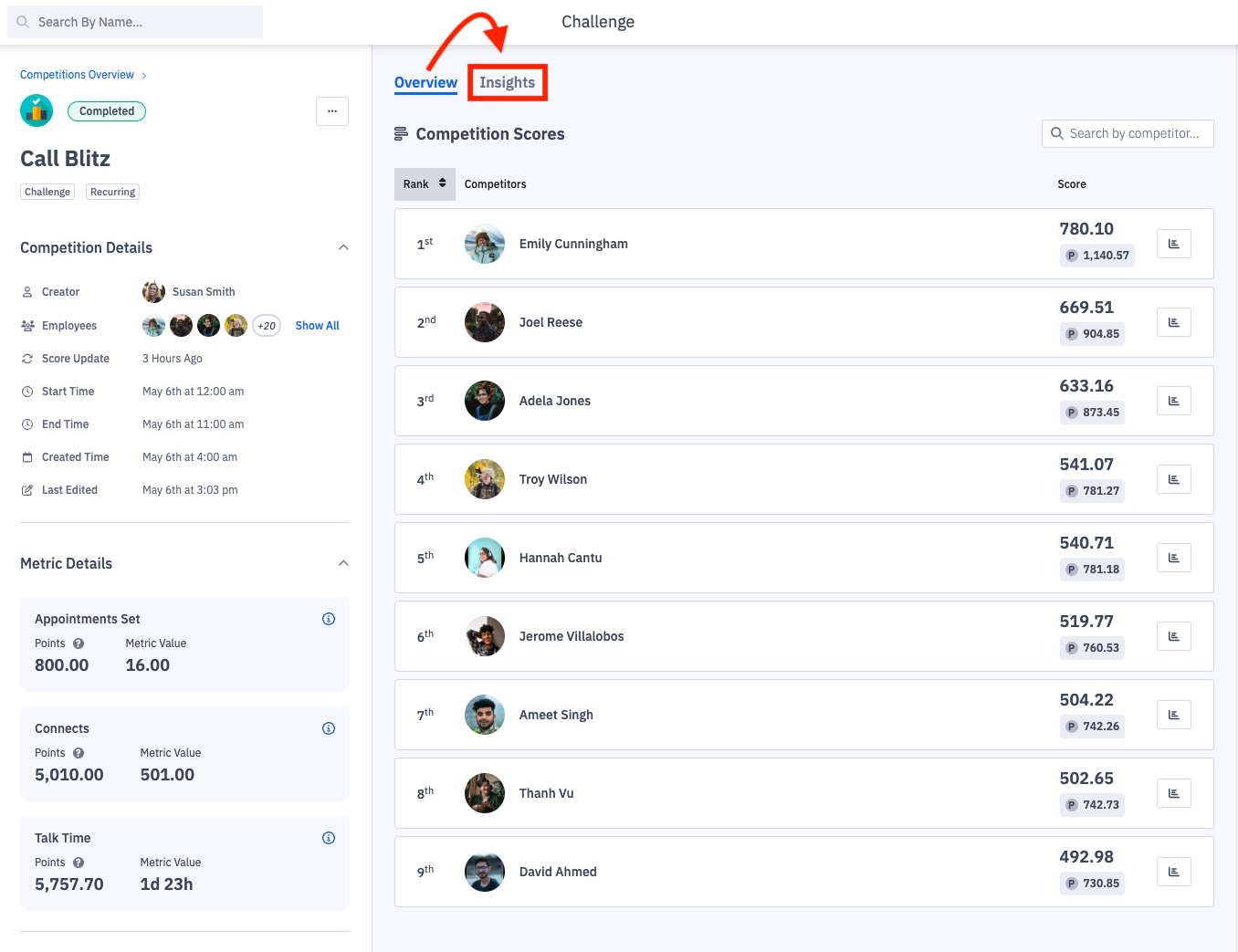
2. Click on the "Insights" tab.
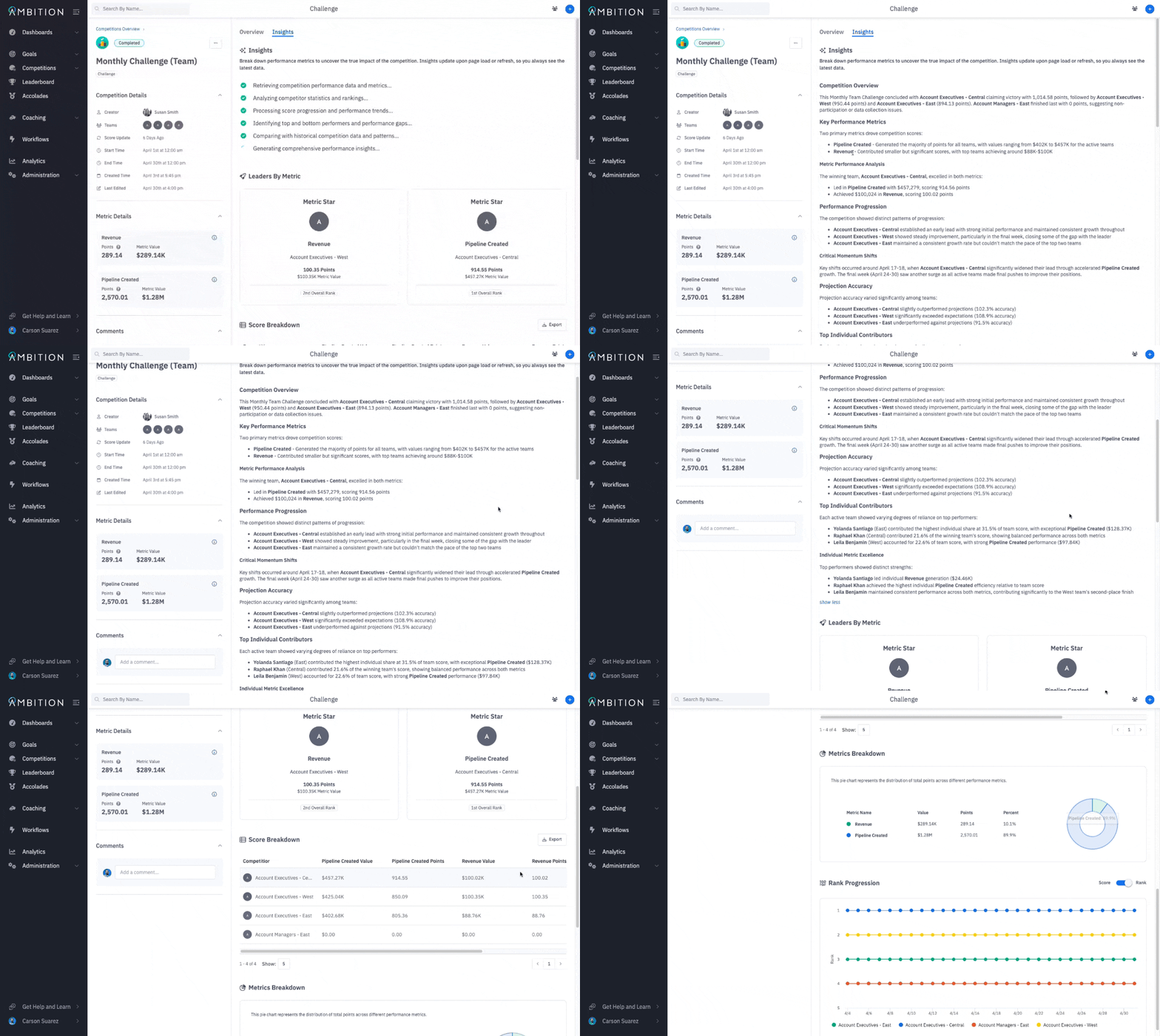
3. Insights will be generated to reflect the most up to date information about the challenge.
You can click "Show More" and "Show Less" to expand or collapse the insights.
Insights will dive into metric performance data, competitor statistics and rankings, score progression projections and trends of a challenge while also incorporating historical competition data and patterns.
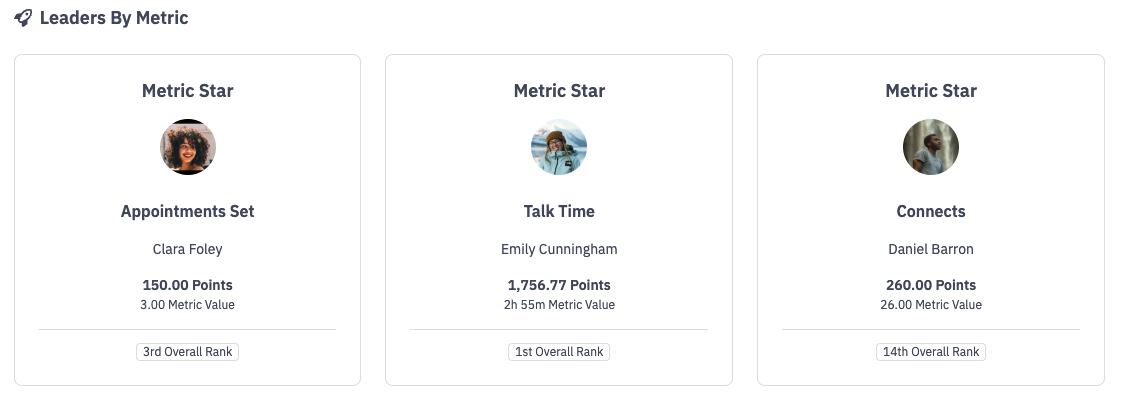
If multiple metrics are being competed on in a challenge, the current leader for each metric will be featured as the "metric star".
The metric star cards make it easier to recognize competitors who are excelling in specific metrics even though they may not be in 1st place overall.
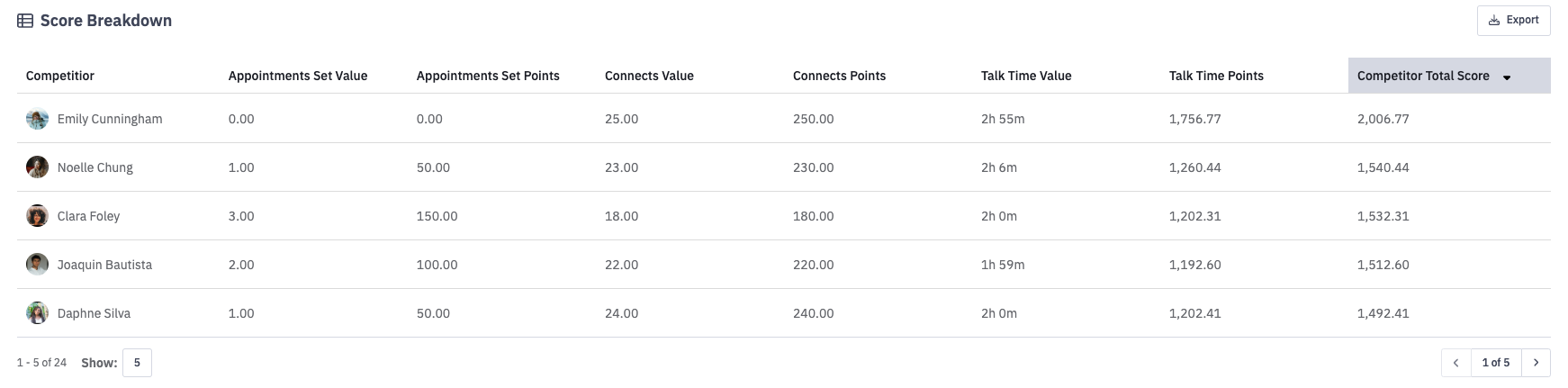
An exportable score breakdown table will show each competitors value and points for each respective metic along with their total score in the challenge.
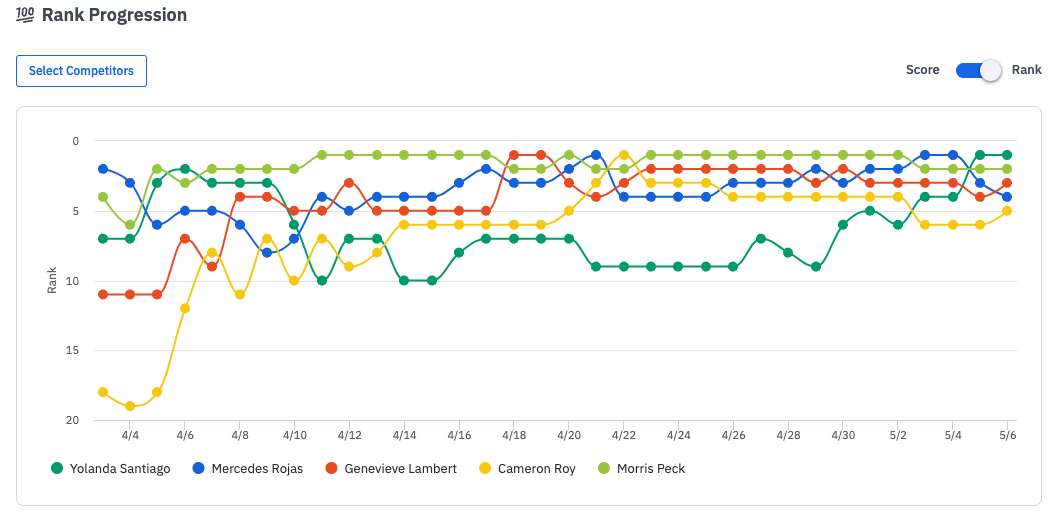
A progression graph will feature the top 5 competitors rank and score progression throughout the challenge. If a challenge had more than 5 competitors, you can update which 5 are displayed on the graph by clicking, Select Competitors.