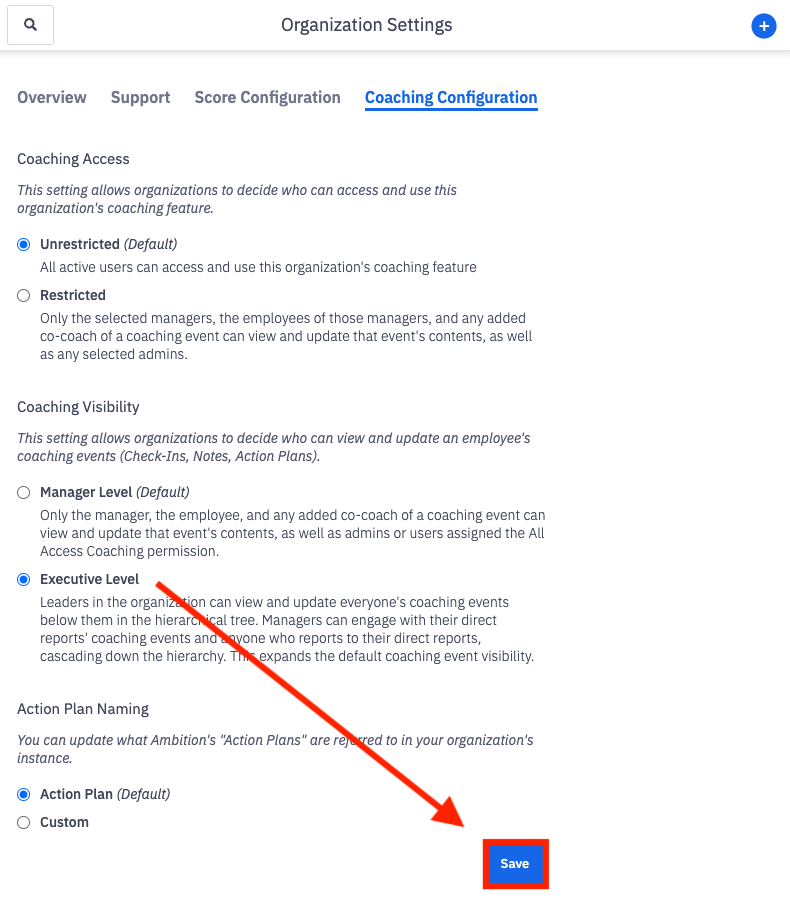
How do I update coaching visibility preferences?
Last updated: August 19, 2025
Coaching Visibility
Coaching Visibility preferences are available if the "Coaching" feature is enabled.
Coaching Visibility Preferences
Ambition offers two options for coaching visibility:
Manager Level (default)
Executive Level
Manager Level
Default setting. Only the manager, the employee, and any added co-coach of a coaching event can view and update that event's contents, as well as users assigned the "Coaching: All Access" permission.
Executive Level
Managers of managers within Ambition can view coaching events below them in the managerial hierarchical tree. Managers can engage with their direct report's coaching events and anyone who reports to their direct reports (labeled a "skip-level" relation in Ambition), cascading down the hierarchical tree. The Executive Level preference expands the default coaching event visibility.
To be considered a manager of a manager and be a part of a hierarchical tree, one must be listed in the “Manager” field in a manager's user settings.
In the example below, Robert would be able to view coaching events for all of Ian and Melody's direct reports since Robert is listed as their manager.

For subordinates, executives will be able to create:
Notes
Check-in
Action Plans
Group Check-ins
Action Items
Comments on Check-in and Action Plans
For subordinates, executives will be able to view:
Public Notes and any Private Notes the executive created
Check-ins
Action Plans (associated to a check-in or not)
Group Check-ins
Action Items
Comments on check-ins and action plans
Pre-reads that the manager or co-coach have generated
Executive Level Visibility Example
Betty (Amanda's manager) > Amanda (Erin's manager) > Erin (employee).
Amanda has a check-in with Erin.
How does Executive Level Visibility impact Betty’s experience with Coaching in Ambition?
Executive Level Visibility will:
add the check-in between Amanda and Erin to Betty's manage check-ins table (Coaching > Manage > Check-ins) for Betty to view/filter across
allow Betty to view Erin’s coaching dashboard timeline, including the check-in between Amanda and Erin
allow Betty to view pre-reads that have been generated on Erin's check-ins, public notes for Erin and any private notes Betty created, Erin's action items, Erin's action plans (associated to a check-in or not), and any comments on check-ins and action plans
allow Betty to create notes, action items, action plans, and comments in check-ins and action plans for Erin
Executive Level Visibility will not:
add coaching content to Betty’s Managerial coaching dashboard unless Betty created it (note or action plan)
update the check-in card to display Betty as a participant in the check-in
update Betty's coaching badge count in the primary navigation or in the check-in card view (Coaching > Check-ins)
allow Betty to edit, delete, rate, approve, reopen, excuse, manage co-coaches, or generate a pre-read for Erin's check-in
Update Coaching Visibility Preferences
Coaching visibility is a global setting.
Any user with the "Organization: Edit" permission* can access and update the Coaching Visibility preference.
*If your organization has enabled "Restricted Coaching Access", you will also have to be a manager or admin that was selected in order to view the Coaching Configuration tab.
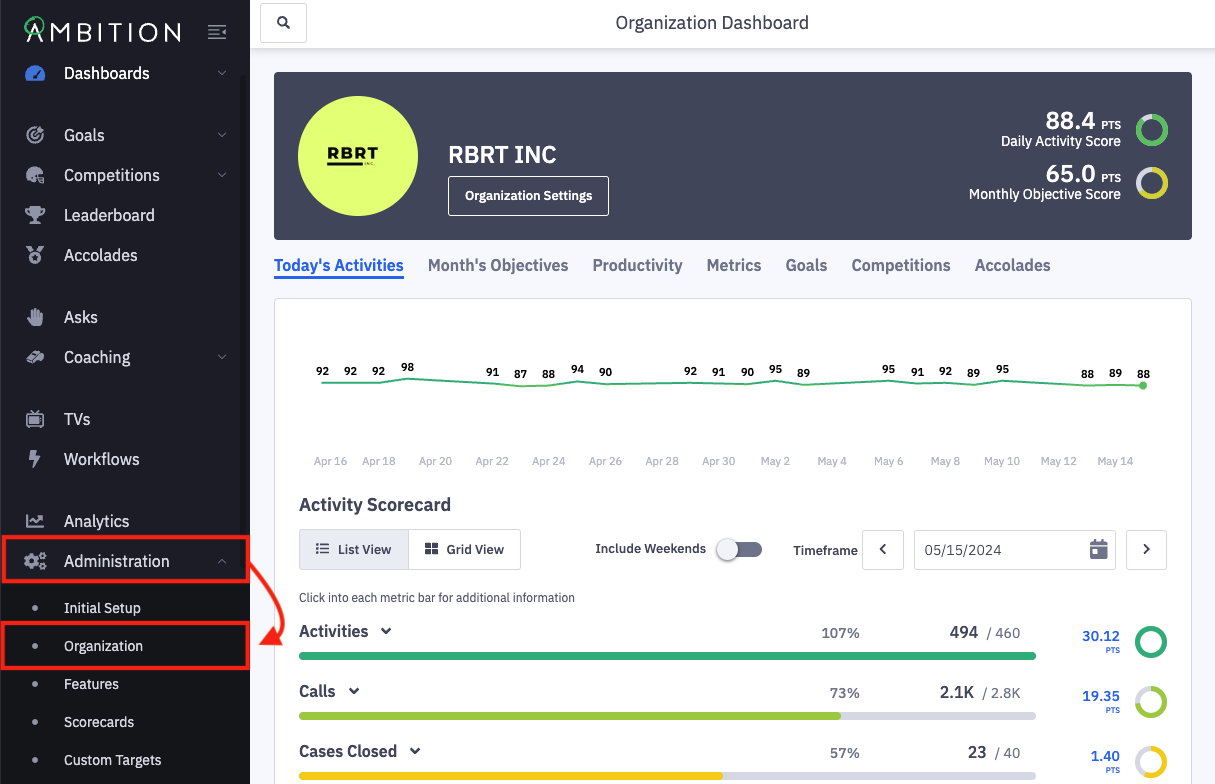
1. Open the left navigation and click Administration > Organization.
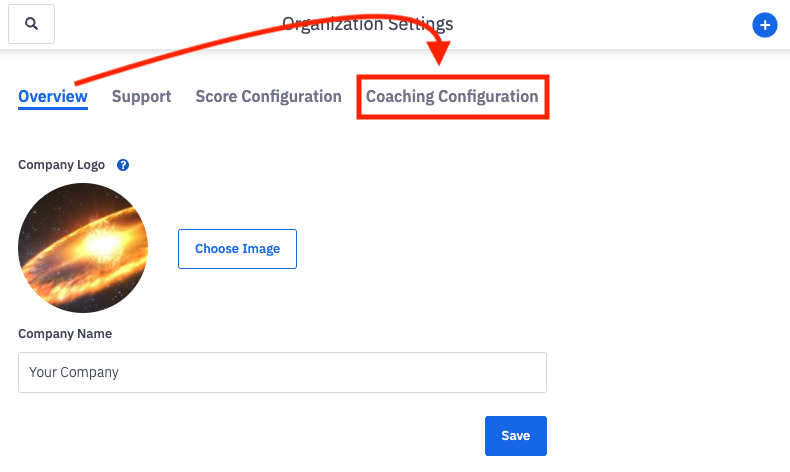
2. Click on the Coaching Configuration tab.
The Coaching Configuration tab will only be available in Ambition instances where the Coaching feature is enabled.
3. Locate the Coaching Visibility section.
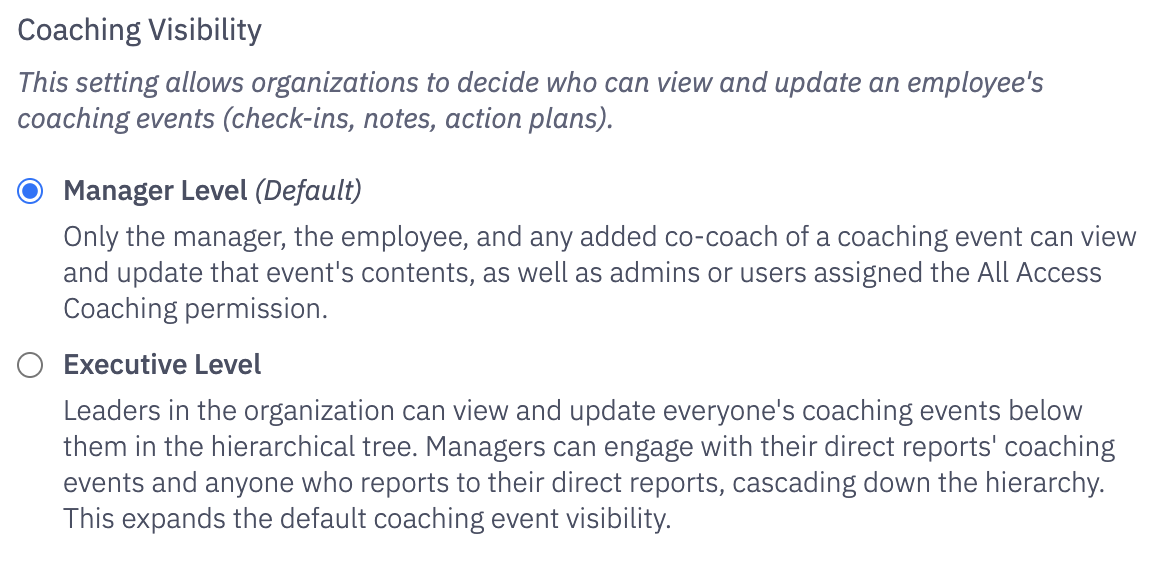
4. Make the appropriate updates within the Coaching Visibility section.
Manager Level is the default. You can revert to the default at any time.
5. Click the Save button within the Coaching Configuration tab.