When creating a coaching program, who should I select as the participants?
Last updated: June 17, 2025
Program Participants
If you're creating a program for another manager
If you have permission to create coaching programs for any manager, first select the respective manager's name from the dropdown who the program is being created for then continue by selecting participants.

Select Participants
Select All enrolls all employees who are managed by the respective manager via groups or a user's individual settings.

Special Note if you manage another manager - If you are listed as a manager's manager within their user settings, any employees that roll up to them will also be considered your subordinate users.
Select Specific Participants
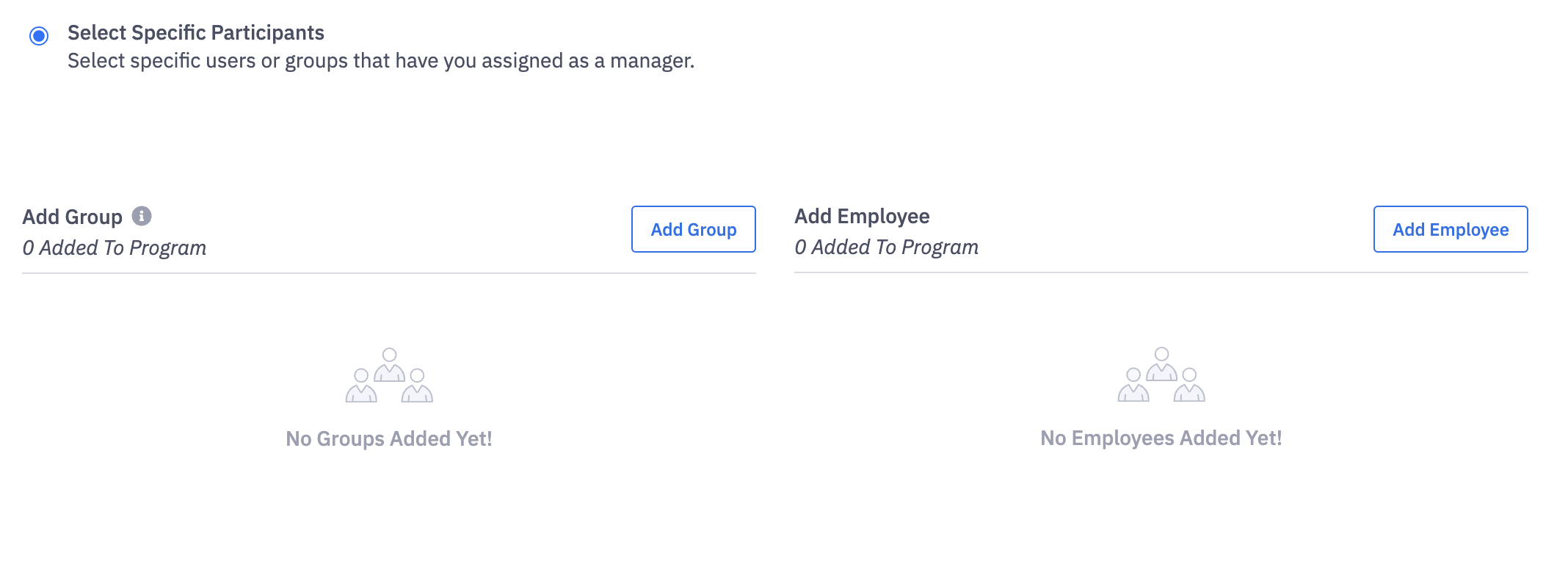
Add Group prompts you to select one or more groups which the respective manager manages in Ambition. All employees within the selected group(s) will be enrolled in the coaching program.
Add Employee prompts you to manually select which specific employees will be enrolled in the program.
If you're creating a program to be run by yourself
If you have permission to create coaching programs for any manager, first select your name from the dropdown then continue by selecting participants.
If you only have permission to create coaching programs for your self, you will begin by selecting participants.
Select Participants
Select All enrolls all employees who you manage via groups or user's individual settings.
Special Note if you manage another manager - If you are listed as a manager's manager within their user settings, any employees that roll up to them will also be considered your subordinate users.
Select Specific Participants
Add Group prompts you to select one or more groups that you manage in Ambition. All employees within the selected group(s) will be enrolled in the coaching program.
Add Employee prompts you to manually select which specific employees you will enroll in the program.