How do I pause a coaching program?
Last updated: July 31, 2025
Pause Coaching Program
Coaching programs can be "paused" indefinitely or until a specific date. Programs can be paused one at a time or in bulk. At any time, you can resume a paused program(s) as well.
What happens when a program is paused?
While paused, a program will not generate new check-ins. Once unpaused, the check-ins will begin being generated again on the program's set schedule.
Pause Coaching Programs
Users with the "Coaching: Create Program" permission will be able to pause programs they create.
Managers who had a program created on their behalf (selected as a manager in Step 3 of the create form) who also have "Coaching: Create Program" permission will be able to pause programs they have access to.
Users with "Coaching: All Access" permission can pause all programs.
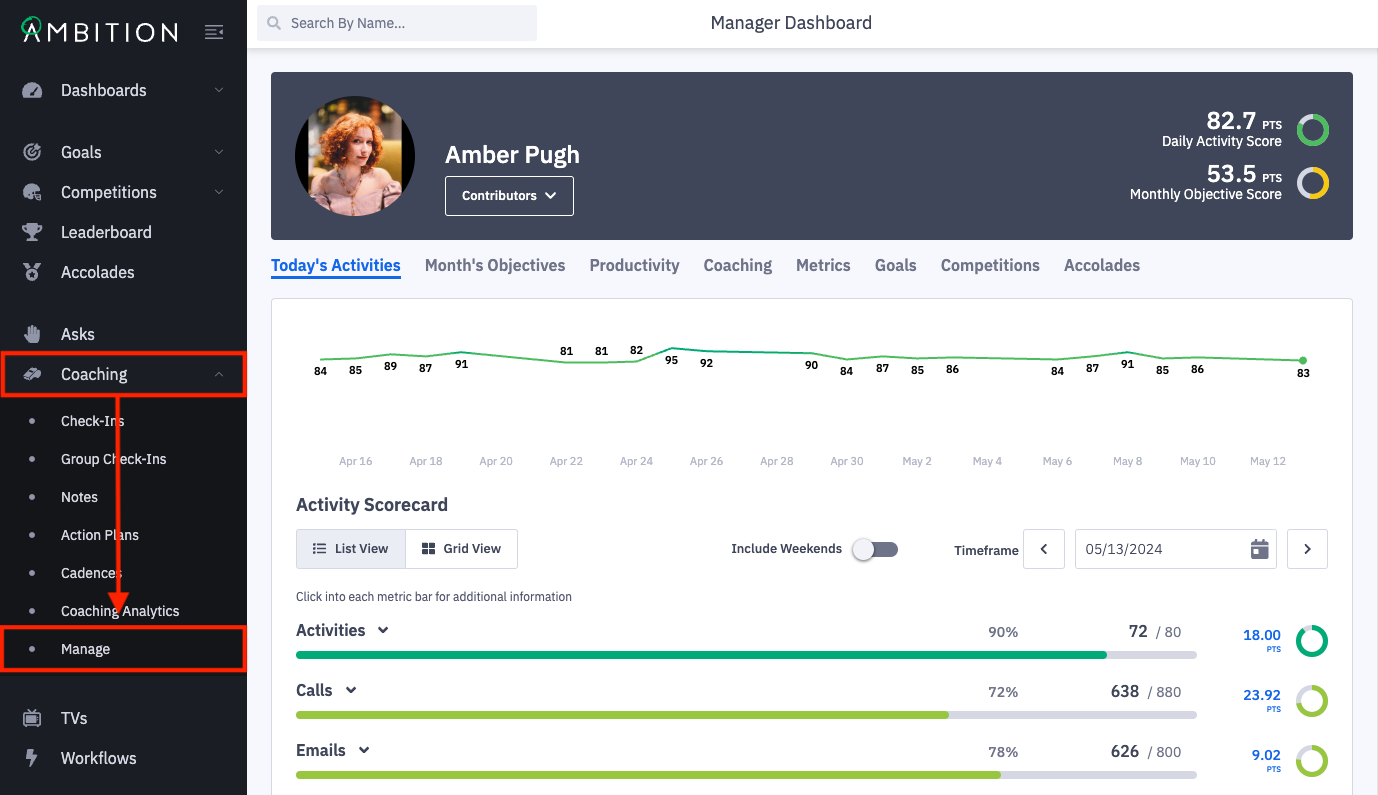
1. Open the left navigation and click Coaching > Manage.
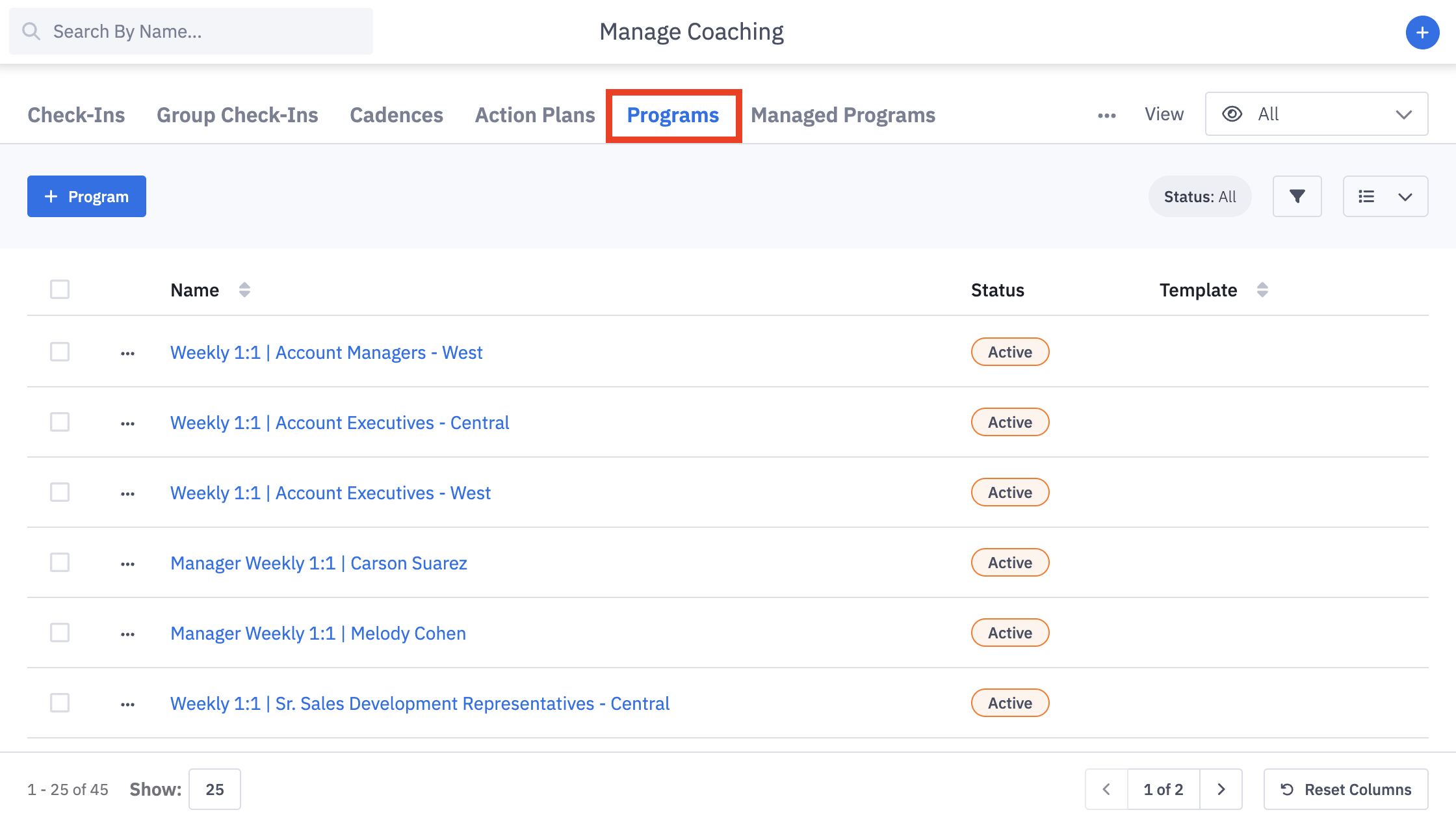
2. From the Manage Coaching page, select the Programs tab.
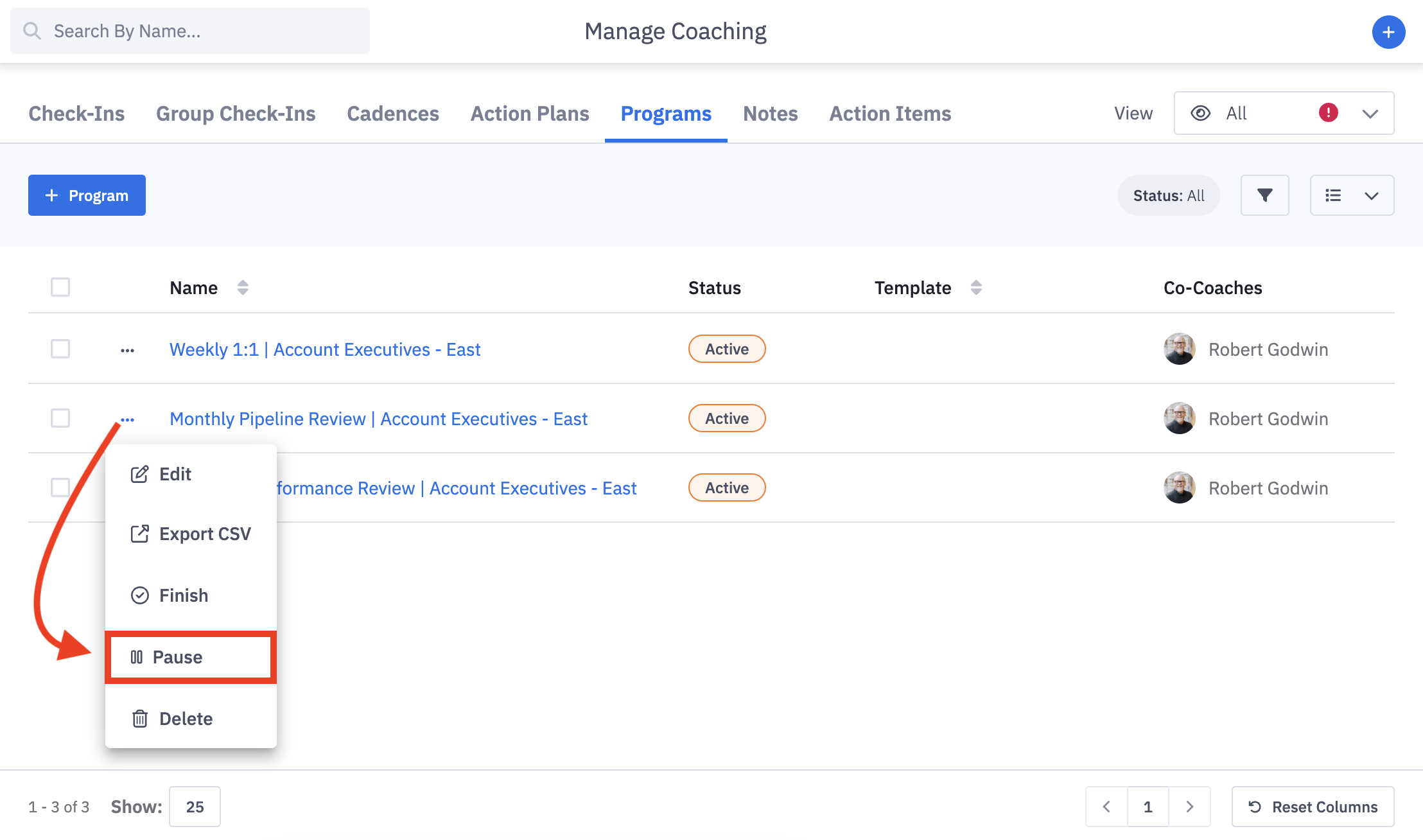
3. Click the ellipses icon and Pause in line with the program you wish to pause.
If you need to pause multiple programs, you can check the box next to their name and pause them by clicking on Actions > Pause.
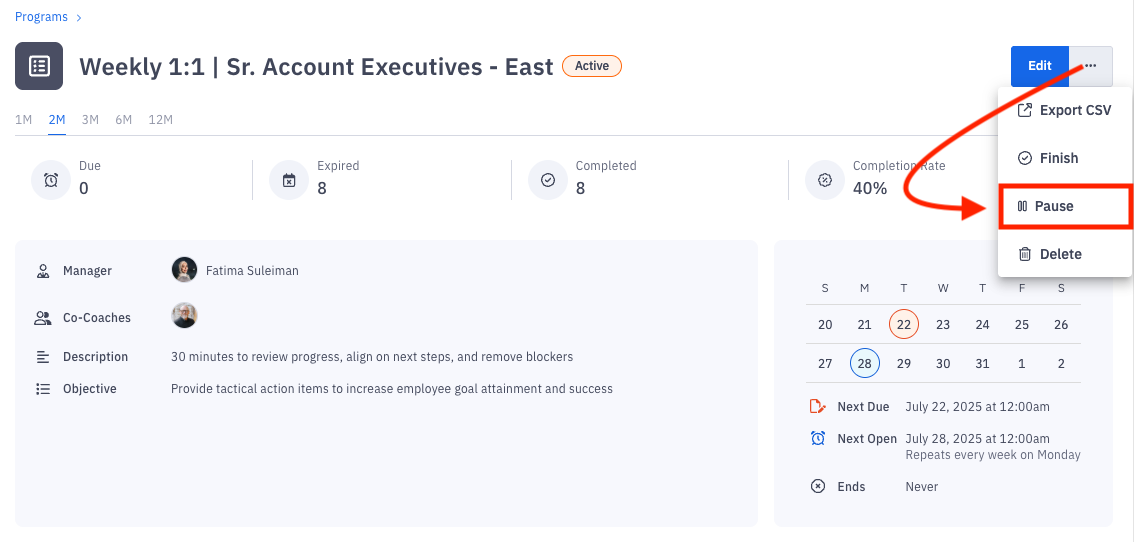
Alternatively, click on the name of the program. You will be navigated to the program page. Click the ellipses icon and Pause.
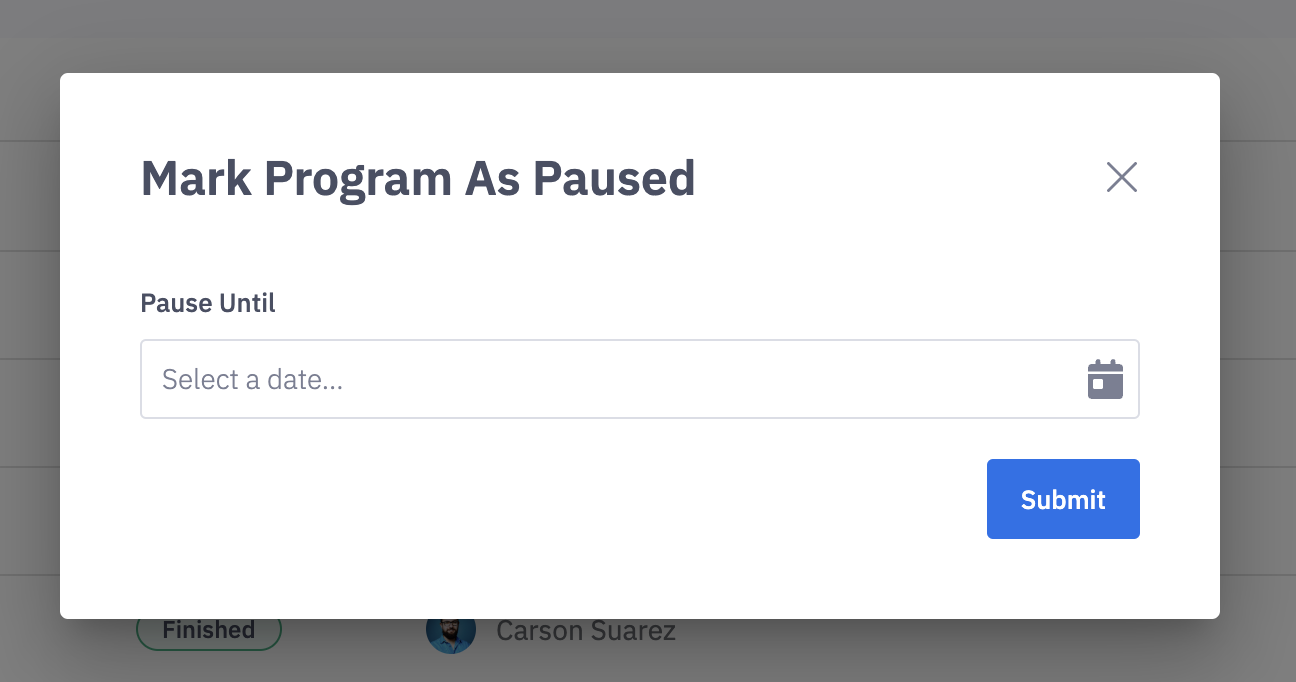
4. Select the date when the program should resume. If no date is selected, the program will be paused indefinitely. Click Submit.