How do I edit a managed coaching program?
Last updated: September 25, 2025
Edit Managed Program
Users with "Coaching: Create Managed Program" or "Coaching: All Access" permission will be able to create managed programs.
Creators will also be able to edit and delete managed programs.
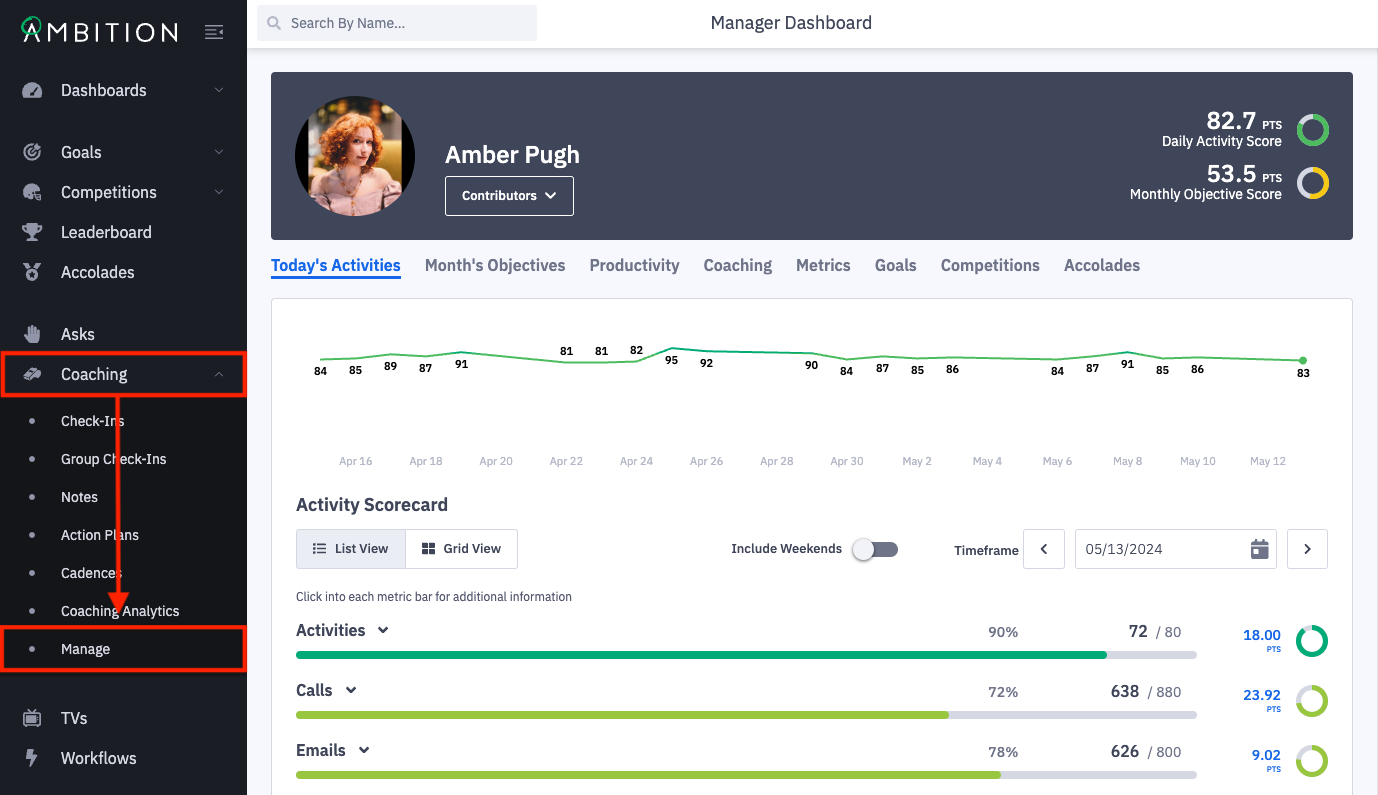
1. Open the left navigation and click Coaching > Manage.
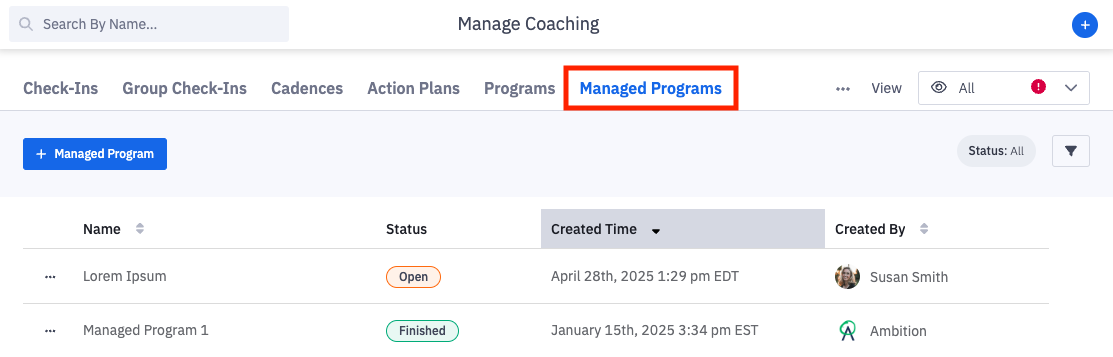
2. Click on the Managed Programs tab.
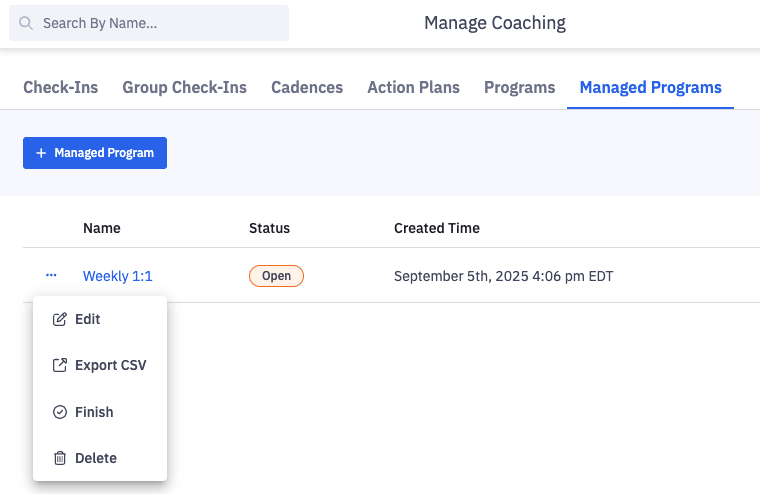
3. Click the ellipses icon and Edit next to the managed program you wish to edit.
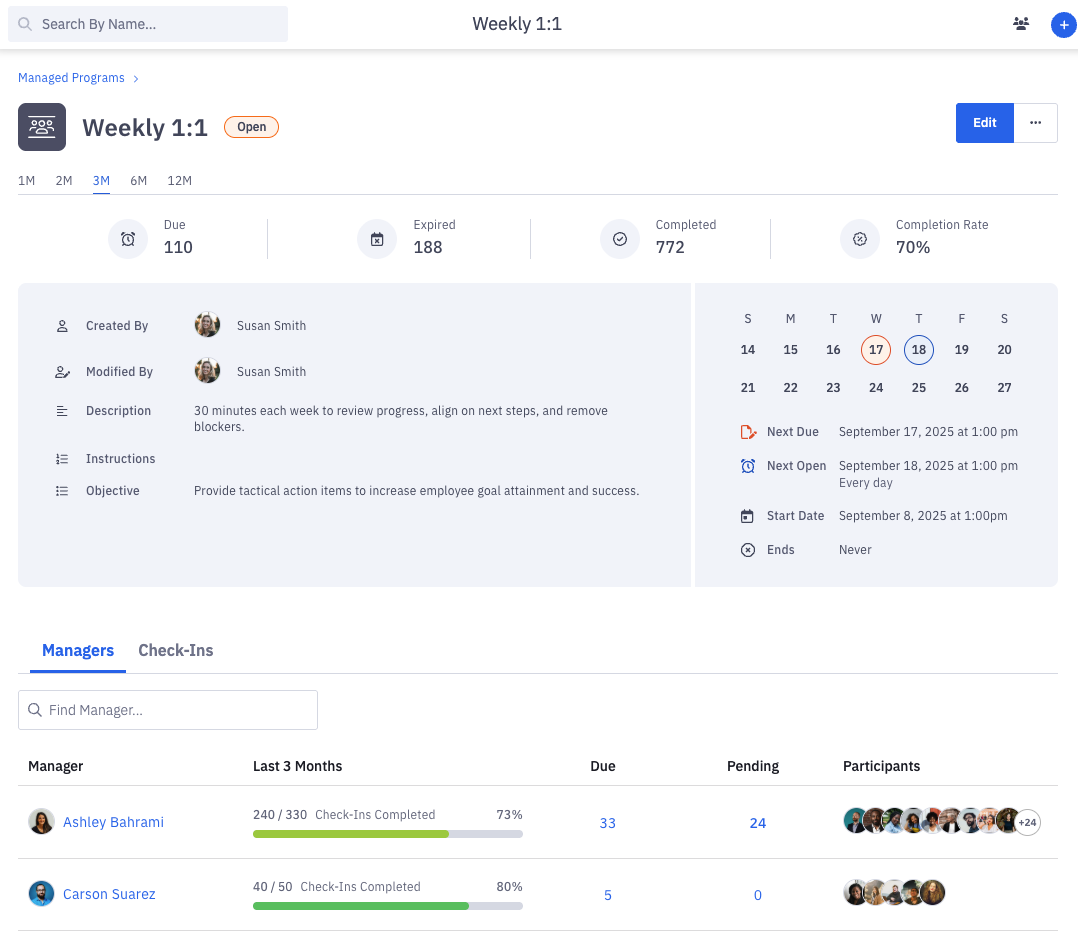
Alternatively, click on the name of the managed program. You will be navigated to the managed program page. Click Edit.
4. Make the appropriate edits.
Modifications will not update any open check-ins. The changes will be reflected in check-ins created after the edits are made to the managed program.
You may edit all of the same fields that were available during managed program creation except attribution metrics.
5. Click the Save button to save your changes.