How do I export information about where metrics are used in Ambition?
Last updated: July 25, 2025
Metric Audit
The metric audit export contains information about where each metric is being used in Ambition. The audit is a multi-tab export and tabs include an overview tab which includes counts of where a metric is used, ex. 1 scorecard, and subsequent tabs will be included for each feature that give specifics about how the metric is used, ex. metric name, scorecard where it's used, score type, and weight.
Access the Metric Library
Users with the "Integrations: Edit" or "Metrics: Edit" permission will be able to access the metric library and create, edit, and delete all metrics.
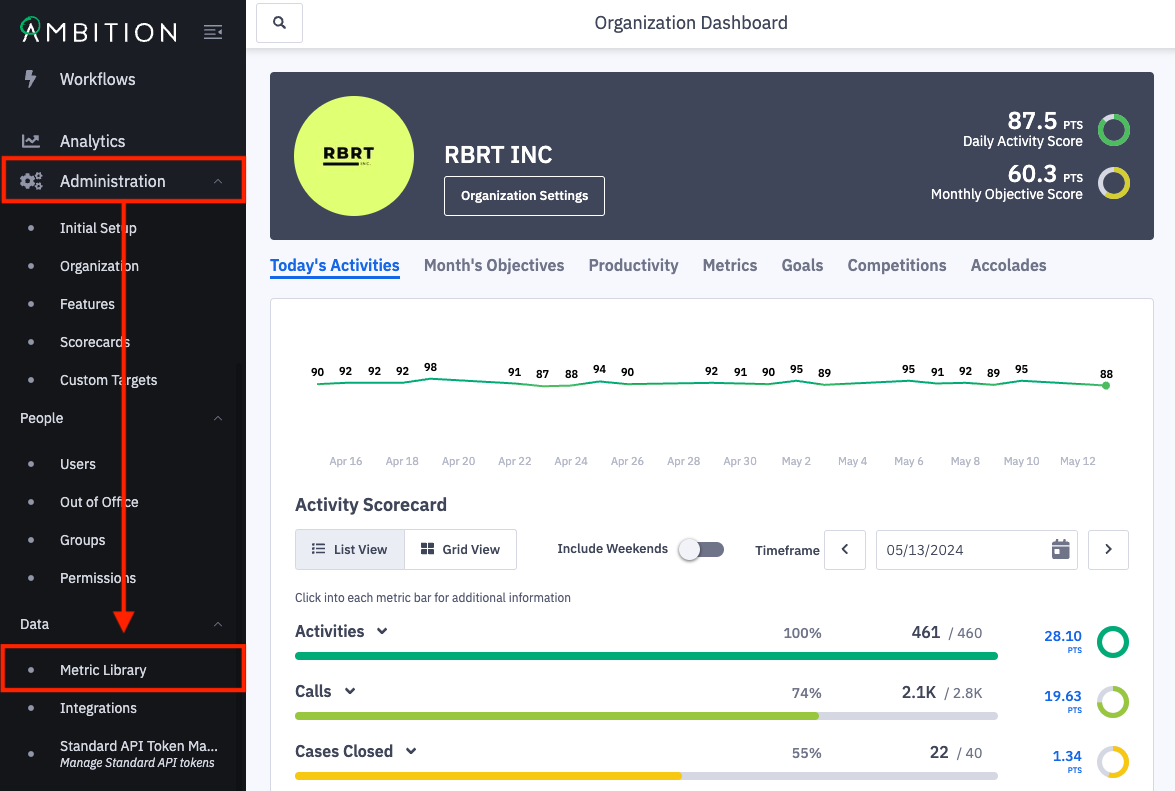
1. Open the left navigation and click Administration > Data > Metric Library.
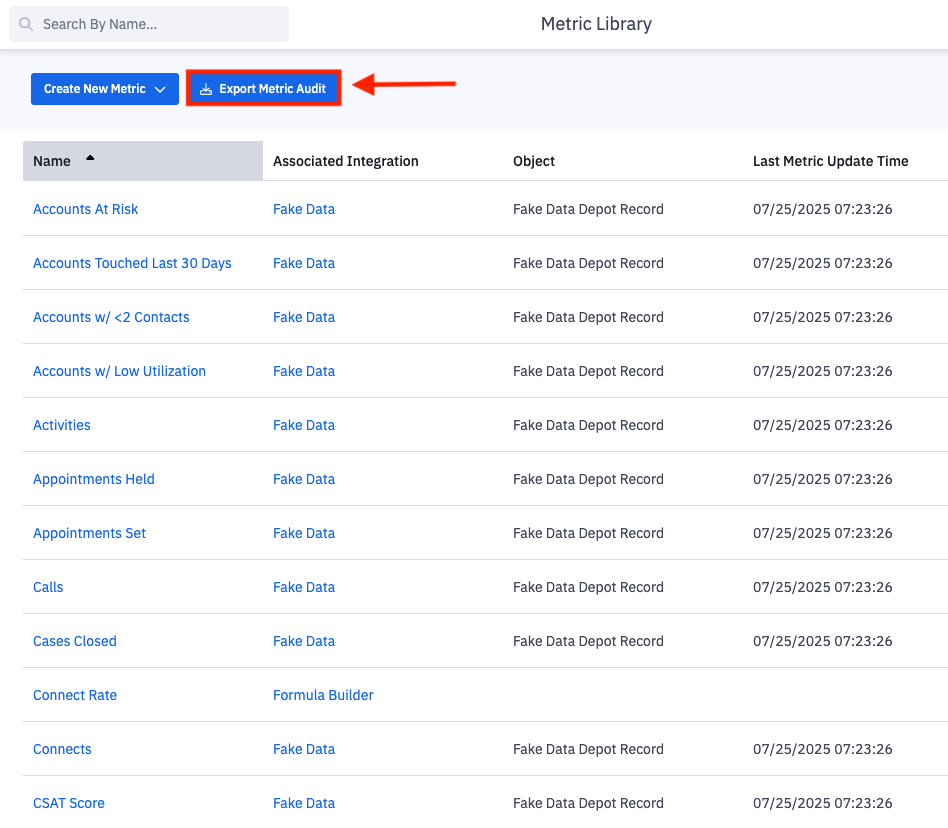
Export Metric Audit
2. Click on Export Metric Audit.
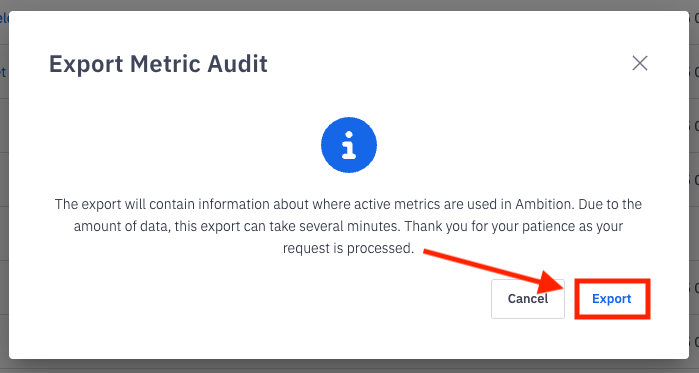
3. Click Export on the confirmation modal.
4. Open the downloaded .xlsx file to view metric audit information.
The dowloaded report includes:
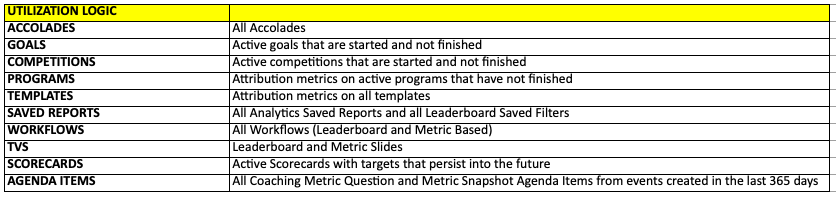
A utilization logic tab that describes the logic used within the export, ex. only information about metrics that are a part of active goals are included.
An overview tab that has high level counts of how many times a metric is used within each feature.
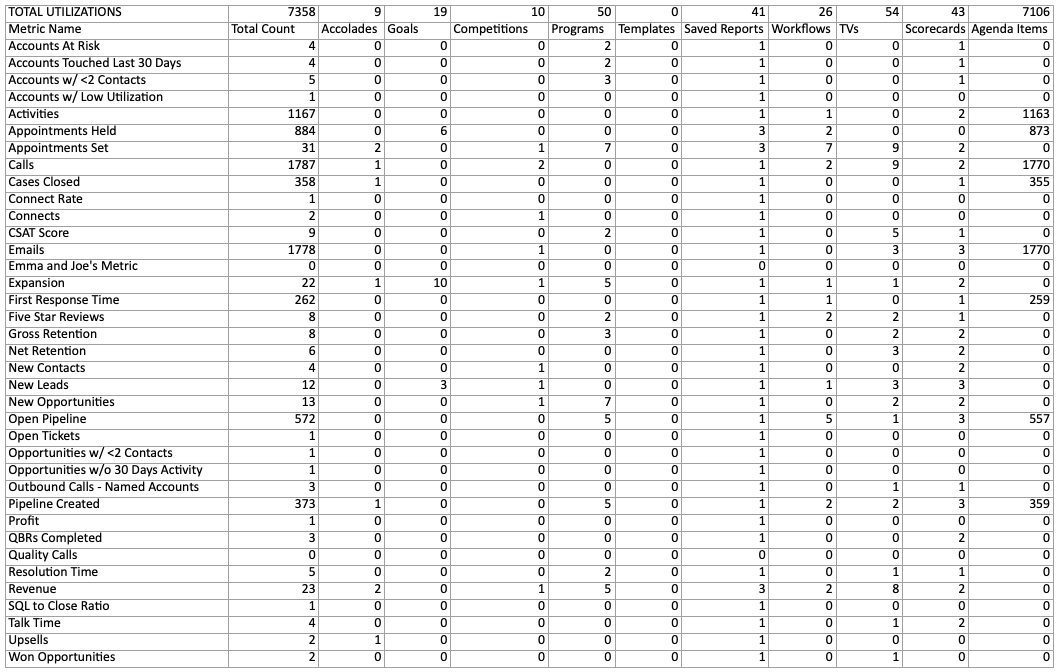
Tabs for the following features that shares specifics about which metrics are being used:
Accolades
Goals
Competitions
Programs
Templates
Saved Reports
Workflows
TVs
Scorecards
Agenda Items
