How Do I Generate a Coaching Pre-Read?
Last updated: August 14, 2026
Coaching Pre-Read
What is a Coaching Pre-Read?
The Coaching Pre-Read is a set of AI generated coaching notes for managers within Ambition. In order to help a manager prep for a check-in, the pre-read provides an analysis of the rep’s historic metric performance - calling out trends, opportunities and suggested actions. It also analyzes tone and sentiment from the rep’s historic coaching check-ins, including information from agenda items responses, comments, and public notes to create more productive and effective 1:1s.
Who can view a Coaching Pre-Read?
Anyone who has access to the check-in besides the employee can view a coaching pre-read. The manager, co-coach, and those with "coaching: all access" permission will be able to generate/regenerate a pre-read. Those with executive visibility will be able to see a pre-read if one has been generated, but cannot generate a new one. Employees cannot generate a pre-read or view a pre-read that is generated for their own check-ins.
Generate a Coaching Pre-Read
Generating pre-reads is dependent on the "Coaching: Check-In Pre-Read" feature being enabled.
1. Open the left navigation and click Coaching > Check-Ins.
Those with access to the check-ins tab on the manage coaching page can access check-ins there also.
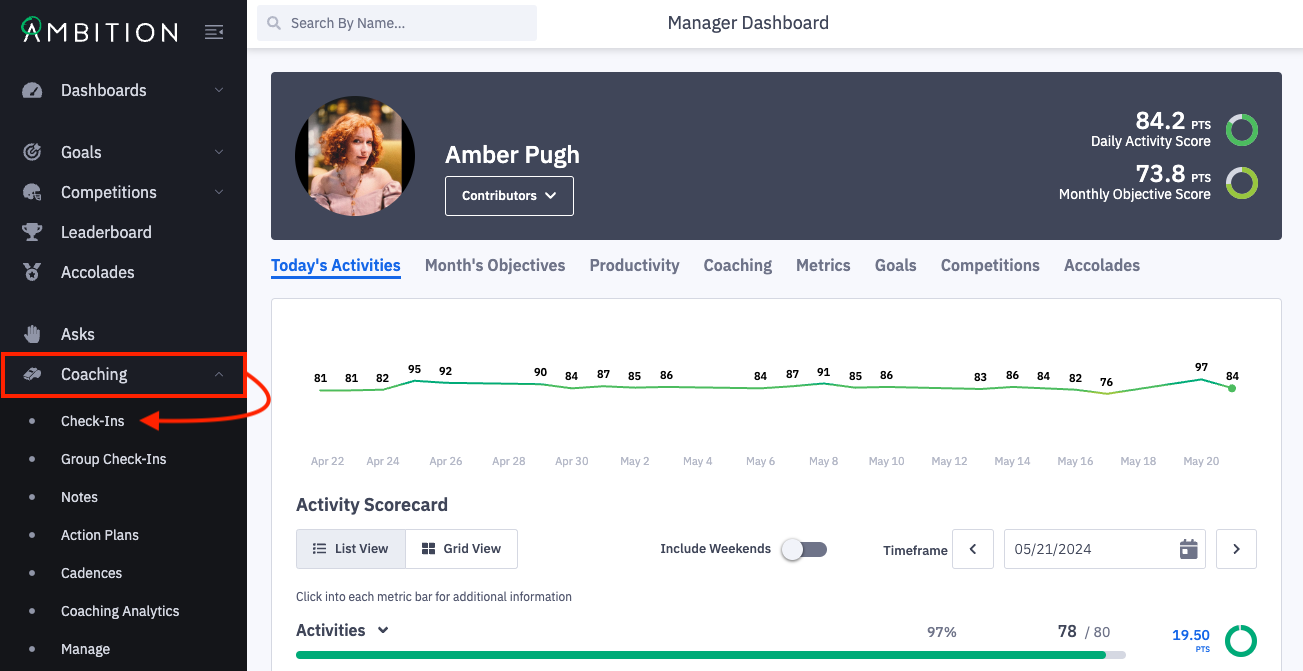
2. Locate and open a check-in where you'd like to generate a pre-read.
Need help searching for a specific check-in? Click here.
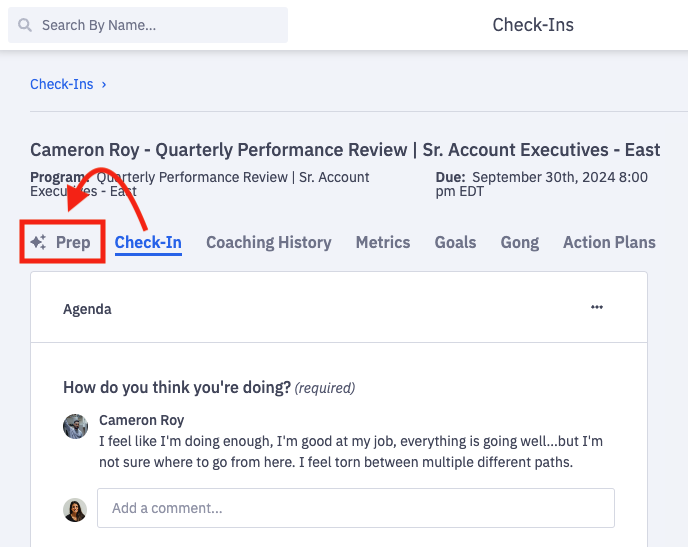
3. Click on the Prep tab.
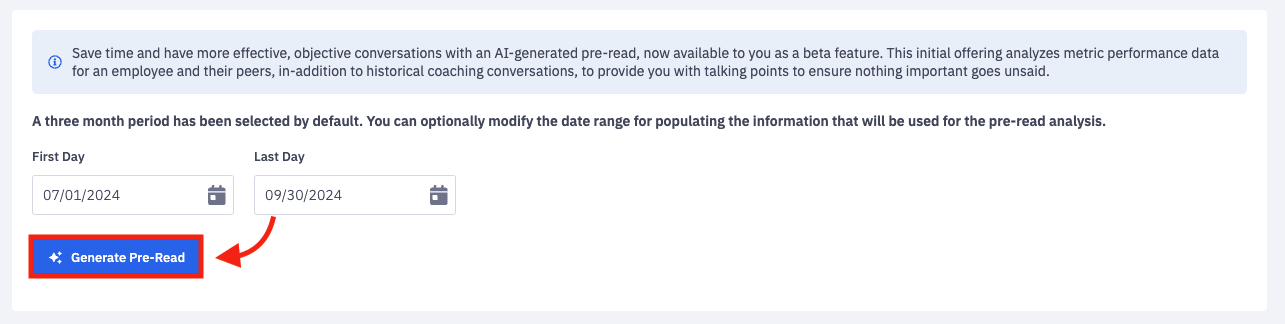
4. A three month range is analyzed by default, but you can optionally update the date range you wish for the pre-read to analyze.
Optionally select the first and last day of the date range that you wish for the pre-read to analyze.

5. Click on Generate Pre-Read.
6. The pre-read information will be generated and will continue to be accessible within the check-in.
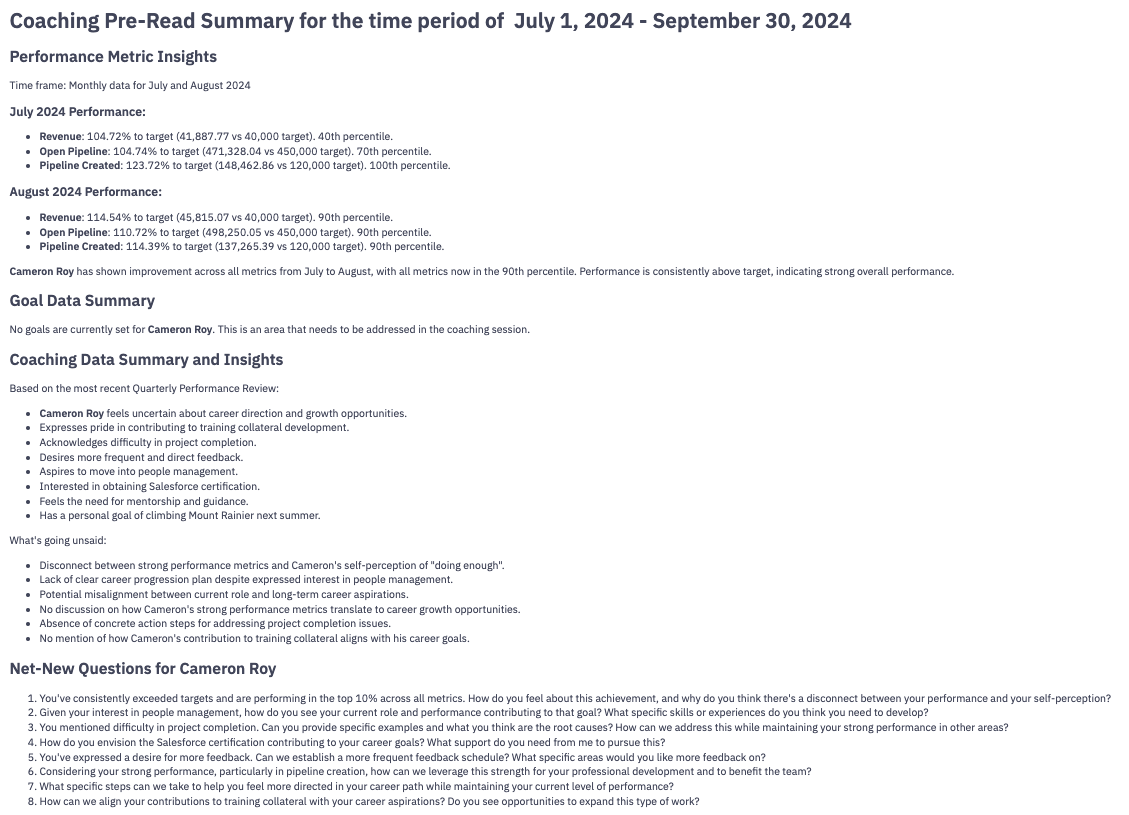
Coaching pre-reads contain four sections:
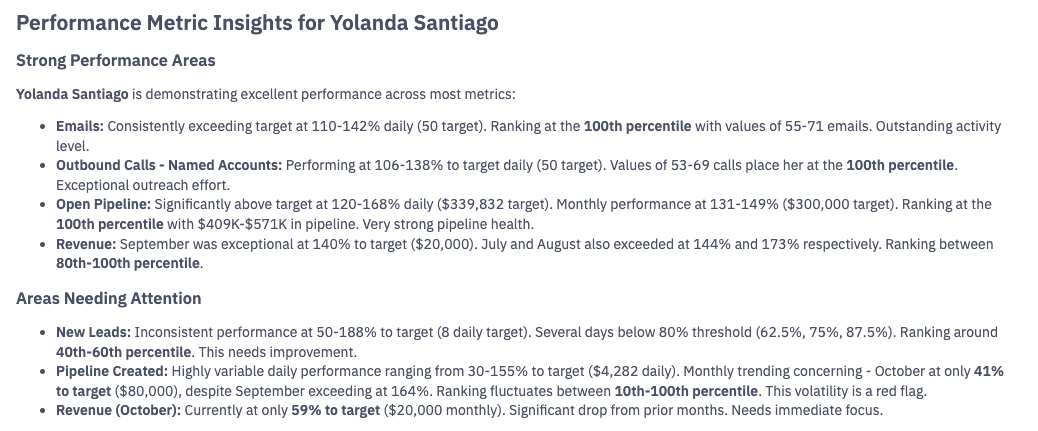
Performance metric analyses
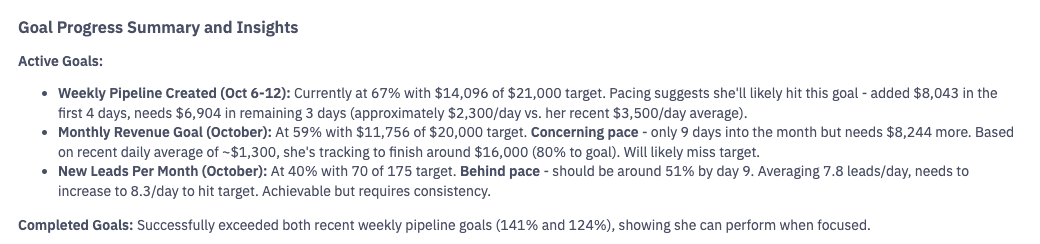
Goal Data Summary
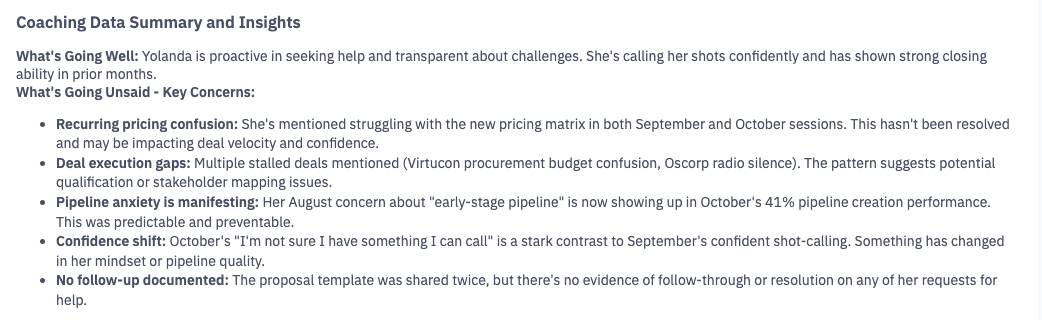
Insights from previous coaching sessions
Insights will be pulled from previous coaching sessions within the same coaching program.
If a program is not being used, insights will be pulled from previous coaching sessions based on the same template.
If the coaching moment is not related to a program or template, you may see a "no coaching history available" message.
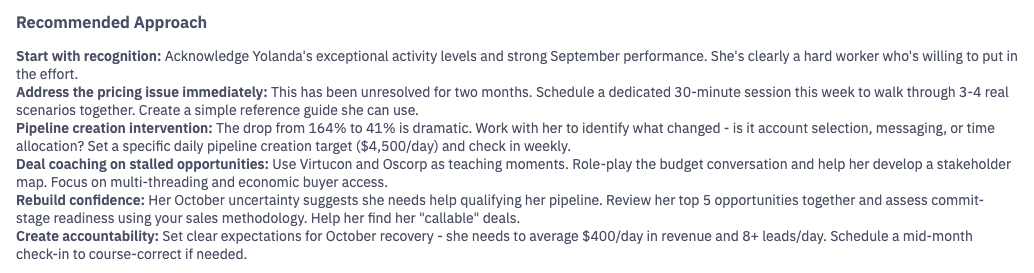
Suggested questions and approaches for your next check-in

If you wish to generate a new pre-read in order to access additional potential questions or analyze a different date range, click Regenerate Pre-Read.