How do I access Ambition on my phone or tablet?
Last updated: March 12, 2026
Access Ambition on Mobile
How can I access Ambition on my phone or tablet?
Ambition can be accessed on a phone or tablet:
through our iOS and Android apps
by being added as an icon on your device's home screen
through the browser of your choice
Download Mobile App
 |  |
Download for iOSIf searching on the App Store, search for "Ambition, Inc" | Download for Android |
When asked to input your company's subdomain, it is the first part of your Ambition URL. Ex. "acme" in acme.ambition.com
Add Ambition to Your Device's Home Screen
If you do not wish to download the Ambition app but still want quick access, you can add Ambition as an icon on your device's home screen that will launch Ambition like a traditional app.
Android
On your phone, navigate to your organization's specific URL of Ambition in Chrome.
Click on the three dots (or more options icon) in the top-right corner of the Chrome browser.
Locate and click on the "Add to Home Screen" option.
Click "Add" to confirm adding the Ambition icon to your home screen.
iOS
On your phone, navigate to your organization's specific URL of Ambition in Chrome or Safari.
Click on the share icon.
Locate and click on the "Add to Home Screen" option.
Click "Add" to confirm adding the Ambition icon to your home screen.
What if I don't want to add the Ambition icon to my device's home screen?
Ambition is optimized for viewing on a desktop, and can also be accessed through the browser of your choice on your respective mobile phone or tablet.
What if I use the Salesforce mobile app?
If applicable and enabled within your organization, Ambition can be accessed through the Salesforce Mobile App as well. Salesforce Admin Permissions are required to add Ambition within Salesforce.
Mobile Pro Tip
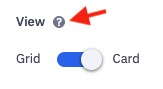
If you are attempting to view any of the tool tips in Ambition, represented by a question mark icon, touching and holding the icon will reveal the tool tip's contents!