How do I change the scorecard group type or time frames?
Last updated: March 3, 2026
Scorecard Settings
Ambition Scores are holistic, multi-metric measurements of employee performance.
↳ 📄 What is an Ambition Scorecard?
Your organization can base scorecards off of any single group type you create, but this is a global setting.
The time frames used to calculate Activity and Objective Score are global as well.
Ambition scorecard group type and score time frames are not editable by end users. Reach out to your CSM or gethelp@ambition.com if you need any changes made.
Scorecard time frame changes are applied to all scorecard groups. It is not possible for different scorecard groups to use different time frames.
Locate Score Settings
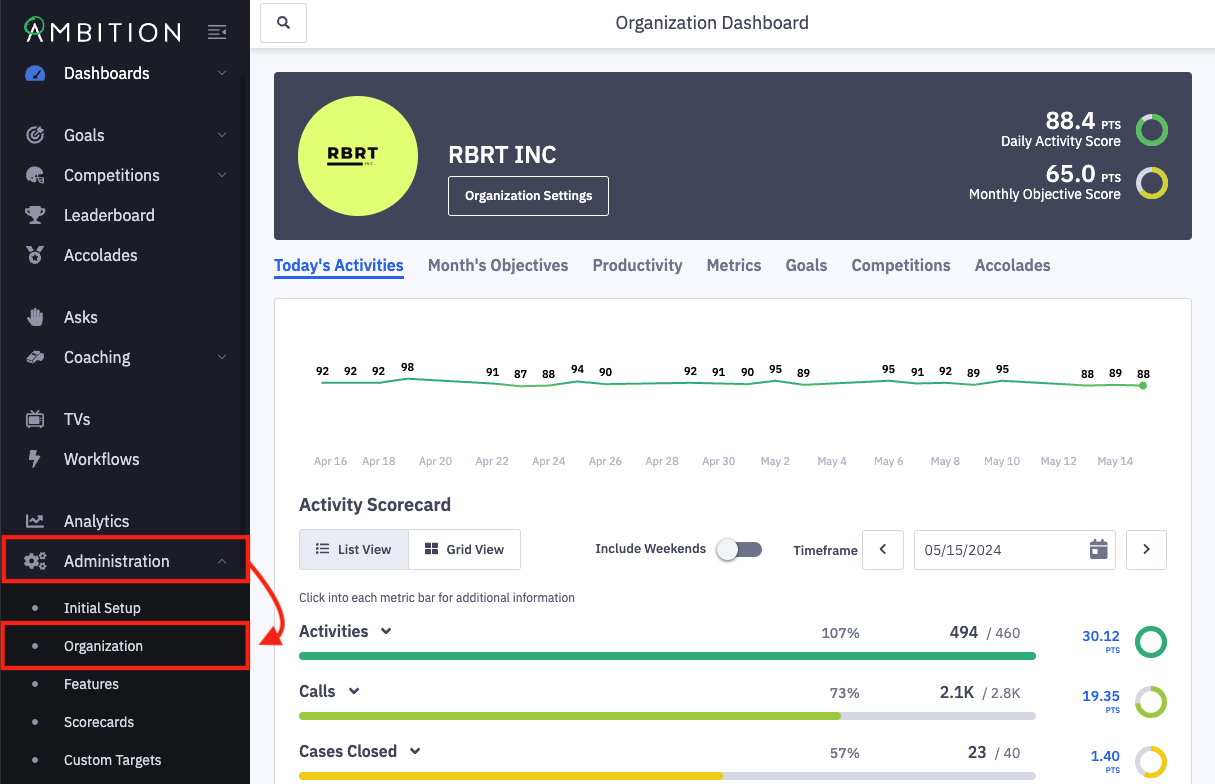
1. Open the left navigation and click Administration > Organization.
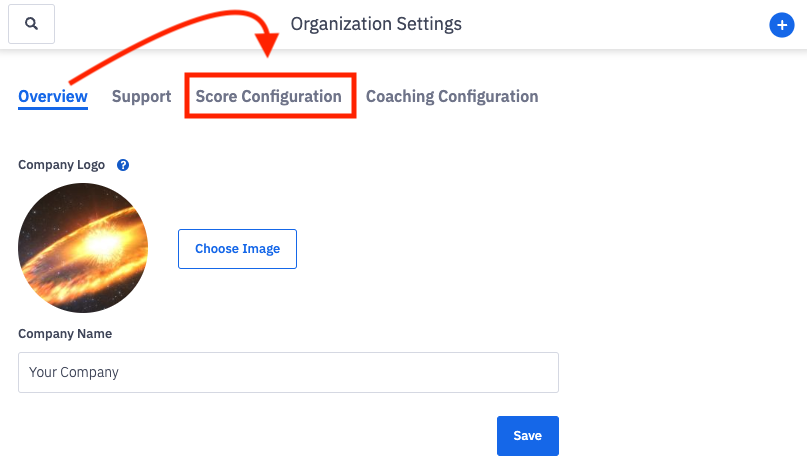
2. Click on the Score Configuration tab.
3. You will find the following options:
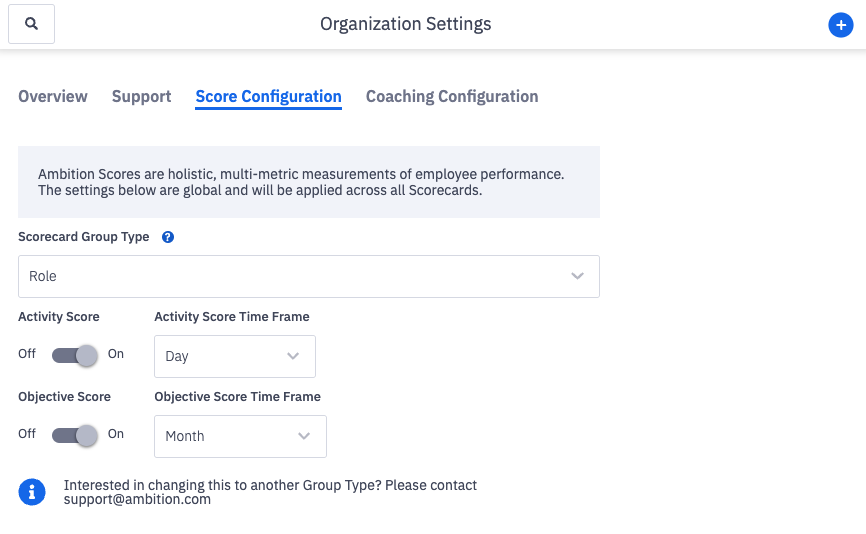
Scorecard Group Type
The scorecard group type determines which group type that will be used for setting up Activity and Objective scorecards.
The default value is "Role" but can be overridden with any single group type in your organization. This is a global setting.
If you'd like to update the scorecard group type, reach out to your CSM or gethelp@ambition.com.
Warning! Changing this group type will result in the loss of all existing scorecards.
Any accolades, competitions, goals, leaderboards, or workflows which use Activity or Objective Scores will also enter into an error state. You'll need to re-add the Activity and Objective Score metrics to those features once you've rebuilt the scorecards.
Activity and Objective Score Time Frame
Ambition allows for customizing the time frame against which Activity Score and Objective Score are calculated. This is a global setting.
Best practice is to select the shortest period of time within which actionable results can be measured, providing shorter cycle feedback periods for employees. Time frames should be extended only if necessary.
You can also opt out of score by reaching out to your CSM or gethelp@ambition.com.
Activity or Objective Score, or both, can be toggled to Off by the Ambition support team.
Activity Score can be set to Day or Week.
Day is the default. If your organization would like to score activities on a weekly basis, reach out to your CSM or gethelp@ambition.com.
Objective Score can be set to Week, Month, or Quarter.
Month is the default. If your organization would like to score objectives on a weekly or quarterly basis, reach out to your CSM or gethelp@ambition.com.