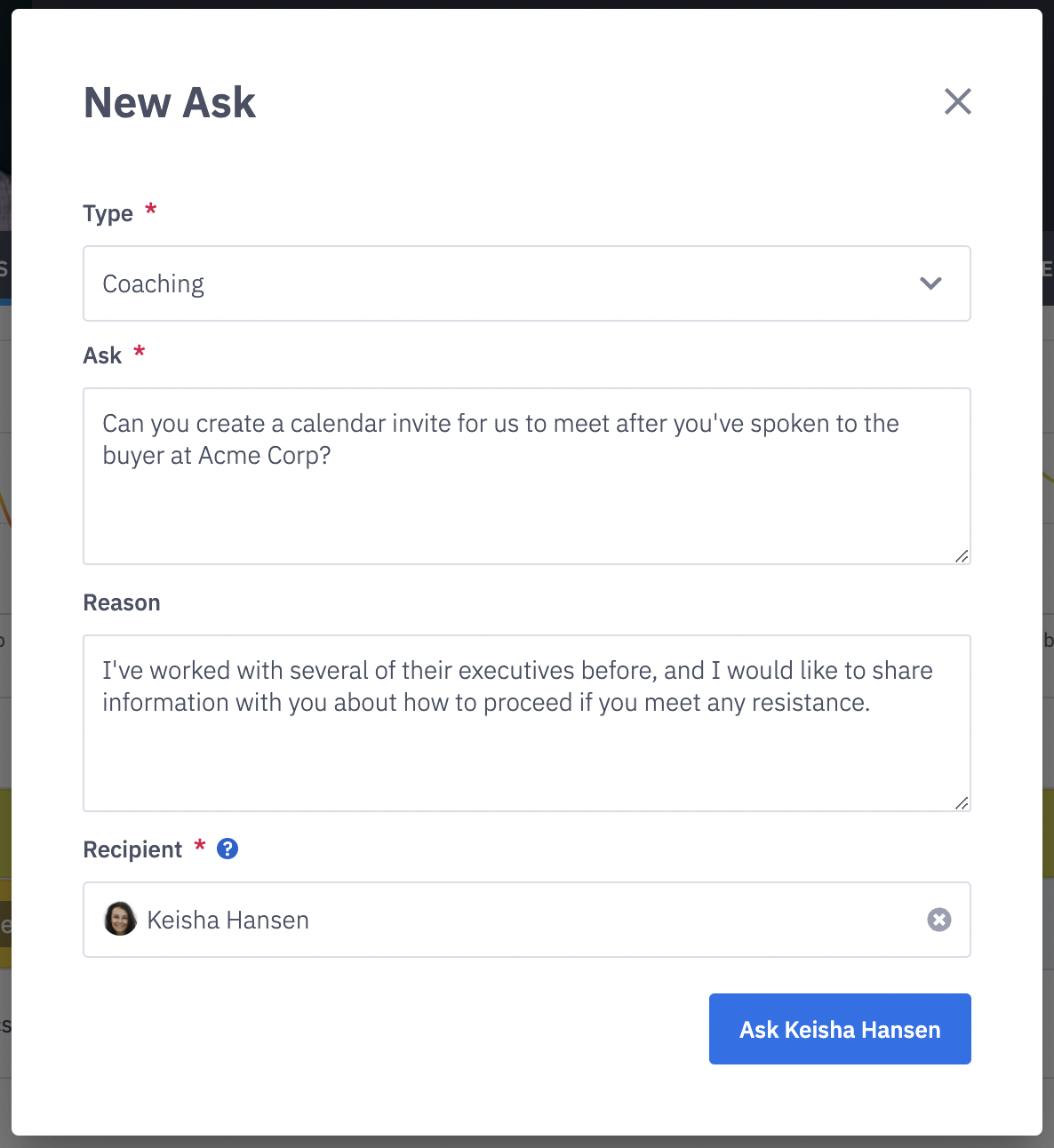
How do I create an ask?
Last updated: August 18, 2026
This feature is no longer supported in the 2026 Agentic Ambition release.
Employee Asks
Asks
Ambition is your platform to challenge yourself (and others), to get motivated, to be seen, to be heard, and to make an impact.
Employee asks allows you to submit requests to your direct reports, managers, or administrators in Ambition. Submitted Asks are trackable in Ambition, providing status updates and notes.
Type of Asks
Type of Ask | Type Description |
Coaching | Ask an employee what 1:1 coaching they need. Ask your manager for some 1:1 coaching. |
Competition | Ask an employee what new competition they want you to build. Ask your manager for a new competition to be created in Ambition. |
Edit/Fix | Ask an employee if they need anything edited or fixed within Ambition. Ask your manager for a correction to be made in Ambition. Ex. Are you reporting to the wrong manager? Is a metric wrong? |
Goal | Ask an employee if there is a new goal they want you to create. Ask your manager for a new goal to be created in Ambition. |
Help | Ask an employee if they need help with anything. Ask your manager for help with something you're stuck on or that you can't do alone. Especially helpful for the notes that historically have gotten lost in Slack/Teams/Emails! |
Idea | Ask an employee if they have suggestions/idea about how your team uses Ambition. Ask your manager to carry out an idea you have for Ambition. Ex. Submit an idea for a new Metric, Accolade, or TV slide. |
Create and Submit an Ask
1. Open the left navigation and click Asks > Asks tab > Create Ask button.
2. Complete the Asks form.
Field | Field Description |
Type | Select Type from drop-down. Available Types listed here. |
Ask | Type the exact ask into the form. It's helpful to give details about the competition, goal, idea, etc. |
Reason | Optional, but encouraged. Provide context for the ask. Ex. Why do you want this specific challenge created? Ex. Which opportunity can you help coach a rep to move forward? |
Recipient | Select the Ambition user's name who the ask is for. Admin users are able to create an ask for any user in Ambition. Employees and managers will be able to create an ask for their direct manager and any other user with admin permissions in Ambition. |
3. Click the Ask "user's name" button to submit.