How do I export competition results?
Last updated: June 24, 2025
Export Competitions
Results can be exported from both challenges and fantasy competitions.
Export Challenge and Individual Fantasy Matchups
The creator or any user with "Competitions: All Access" permission can export competition data. Data from competitions in "hidden mode" will only be exportable by those with "Competitions: All Access" permission.
Competition data can be exported from both active and complete competitions. If exporting data from an active competition, note that final results, scores, and any threshold prize recipients will update until the competition is finished.
1. Access the challenge or individual fantasy matchup you wish to export.
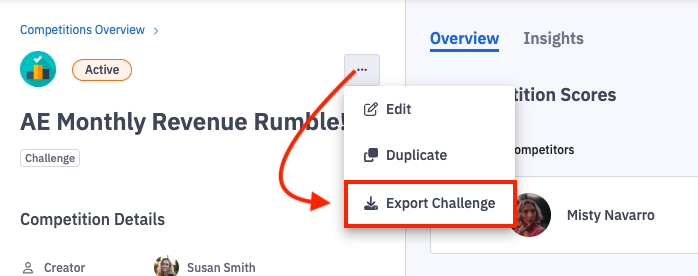
2. Within a challenge, click the ellipses icon and then Export Challenge.
Users with "Competitions: All Access" or "Create Challenge" permission can also export challenge data from the Competitions > Manage page.
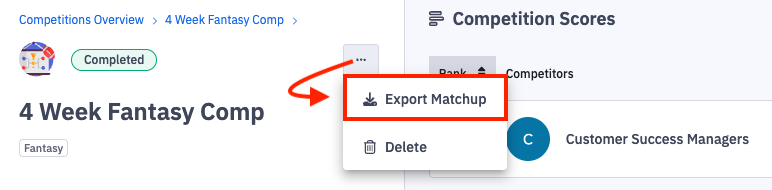
Within an individual fantasy matchup, click the ellipses icon and then Export Matchup.
The downloaded CSV will contain 5 tabs with the following information:
Details.
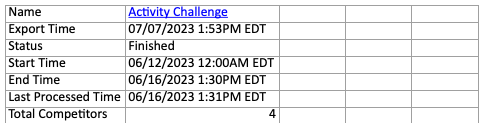
Competition name, export time, status, start time, end time, last processed time, number of competitors.
Score Configuration
Game play type, metric name, score description how many points per metric value), value method (respect the metric type or use daily average), aggregation method (respect the metric type or sum daily averages together), minimum value, maximum value, are weekend allowed, are out of office competitors allowed to score points.

Scores and Prizes
Rank, competitor, score, prize descriptions and recipients of rank and threshold prizes if applicable.
Scheduled Time Off
Competitor, start time of time off, end time of time off.
Comments
User's name who left the comment, the comment's content, date created, date updated.
Export Fantasy Season
Competition data can be exported from both active and complete competitions. If exporting data from an active competition, note that final results and scores will update until the competition is finished.
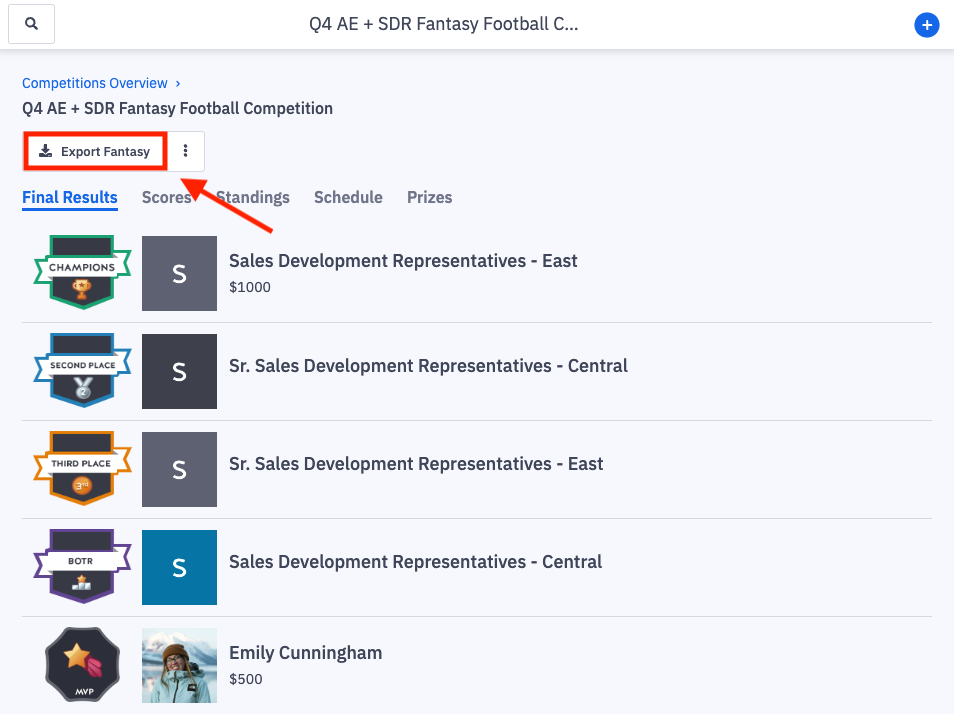
1. Access the fantasy competition where you wish to export season information.
2. Click Export Fantasy.
Users with "Competitions: All Access" permission can also export fantasy season data from the Competitions > Manage page.
The downloaded CSV will contain 4 tabs with the following information:
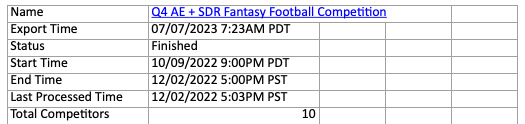
Details
Competition name, export time, status, start time, end time, last processed time, number of competitors.
Score Configuration
Game play type, metric name, score description (how many points per metric value), value method (respect the metric type or use daily average), aggregation method (respect the metric type or sum daily averages together), minimum value, maximum value, are weekend allowed, are out of office competitors allowed to score points.
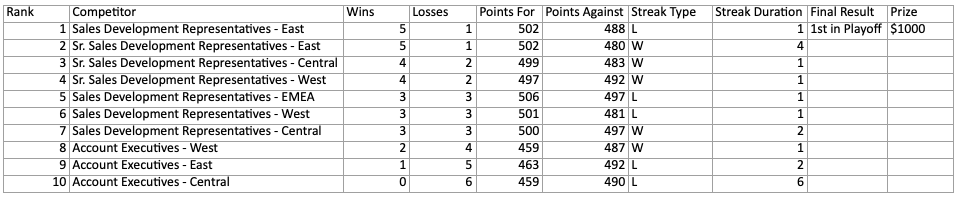
Final Results
Rank, competitors, wins, losses, points for, points against, streak type, streak duration, final results, prizes if applicable.
Scores
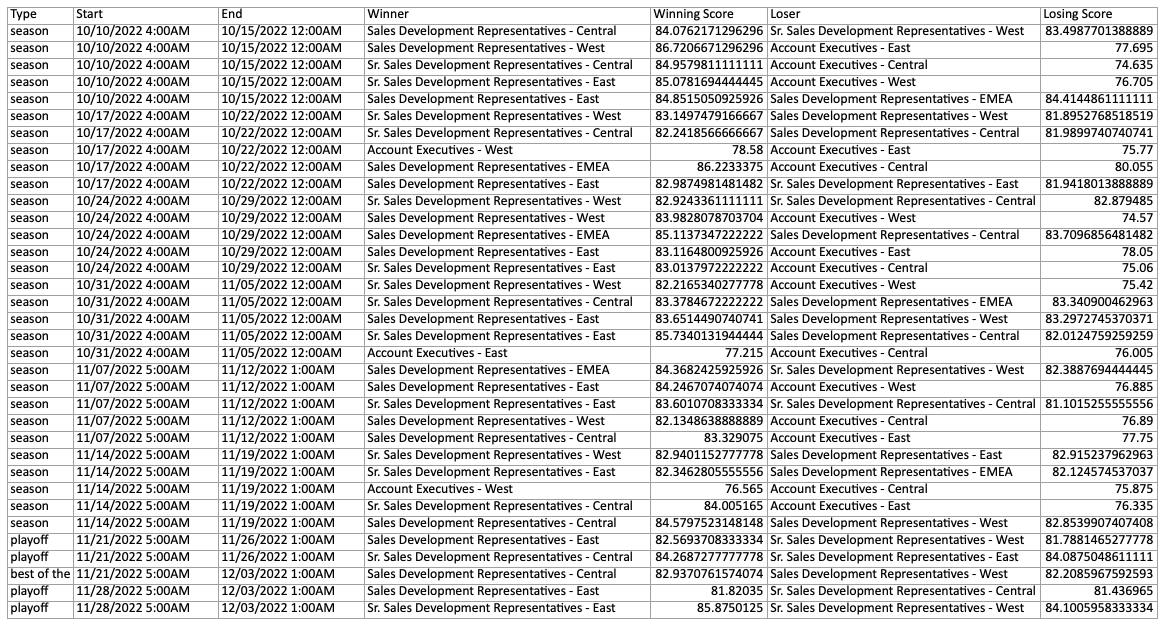
Type (season, playoff, best of the rest), start time, end time, winner, winning score, loser, losing score.