How do I edit a bracket competition? (Beta)
Last updated: March 13, 2026
Edit a Bracket Competition
When a bracket competitions is scheduled, all fields can be edited.
Once a bracket competition is active, only the following fields can be edited:
Name
Live > Hidden Mode
Schedule*
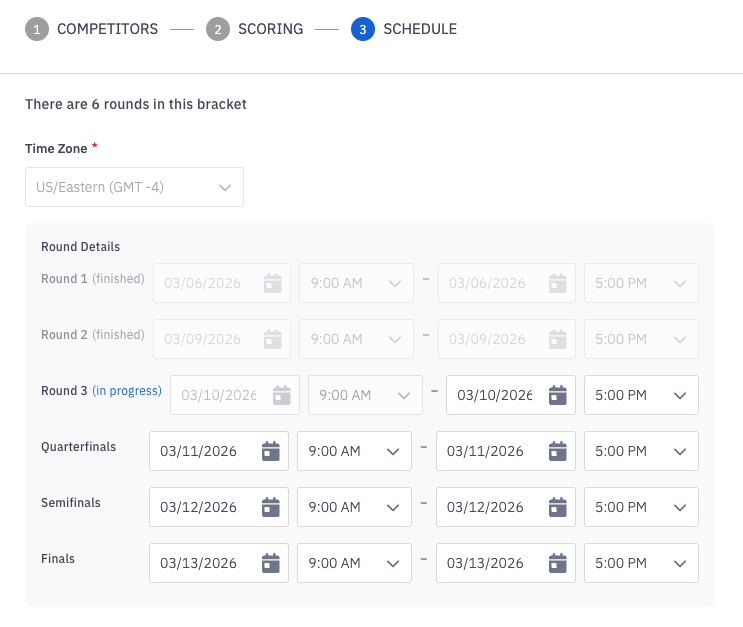
*The scheduling of future rounds can be edited. Only the end date/time of in progress rounds can be edited. Scheduling of completed rounds is locked.
Edit or Delete a Bracket Competition
Users with the "Competitions: All Access" permission will be able to edit and delete all bracket competitions.
Users with "Competitions: Create Challenge" permission will be able to edit and delete bracket competitions they create.
Open the left navigation and click Competitions > Manage.
You can also access the edit bracket form by clicking the ellipses icon and then Edit when viewing an active bracket competitions.
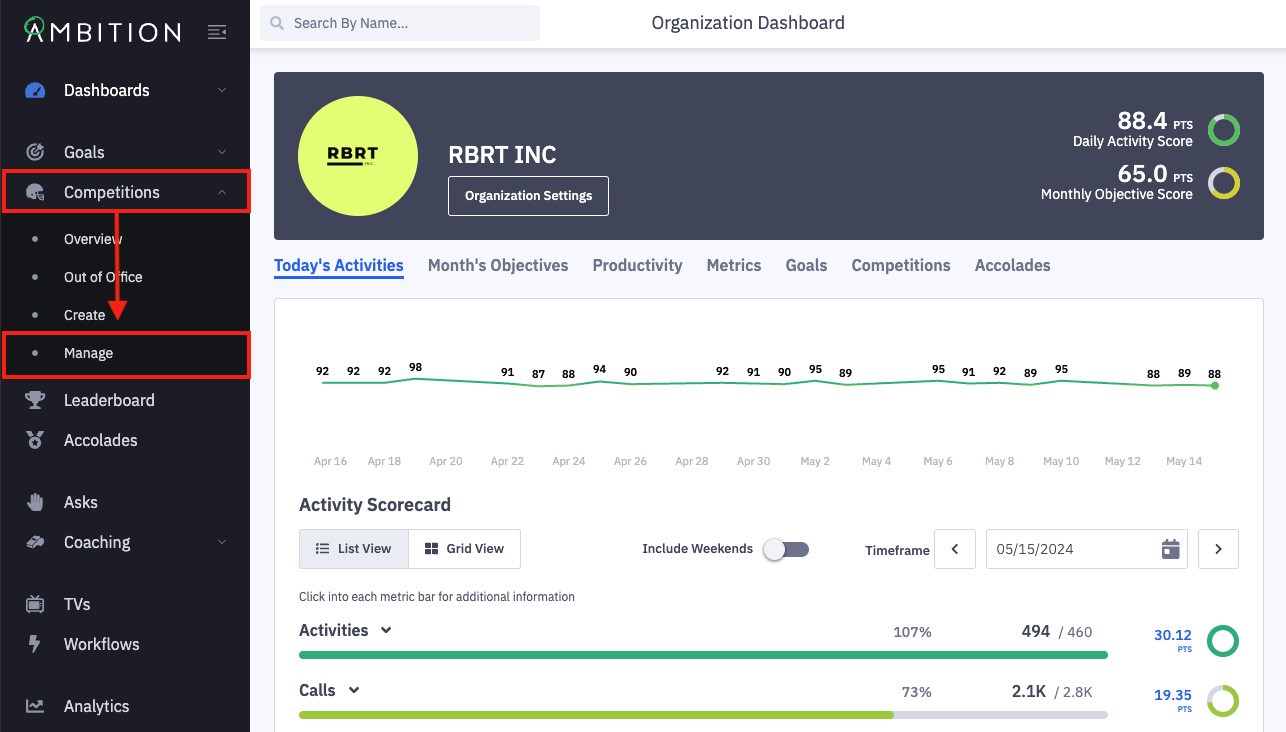
Locate the challenge you wish to edit.
Click the filter icon to slide out the filter panel.
Filter competitions based on name, competitor, competition type (challenge, fantasy, or bracket), status, competition visibility (live or hidden), and creator.
Click the ellipses icon on the appropriate challenge and select Edit.
Delete a Bracket Competition
If you wish to delete a bracket competition, click the ellipses icon select Delete and then click Confirm when prompted.
Edit a Bracket Competition
When a bracket competitions is scheduled, all fields can be edited.
As noted above once a bracket competition is active, only the following fields can be edited:
Name
Live > Hidden Mode
Schedule*
*A round's schedule can only be edited while the round is happening.
Bracket Name
Update the text found in the bracket name field.
Competitors
Not editable once the bracket is active.
A minimum of 2 competitors are required to create a bracket competition.
A maximum of 256 competitors are allowed in a single bracket competition.
Adjust competitors as needed.
Learn more about competitor selection here.
Live > Hidden Mode
Update a competition currently in "hidden mode" to be "live", or take a "live" competition back into "hidden mode". Learn more about hidden mode here.
Scoring
Not editable once the bracket is active.
Adjust scoring metrics as needed.
Learn more about establishing how competitors earn points here.
Schedule
When the bracket is scheduled:
Adjust the time zone as needed.
Update the start date/time and end date/time for all bracket rounds as needed.
When the bracket is active:
Update the end date/time of in progress bracket rounds.
Update the start date/time and end date/time of future bracket rounds.
Seeding, Matchups, and Bracket
Not editable once the bracket is active.
Click between the Seeding, Matchups, and Bracket tabs to view and customize your bracket competition.
You are able to manually change a user's overall initial seeding and customize first round matchups as desired.
Click Reset to Default on any of the tabs if you wish to return to the initial, default rankings.
After making necessary edits, click the Save Changes button.