How do I edit a fantasy competition?
Last updated: March 10, 2026
Edit a Fantasy Competition
Once a fantasy competition has been created, only the following fields can be edited:
Name
Description
Live > Hidden Mode
Scoring*
Prizes
Note: Competition scoring can only be edited up until the end of the first match up of the season. Once the first games of the season end, scoring is locked!
Edit or Delete a Fantasy Competition
Users with the "Competitions: All Access" permission will be able to create, edit, and delete all competitions.
Open the left navigation and click Competitions > Manage.
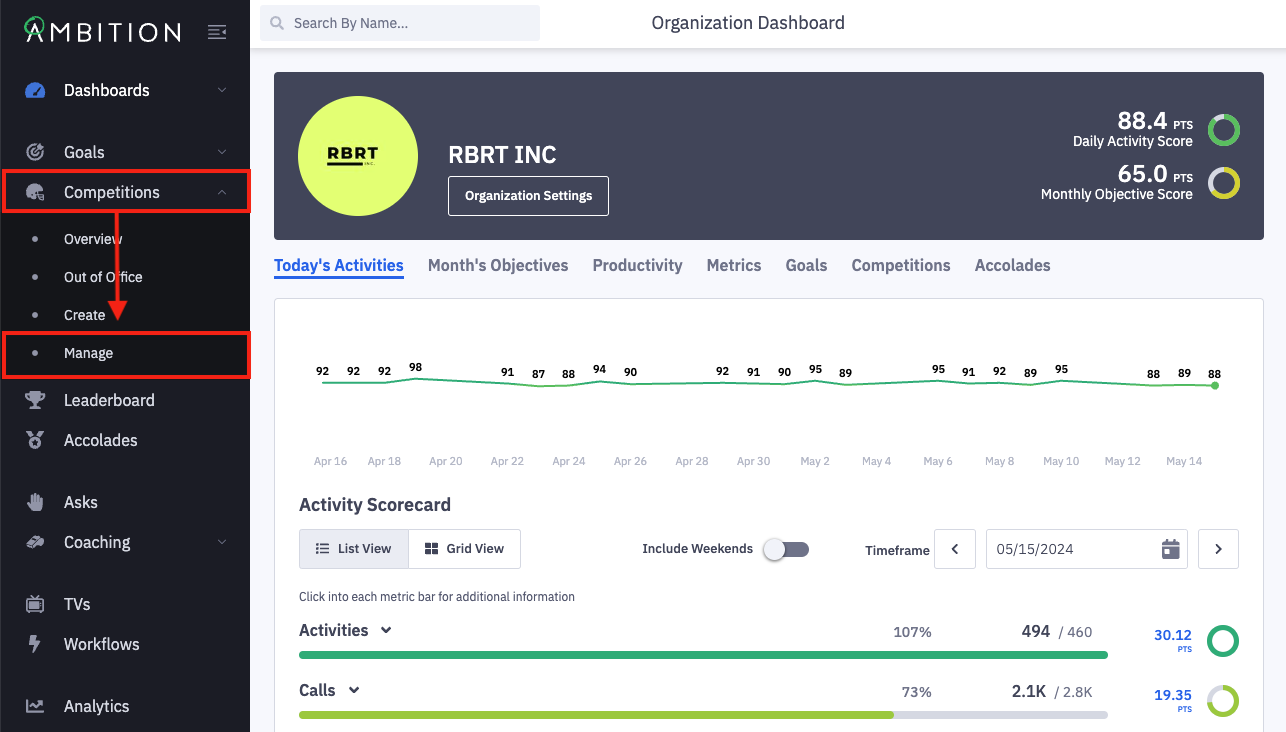
Locate the competition that you wish to edit.
Click the filter icon to slide out the filter panel.
Filter competitions based on name, competitor, competition type (challenge, fantasy, or bracket), status, competition visibility (live or hidden), and creator.
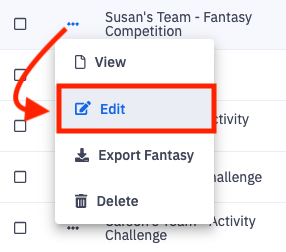
Click the ellipses icon on the appropriate fantasy competition and select Edit.
Delete a Fantasy Competition
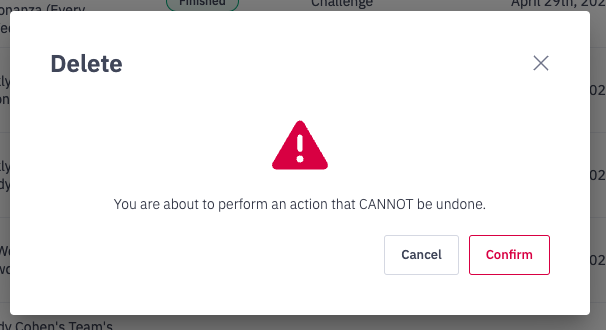
If you wish to delete a fantasy competition, click the ellipses icon select Delete and then click Confirm when prompted.
Edit the Fantasy Competition
As noted above once a fantasy competition has been created, only the following fields can be edited:
Name
Description
Live > Hidden Mode
Scoring*
Prizes
*Competition scoring can only be edited up until the end of the first match up of the season. Once the first games of the season end, scoring is locked!
Fantasy Competition's Name, Description, and Live > Hidden Mode
Update the text found in the name and/or description field.
Update a competition currently in "hidden mode" to be "live", or take a "live" competition back into "hidden mode". Learn more about hidden mode here.
Scoring
Competition metrics can only be edited up until the end of the first match up of the season. Once the first games of the season end, scoring is locked!
Navigate to Step 2. "Scoring".
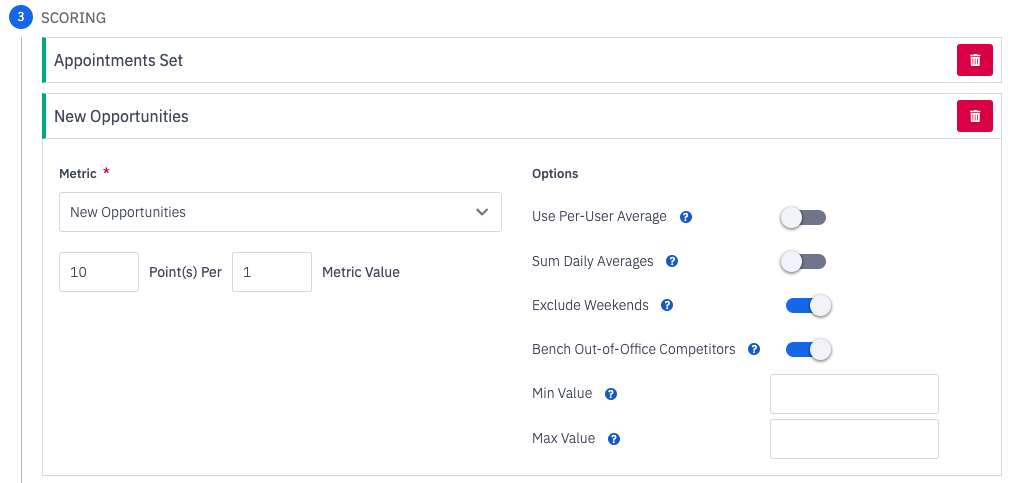
Up to 8 metrics can be included in a fantasy competition's scoring.
Update competition metrics as needed:
Add an additional metric to the competition by clicking the Add Metric button.
Edit existing metrics by updating/altering the points value or scoring option toggles.
Delete an existing metric by clicking the trash can icon.
Prizes
Navigate to Step 3. "Prizes".
Edit the text fields for 1st, 2nd, 3rd place, Best of the Rest and Season MVP as needed.
A "Best of the Rest" title will be awarded to the winner of the consolation bracket if more than four competitors are involved.
A "Season MVP" title will be awarded if the Fantasy is a group based competition (ex. Team vs Team). Employee vs Employee competitions will not award a Season MVP as the winner of the entire competition will equate to the MVP.
After making necessary edits, click the Update Fantasy Competition button.