How do I enable Single Sign-On through an IdP service?
Last updated: February 6, 2026
Single Sign-On (SSO)
Benefits of Single Sign-On
Users authenticate into Ambition using company-managed credentials.
Users already signed into company network will automatically be signed into Ambition.
Ambition access will automatically be revoked once employees are removed from company-defined HRMS system.
Set Up Single Sign-On
In order to complete these steps, you must:
Be assigned Admin permissions in Ambition.
Have an active, publicly accessible, SAML 2.0-enabled Identity Provider (IdP) service (Okta, Azure Active Directory, Active Directory, etc).
If using a custom domain, reach out to gethelp@ambition.com to have your domain whitelisted.
Identity Provider Set Up
Configuring the Identity Provider (IdP)
See the reference below for configuring your IdP to work with Ambition, the new service provider (SP)
Start URL: https://SUBDOMAIN.ambition.com/account-management/login/
Entity Id: https://SUBDOMAIN.ambition.com/account-management/login/
ACS URL: https://SUBDOMAIN.ambition.com/account-management/login/
Name ID Format: urn:oasis:names:tc:SAML:1.1:nameid-format:emailAddress
Replace SUBDOMAIN in the URLs above with your Ambition-assigned subdomain
Confirm that your assertion response contains attributes that can be mapped to a user's first and last name.
Enable Single Sign-On
1. Open the left navigation and click Administration > People > Single Sign-On.
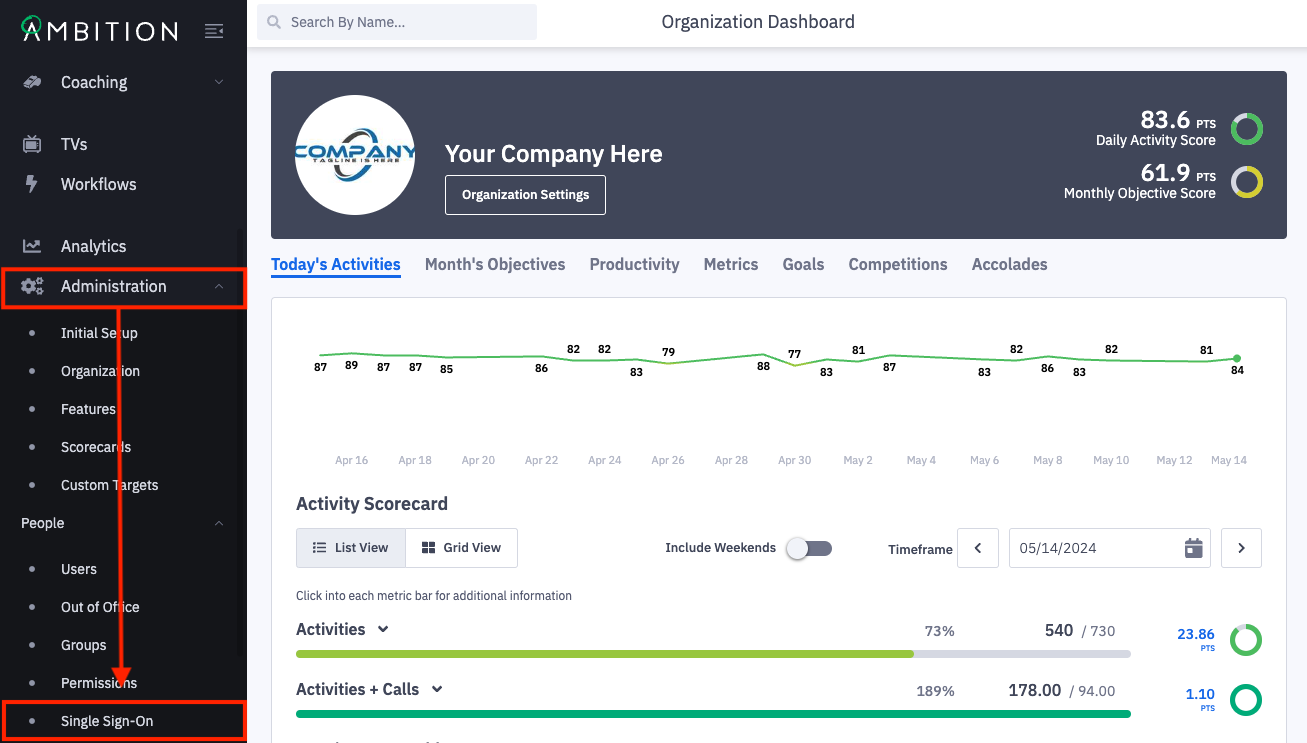
Don't see the Single Sign-On tab? The feature can be enabled by any user with system admin permissions. Enable Feature: Open the left navigation and click Administration > Features. Locate the SAML/SSO feature, and toggle "On". Click the Update Features button to save.
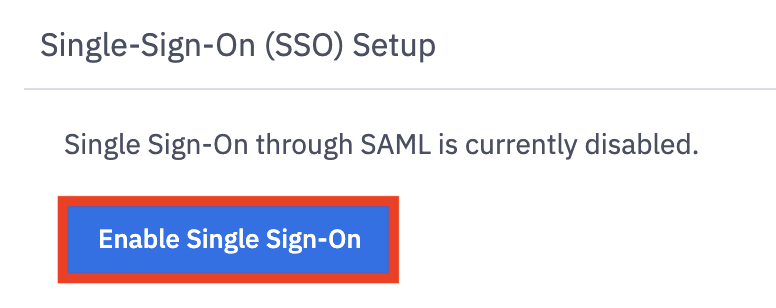
2. Click the Enable Single Sign-On button.
3. Complete the single sign-on setup form.
Integration Name: Defaults to SAML Authentication. Rename as desired.
IdP Metadata URL: The publicly accessible URL where your IdP's metadata is hosted
If using a custom domain, reach out to gethelp@ambition.com to have your domain whitelisted.
First Name SAML Attribute: The corresponding attribute name in your SAML response.
Last Name SAML Attribute: The corresponding attribute name in your SAML response.
Default User Time Zone: The corresponding default time zone your organization uses.
Just-In-Time Provisioning:
When toggled "On", Ambition will use a SAML assertion to create a user account the first time the user attempts to log in to Ambition.
When toggled "Off", you must manually create accounts for desired users, otherwise they will be denied Ambition access upon initial login. (default)
Expire Session at Browser Close:
When toggled "On", Ambition will always terminate a user's session when the browser is closed.
When toggled "Off", Ambition will preserve a user's session and prevent them from being logged out when the browser is closed.
4. Click the Save button.

Users can now log in to Ambition with company-managed credentials.