How do I add progress for a manual input goal?
Last updated: August 20, 2025
Update Manual Entry Goals
Add Progress For Manual Input Goals
The goal creator and users with "Goals: Edit - Can Edit All Goals" permission can add progress to a public manual input goal.
Users with "Goals: Edit - Can Edit Goals for Subordinate Users/Groups" permission can also add progress to manual input goals for users and groups they manage, even if they are not the creator.
Progress can be added to private goals by the goal creator and anyone with system admin + "Goals: Edit - Can Edit All Goals" permission.
1. Locate the manual input goal you wish to add progress towards.
Goals can be found:
On Dashboards under the Goals tab.
Through the left navigation Goals > My Goals.
Through the left navigation Goals > Manage (available for users who have "Goals: Edit" permission)
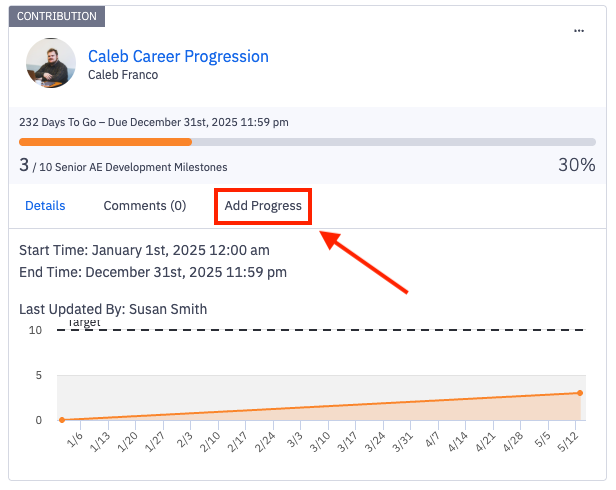
2. Click on Add Progress to post an update.
If the goal's end date has passed, the goal will be listed as "expired" and you will see an Edit Goal Progress button.
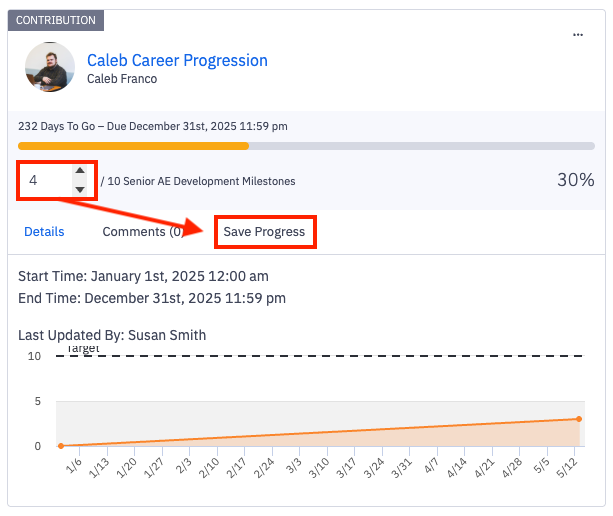
3. Type in the new value for the goal and click Save Progress
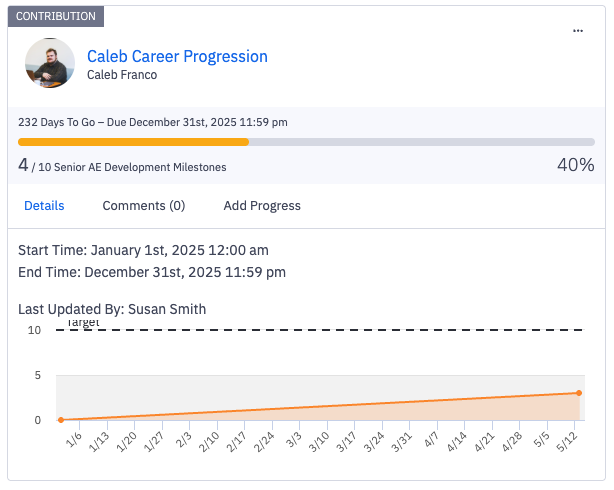
4. The goal will then reflect the new value and percentage to the goal.