How do I export goal data?
Last updated: September 19, 2025
Export Goals
Export a Single Goal
Users with a level of "Goals: Create" permission can export goals.
A user does not have to be an active participant in a goal in order to export the goal. Private goals can only be exported by users who have access to view the private goal.
1. Locate the goal you wish to export.
Goals can be located:
on a user or group's dashboard (active goals only)
through the left navigation > My Goals tab
through the left navigation > Goals > Manage (available for users who have "Goals: Edit" permission)
2. Click the ellipses icon on the appropriate goal and select Export to download the goal data into a .xlsx file.
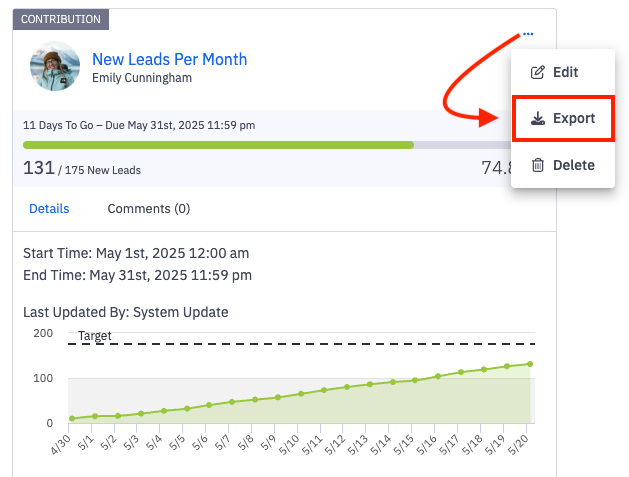
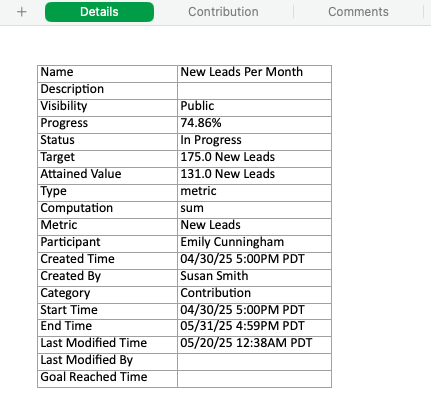
3. Open the downloaded file to view goal information.
The export will include sheets for details, contribution, and comments.
Export Multiple Goals
Users with a level of "Goals: Create" permission can export goals.
A user does not have to be an active participant in a goal in order to export the goal. Private goals can only be exported by users who have access to view the private goal.
1. Locate the goals you wish to export.
The option to export multiple goals can be located:
through the left navigation > My Goals tab
through the left navigation > Goals > Manage (available for users who have "Goals: Edit" permission)
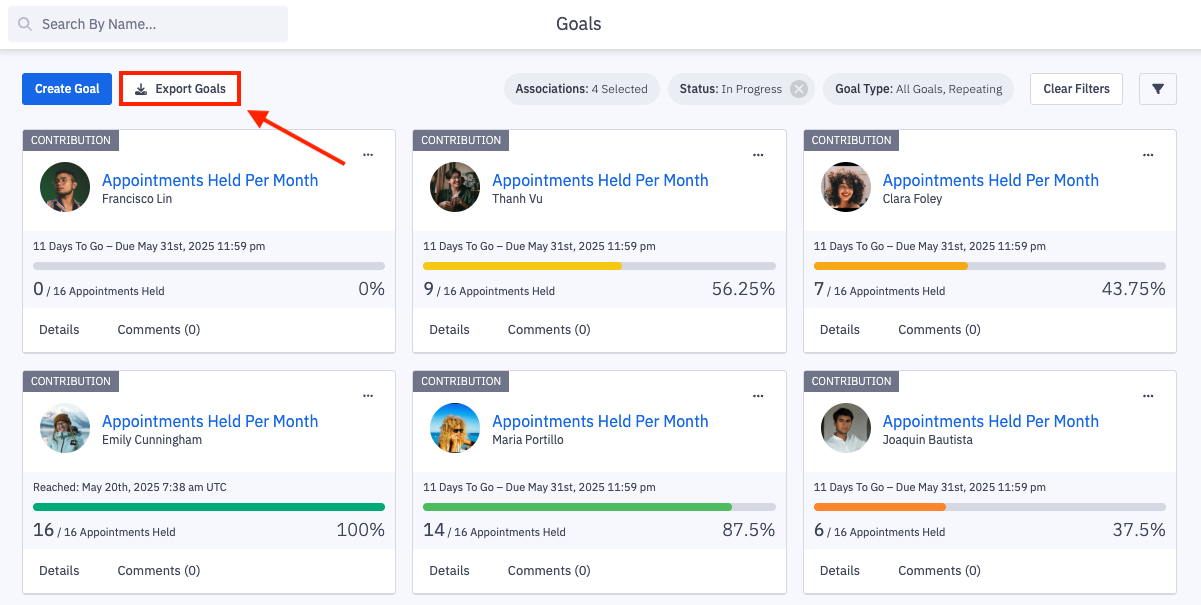
2. If exporting from the My Goals tab, optionally click on the filters icon and narrow your results as needed before exporting.
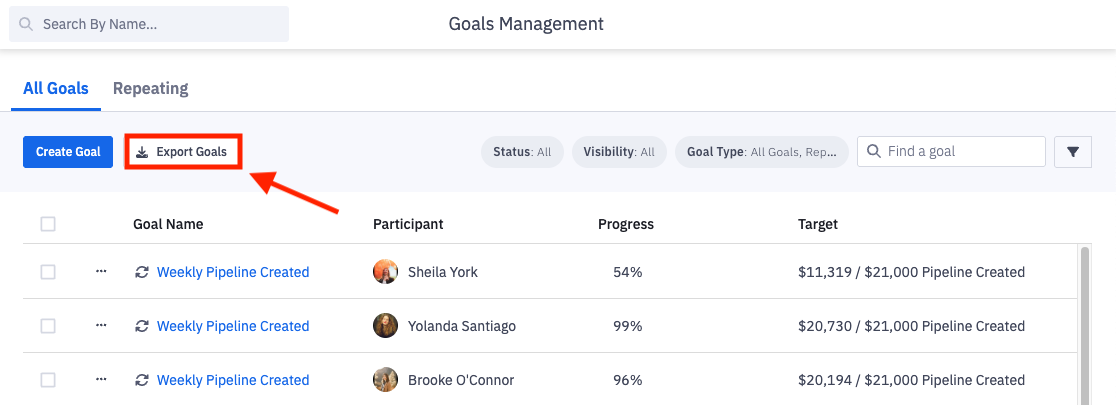
Exporting on the Goals Management page will export all goals.
3. If exporting on the My Goals tab, click on Export Goals to download the goal data into a .xlsx file.
If exporting on the Goals Management Page, click Export Goals to download the goal data into a .CSV file.
4. Open the downloaded file to view the goals information.
