What is Ambition Coaching?
Last updated: March 3, 2026
Ambition Coaching
Why Utilize Ambition Coaching?
Coach reps and drive success. Ambition’s coaching platform is designed to help leaders drive actionable, metrics-driven conversations with reps, resulting in stronger relationships, increased productivity, and better performance.
Benefits of Using Ambition Coaching:
Everyone knows that coaching is important, but few know why. Tie rep and team performance directly to coaching events to see the exact impact that coaching (and your time!) are having on performance.
Make the most of your time together. Get answers to key questions in advance, look at rep performance and progress against goals without having to search for reports, and align on action plans.
Alignment. Employees and managers leaves with the same, documented action items after the meeting. Zero confusion, total clarity.
Gives post-it note or spreadsheet coaching a central home. Papers get lost, and you don’t remember what you talked about last time. Keeps coaching conversations, tied to rep performance, in one place, and helps you stay organized so you can spend more time developing your team and not searching for reports, papers, and post-its.
Coaching Orchestration
Mapping the coaching moments for managers and sales enablement leaders.
Manager Responsibilities | Ambition |
Hold recurring 1-on-1s with direct reports | Schedule a 1-on-1 Check-In for Later + select recurring |
Schedule a skip level with your direct reports or a one off 1-on-1 | Schedule a 1-on-1 Check-In for Later + select one time |
Log a conversation or document an ad-hoc conversation with an employee | |
Run an effective team meeting | |
Assign clear follow up action items after meeting |
Enablement Responsibilities | Ambition |
Enroll employees in a program, onboarding, or training where a fixed number of steps | |
Enroll employees in a program, onboarding, or training where each step has a different agenda | |
Enroll employees in a program, onboarding, or training that never ends and the agenda is the same for each step |
In addition to check-ins, Ambition also offers tools like action plans and notes to complete the coaching lifecycle.
Action Plans track outcomes of coaching sessions, monitoring qualitative and quantitative measures of contributor improvement.
Shared & Private Notes allow managers to create shared notes with their employees or private notes for their own record keeping
Coaching Timelines bring all the components of coaching together. Coaching timelines allow managers and employees to see their coaching history, open and historical, in one location.
1: 1 Coaching = Check-Ins
Managers can create check-ins that are either scheduled or completed in-line (live). Additionally, these 1:1 check-ins can be added to an employee's existing coaching program to ensure that they are tracked in coaching utilization reports.
Optionally, teams can create check-in templates that can be used to quickly build a check-in agenda
Cadences and Programs
Coaching check-ins can also be part of a coaching program or cadence.
Cadence
Cadences are a series of steps with specific agendas that make up a training, onboarding, or coaching program.
Cadences are built to ensure that employees and managers across the enterprise are adhering to best practices and completing required content.
Cadences allow you to streamline your coaching and programs by enrolling employees into flexible multi-step cadences. Cadences enable coaches and sales enablement to coach, train, onboard, and run programs all at scale.
Learn more about creating cadences here.
Programs
Programs are manager or theme based collections of recurring touch points. Programs are ideal for time-bound coaching initiatives where employees complete "passive updates" without a set meeting time.
Depending on your organization's coaching structure, Ambition offers two types of coaching programs:
Single Programs: Built for a manager and their direct reports.
Managed Programs: Top down approach, built for multiple managers and their teams.
Interacting With Check-Ins
Check-Ins can be found through the left navigation > Coaching > Check Ins.
The amount of check-ins found here will be dependent on a user's permissions. Check-ins can be filtered by "status" so one can quickly navigate to the specific items that need addressing.
Each check-in is generated based on a manager-to-employee relationship and repeated as desired either through a coaching program, cadence, or 1:1 sessions.
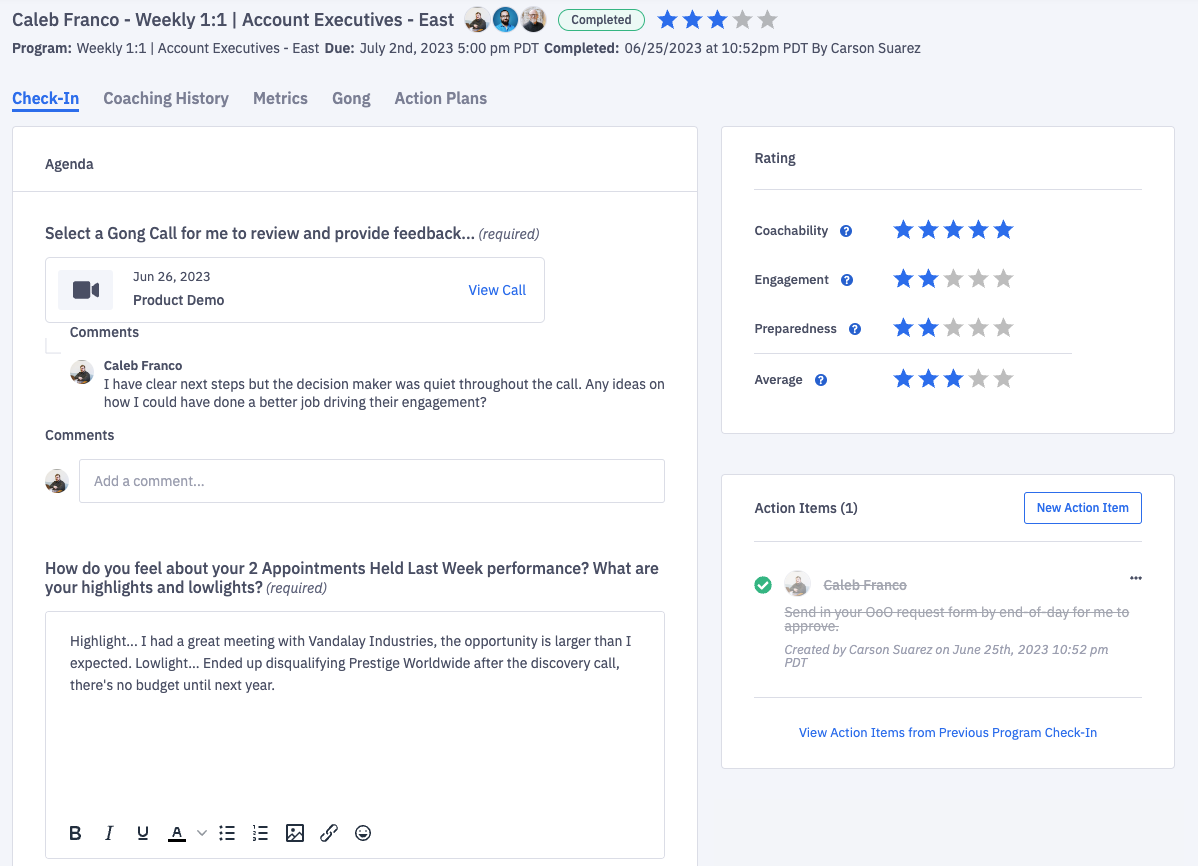
Employees are notified and provided access to the check-in agenda before the actual coaching session, so that they can complete and submit the agenda before the scheduled 1:1. Submitting the agenda prior to the actual 1:1 discussion ensures that contributors and managers come to coaching sessions prepared and ready to dive right into important topics.
Access to Current and Historical Performance within a Check-In
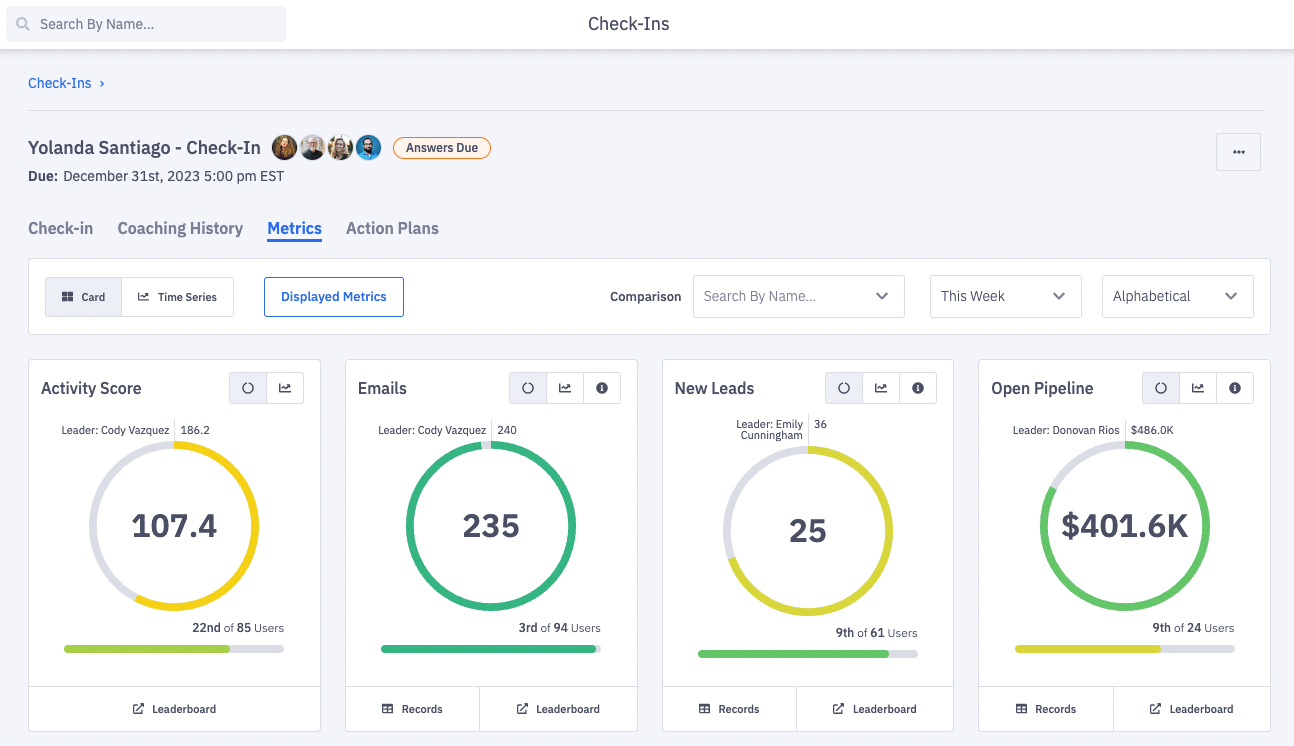
During a check-in, both the manager and employee have instant access to current KPIs, historical performance, goals, notes and outstanding deliverables.
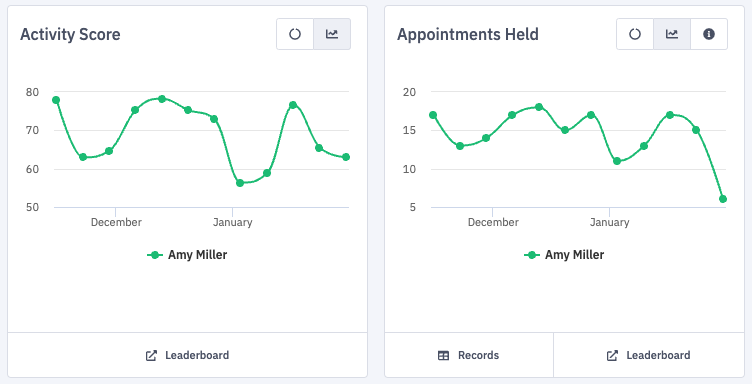
From the metrics tab within a check-in, compare a user to a role or to a peer. Click the Trends icon to see a line graph of the user's performance.
After a check-in, managers can choose to rate or excuse and then close the check-in which archives it for historical record. Action items can be created within a check-in to document any outstanding to-dos and deliverables.
1: Many Coaching = Group Check-Ins
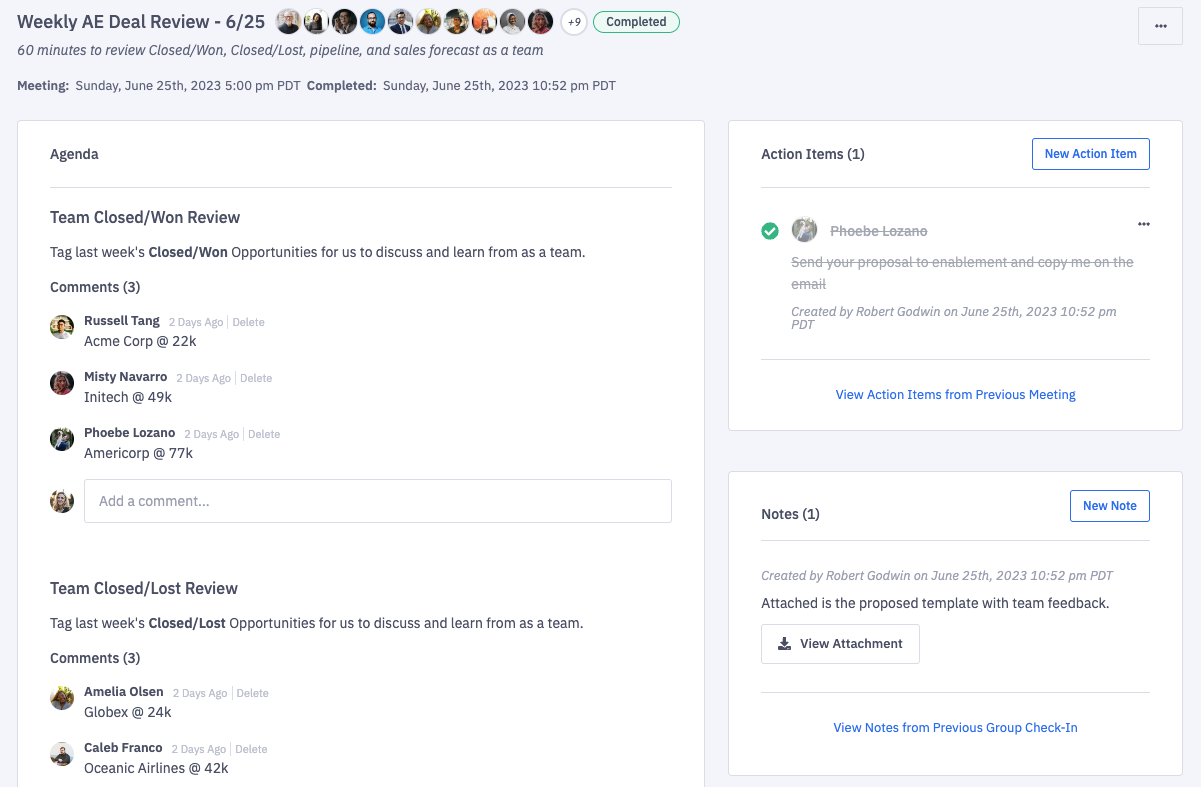
Ambition’s group check-ins are built to support team meetings and group coaching events. These are recurring (auto-generated) conversations between a team lead and a group of participants. Group check-ins result in clear action items and agreements which can be reviewed in subsequent meetings.
Example:
Every Monday morning at 9am the enterprise sales team meets with their leadership team to review what happened last week, talk about open opportunities this week, and to discuss any blockers to success.
Ambition's group check-in will auto-generate each week's agenda and invite each participant to comment on the agenda items, complete action items, or to take notes.
Learn more about creating group check-ins here.
Action Plans
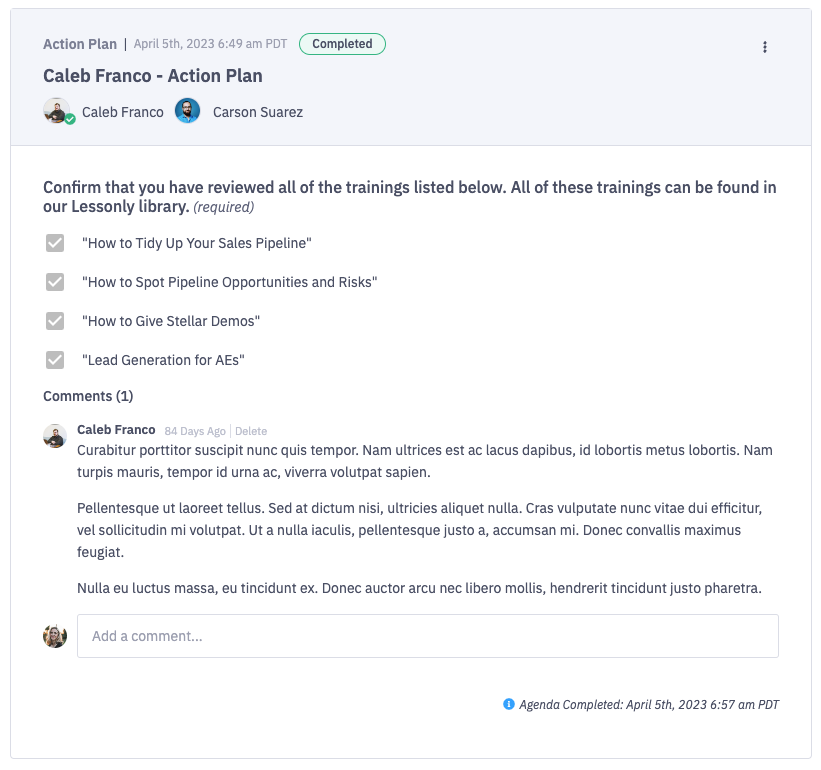
Action Plans track outcomes of coaching touch points, monitoring qualitative and quantitative measures of contributor improvement.
Action Plans can exist both within a coaching session for week-to-week assignment of deliverables or goals, or they can exist outside of the established coaching cadence, tracking longer-term goals, initiatives or improvement projects.
Learn more about creating Action Plans here.
Shared & Private Notes
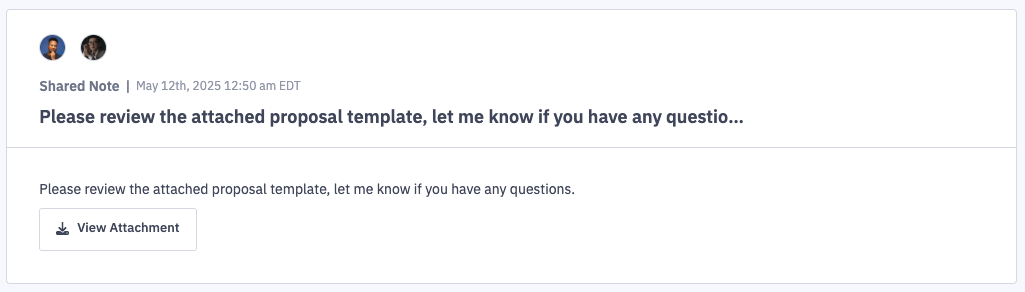
Coaching notes can either be shared or private, and can include an attachment.
Shared notes are visible to those with "Coaching: All Access" permission, the respective manager who created the note, and the selected employee.
Private notes are visible to those with "Coaching: All Access" permission and the respective manager who created the note. Private notes are not visible to the selected employee.
Users with the "Coaching: All Access" permission will be able to see private notes unless the note is about themself.
All notes can be viewed at once within the manage coaching view or on the user's dashboard (coaching tab).
Learn more about creating coaching notes here.
Coaching Timelines
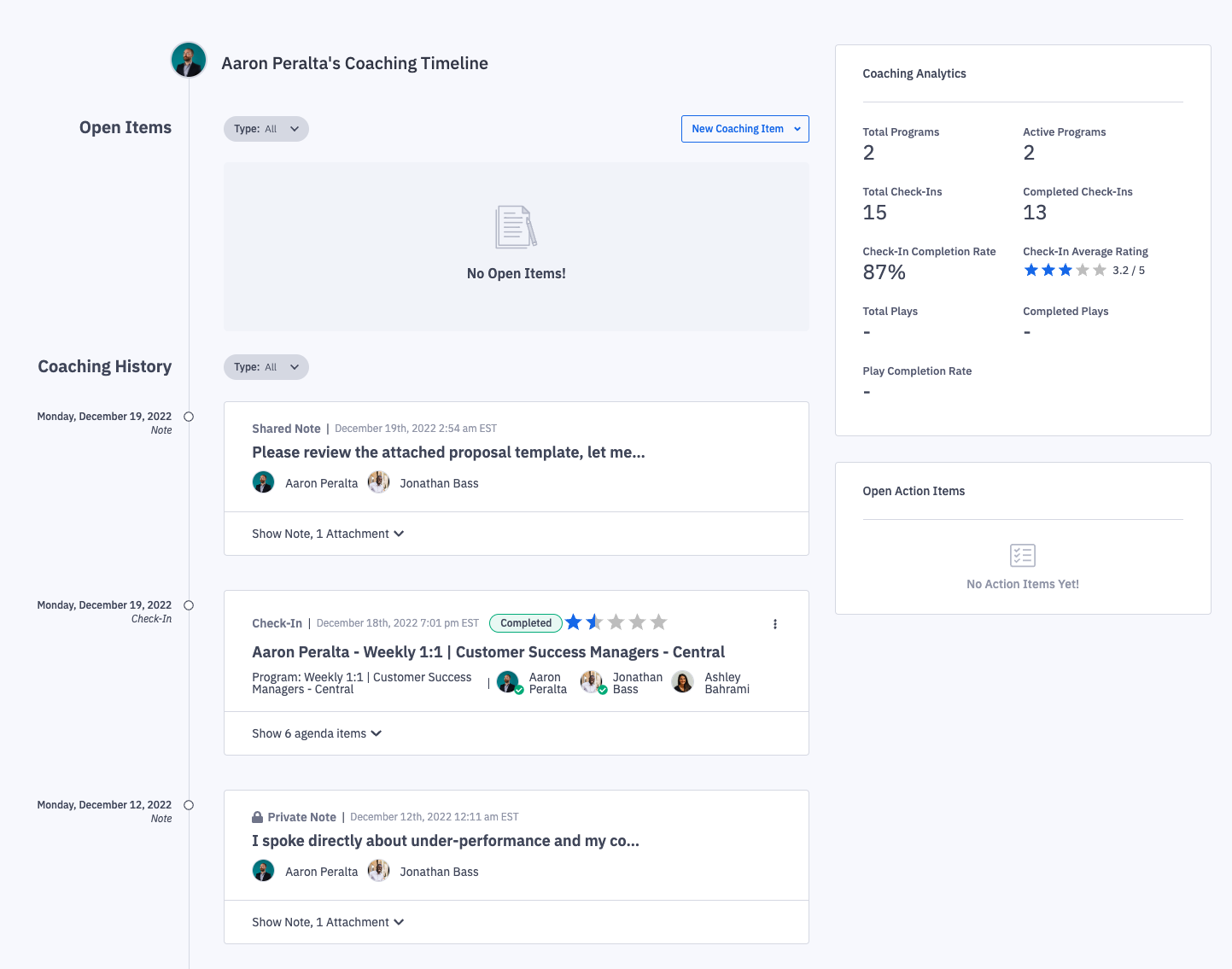
If the coaching feature is enabled, every user and managerial dashboard will have a "coaching" tab on their dashboard.
Those with system admin permissions are able to access all user and managerial dashboards, but will only be able to view the "coaching" tab on user and managerial dashboards if they also have "Coaching: All Access" permission.
Those with manager permission are able to access the "coaching" tab on their own managerial dashboard, their personal dashboard, and on the dashboards of users they manage.
Users are able to access the "coaching" tab only on their personal dashboard.
From a user's or a managerial dashboard, click the Coaching tab.
From the "coaching" tab, a user and their manager can view:
Open check-ins that are pending answers or review
Historical check-ins and their agendas
Shared coaching notes and their attachments
Open and historical action plans and their agendas
Ambition asks